
Yes! You can customize the text on each package’s booking button to fit the content.
To get there, click into your package and then the Landing Page Editor.
Under the Features tab, you’ll see a field for Checkout button text.
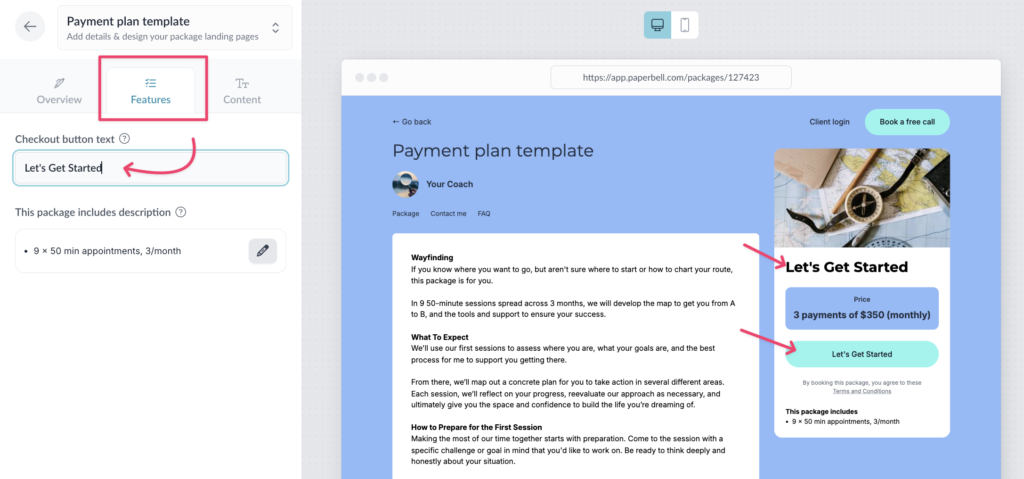
You can set different text for each package. Your free discovery call could say “Book Your Free Call” while your premium package says “Let’s Do This.”
What if I don’t change anything?
If you don’t customize the button text, its default text is based on what’s in your package:
Book Now — paid or free packages with appointments
Buy Now — paid packages with no appointments (e.g., a digital download)
Access Now — free packages with no appointments (a freebie)
Learn more about customizing your Paperbell site.