
Want to offer Paperbell different currencies for international clients? Here’s how to create packages in multiple currencies.
First, create the packages you’d like in your primary currency on your packages page.
Once that’s done, go to your Payment Integration settings.
Choose your next currency from the Currency dropdown menu:
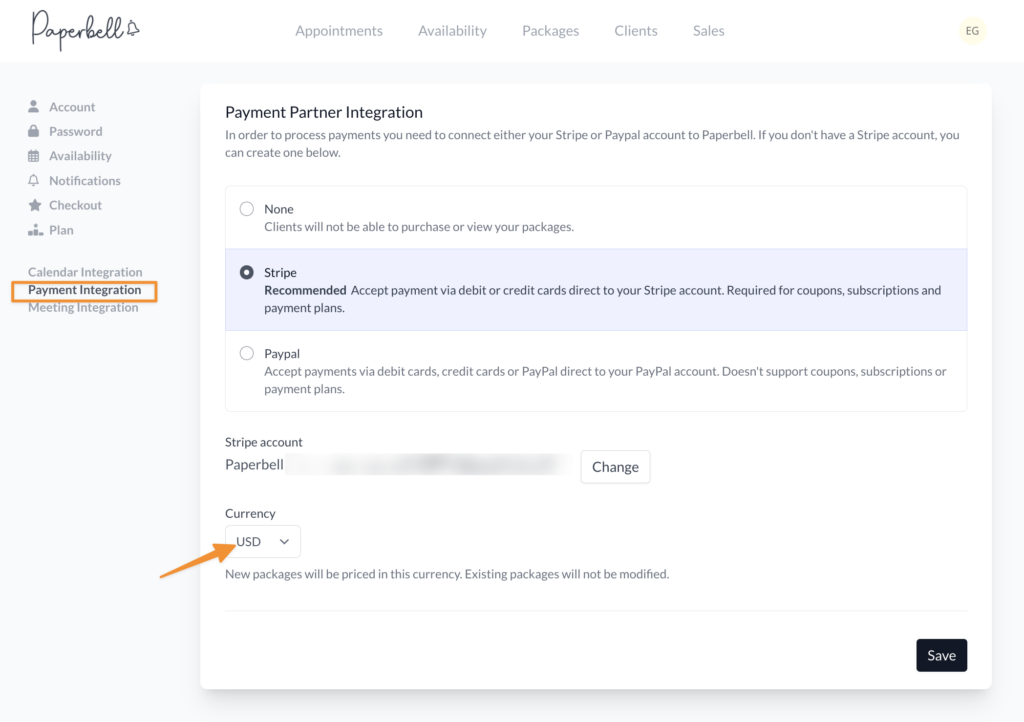
Create the rest of your packages. All existing packages will remain in their original currency.
Voila! You now have packages in different currencies.
Please keep in mind that the currency you are paid in is determined by your payment processor’s account settings (whether that’s Stripe or Paypal). Learn more about connecting your payment processor.