
Want to switch your Paperbell subscription from annual to monthly, or the other way around? No problem!
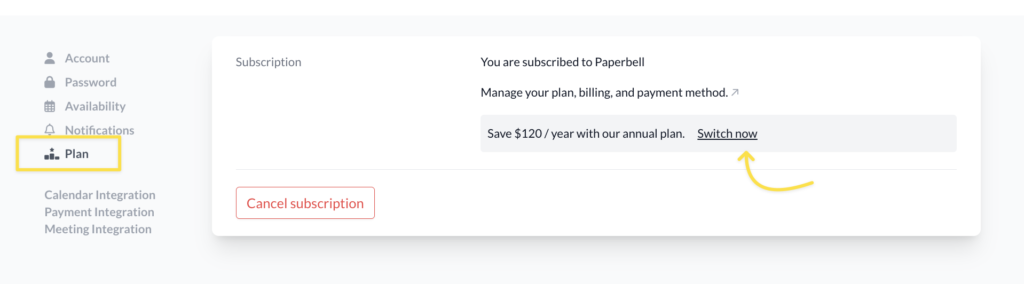
Hop over to your Plan page and click where it says “Manage your plan, billing, and payment info.”

On the next page, you’ll see your payment method and past invoices.
Click the button that says “Update plan.”

You’ll then be guided through the steps to change your plan.

What happens when I switch from an annual subscription to the monthly plan?
You’ll be charged the monthly fee right away, prorated for whatever amount is left of your annual payment.
That means if you switch before your annual subscription is due to renew, you’ll get money back for that unused time in the form of a discount off your monthly payment.
Nothing else changes. You’ll still have full access to your lovely unlimited Paperbell account!
How do I switch from a monthly to annual plan?
Go to your Plan page and click where it says “Switch now”:
If you want to use the card on file for this charge, simply click the “Confirm payment.”
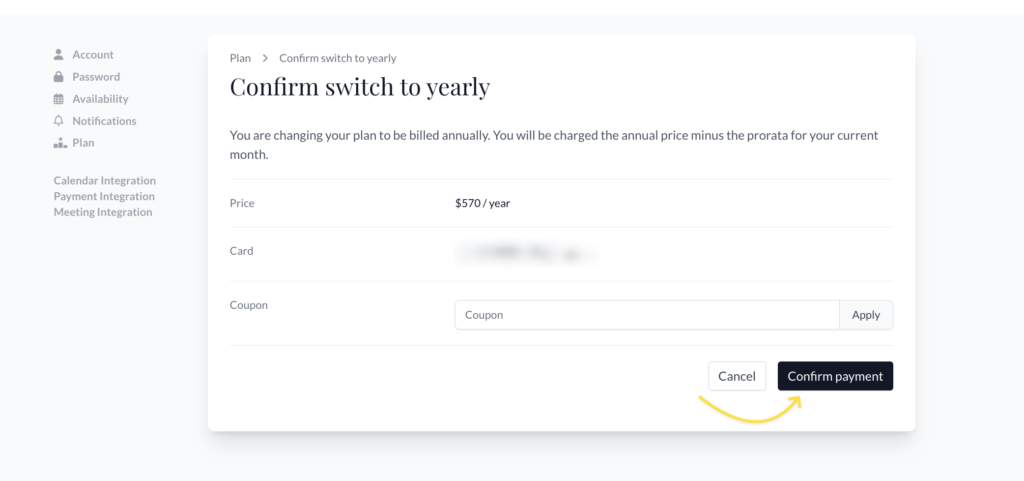
If you want to change the card on file first, from your Plan page, click where it says “Manage your plan, billing, and payment info.”
On the next page, you’ll see your current subscription and the card details. Click the little icon next to the last 4 digits of the current card to make your changes.
You can also scroll down to add new payment and billing details.
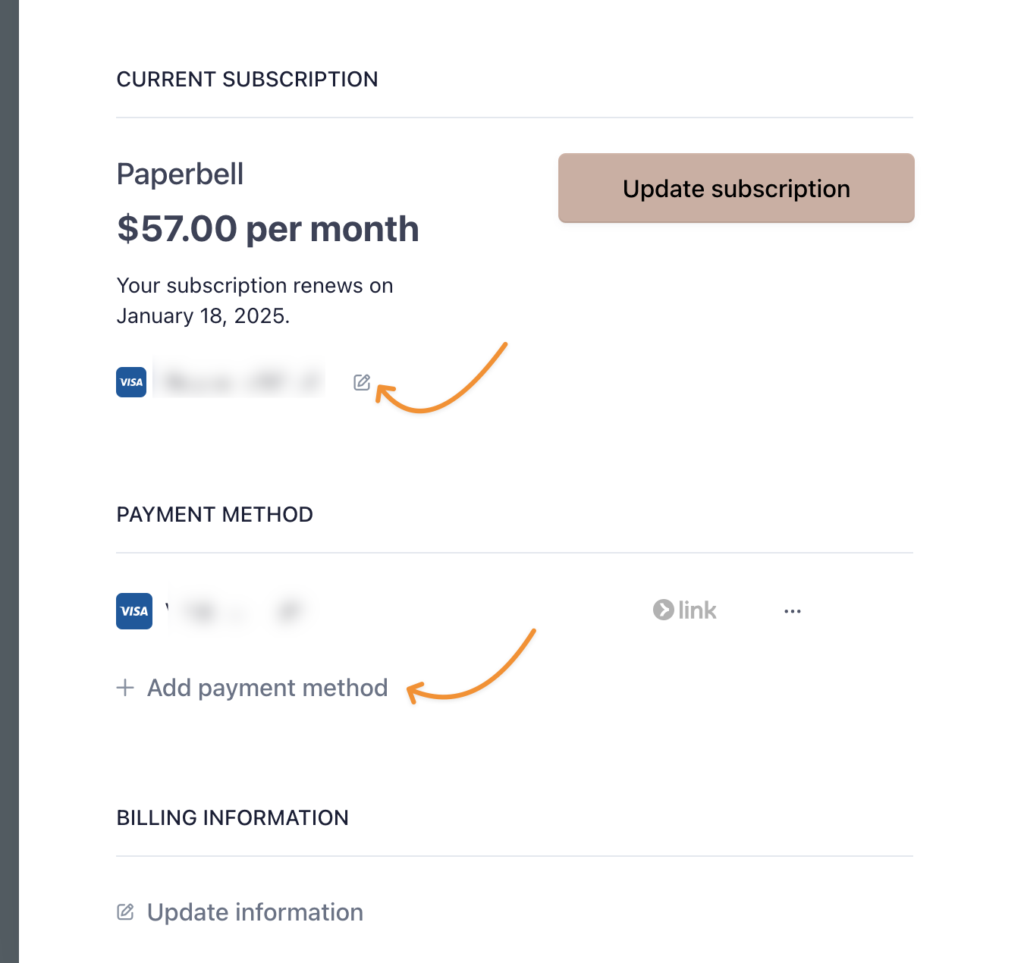
Then just click the button that says “Update plan” and follow the instructions to change your plan!
Looking to cancel instead? See how to cancel your subscription.