
You can use your own domain for your Paperbell website instead of your paperbell.me URL.
There are two ways you can do this. You will connect either:
- Your main domain, such as yourdomain.com (we’ll also set up www.yourdomain.com)
- A subdomain, such as book.yourdomain.com
The DNS records you’ll update depend on which option you choose.
Use your main domain
Use the main domain option if you want your Paperbell site address to be
yourdomain.com or www.yourdomain.com
You’ll set up both addresses at the same time. If someone visits yourdomain.com, they’ll automatically be sent to www.yourdomain.com.
You’ll need to add two DNS records:
| Type | Name | Value |
| A | @ | 168.220.87.227 |
| CNAME | www | custom.paperbell.me |
Important: Both records are required.
This setup works with DNS hosts including GoDaddy, Squarespace, Wix, Namecheap, Cloudflare and others.
Check for conflicting records
Before adding the new records, check your existing DNS records.
You’ll need to remove any other A, AAAA, or ALIAS records with the Name @. These could include records pointing to an old website or a domain parking page.
Don’t delete unrelated DNS records, such as records used for email. If you’re unsure, send us an email at hello@paperbell.com and include a screenshot of your DNS records.
Use a subdomain
If you already have a website at your main domain and want to keep it there, you’ll connect your Paperbell site to a subdomain such as book.yourdomain.com or coaching.yourdomain.com
Your existing website will stay at yourdomain.com.
For a subdomain, you only need one CNAME record.
For example, if you’re using book.yourdomain.com:
| Type | Name | Value |
| CNAME | book | custom.paperbell.me |
The Name is simply the part that comes before your domain.
So, for book.yourdomain.com, you’ll enter book as the Name.
You don’t need an A record to connect a subdomain.
Step 1: Add your domain in Paperbell
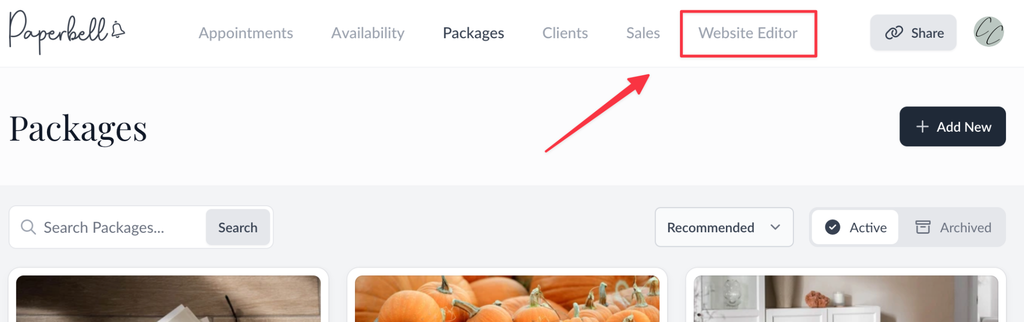
Log in to Paperbell and open the Website Editor in the top right.
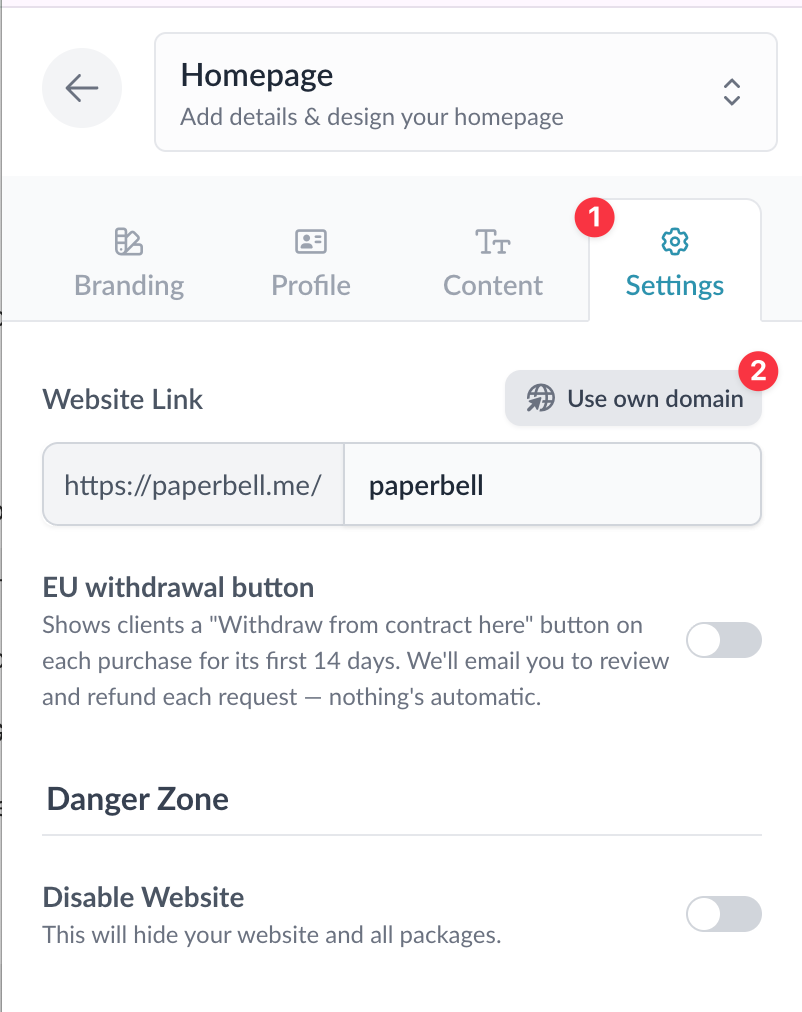
Select Settings, then click Use your own domain.
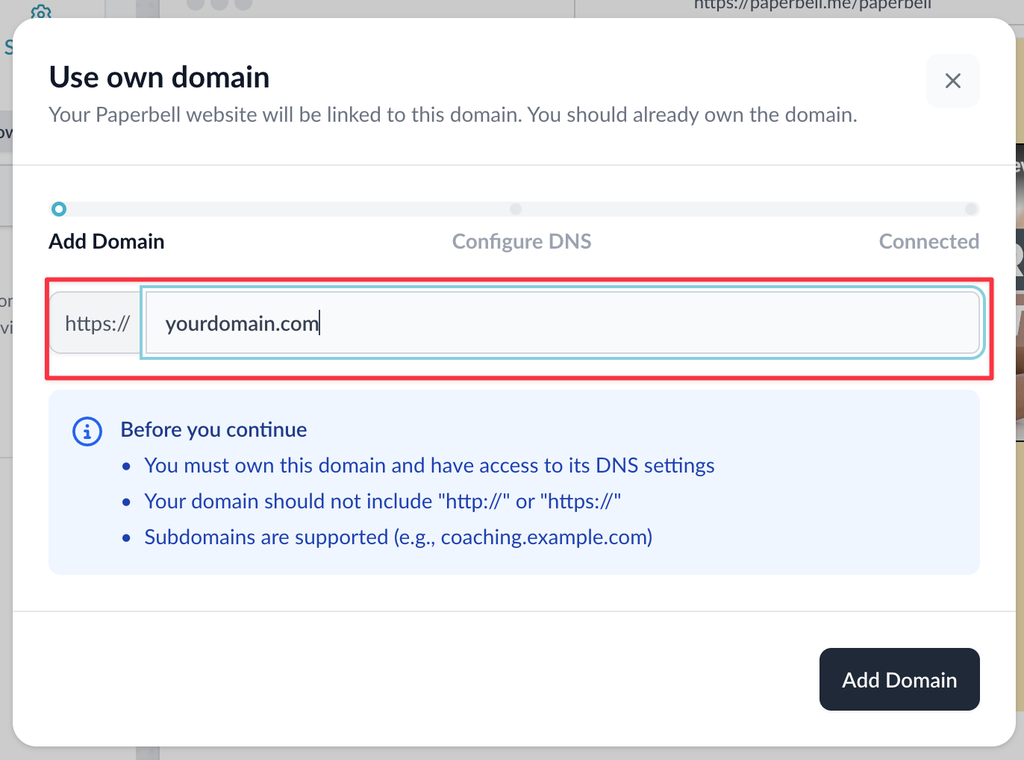
Enter the domain you want to use.
If you’re connecting your main domain, enter:
yourdomain.com
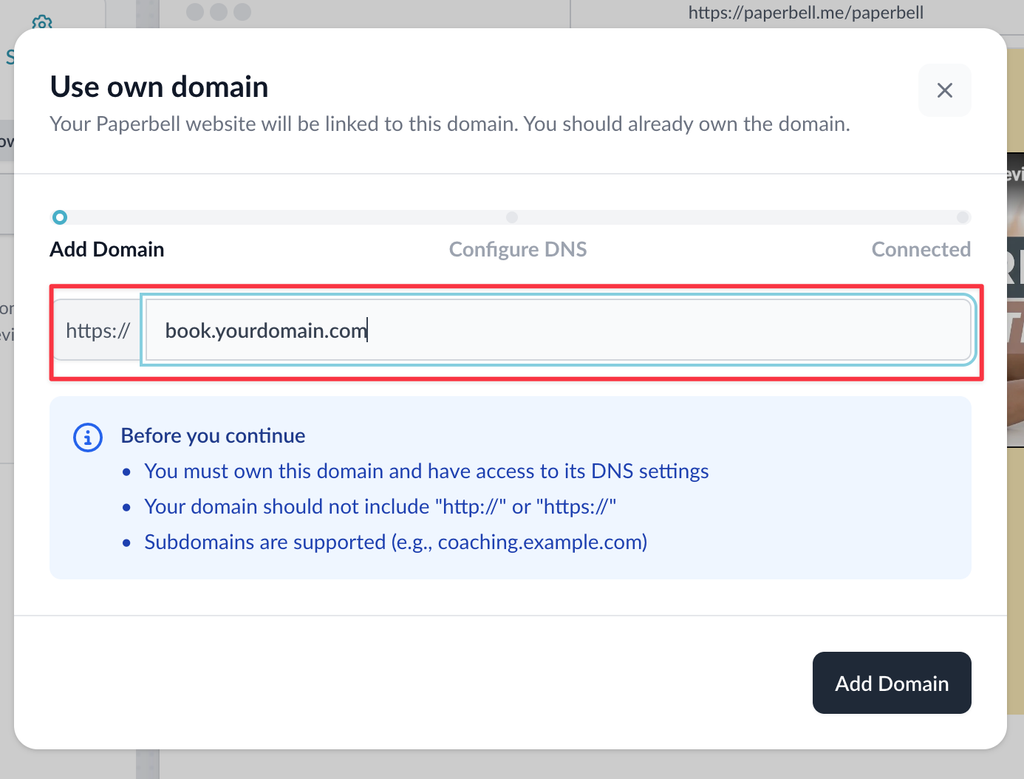
For a subdomain, enter the full subdomain:
book.yourdomain.com
Click Add Domain.
Paperbell will show you the DNS records you need.
Keep this page open while you update your DNS settings.
Step 2: Update your DNS records
You’ll make these changes with the company that manages your domain’s DNS.
Choose your provider below for instructions on adding or updating DNS records:
- GoDaddy: Add an A record | Add a CNAME record
- Squarespace / Google Domains: DNS records for web hosting
- Namecheap: Add an A record | Add a CNAME record
- Wix: Add an A record | Add a CNAME record
- Cloudflare: Create DNS records
- Porkbun: Add DNS records
- Bluehost: Manage DNS records
- Hostinger: Manage A records | Manage CNAME records
Using your main domain? Add both the A record for @ and the CNAME for www.
Using a subdomain like book.yourdomain.com? Add only the CNAME for your chosen subdomain.
Step 3: Wait for your domain to connect
Once you’ve updated your DNS records, Paperbell will automatically check your domain.
When everything is connected, you’ll receive an email letting you know your domain is live.
Got the “live” email but your site isn’t loading?
If you’ve just received the email and your new domain doesn’t load on your computer, give it a few minutes.
Your computer may still remember your old DNS settings for a short time.
You can also try opening your site on your phone using mobile data instead of Wi-Fi. Your computer should pick up the new settings on its own, usually within an hour.
Already have a custom domain that’s working?
If your existing Paperbell custom domain is already connected and working, you don’t need to change anything.
Your current setup will continue to work.
If you previously tried to connect your main domain and it failed, you’ll need to update your DNS settings using the new main-domain setup above.