
Need to message clients by package? Here’s a handy way to email all of your clients who are in the same group coaching program or who have all purchased the same package.
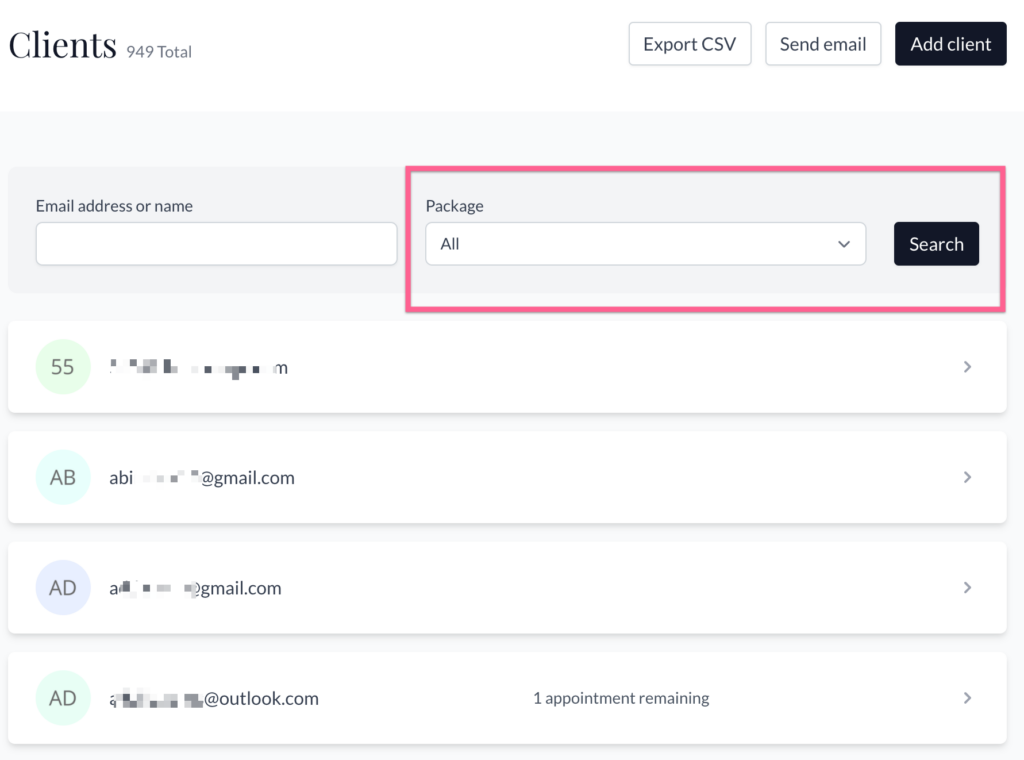
- Go to your Clients page and select the package from the dropdown list at the top.
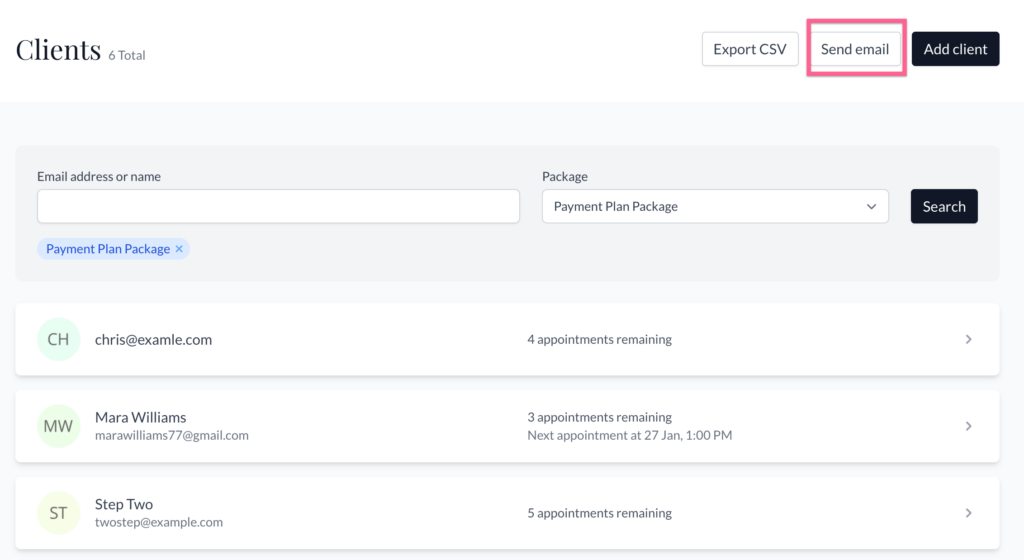
2. Click “Send email” at the top of the page.
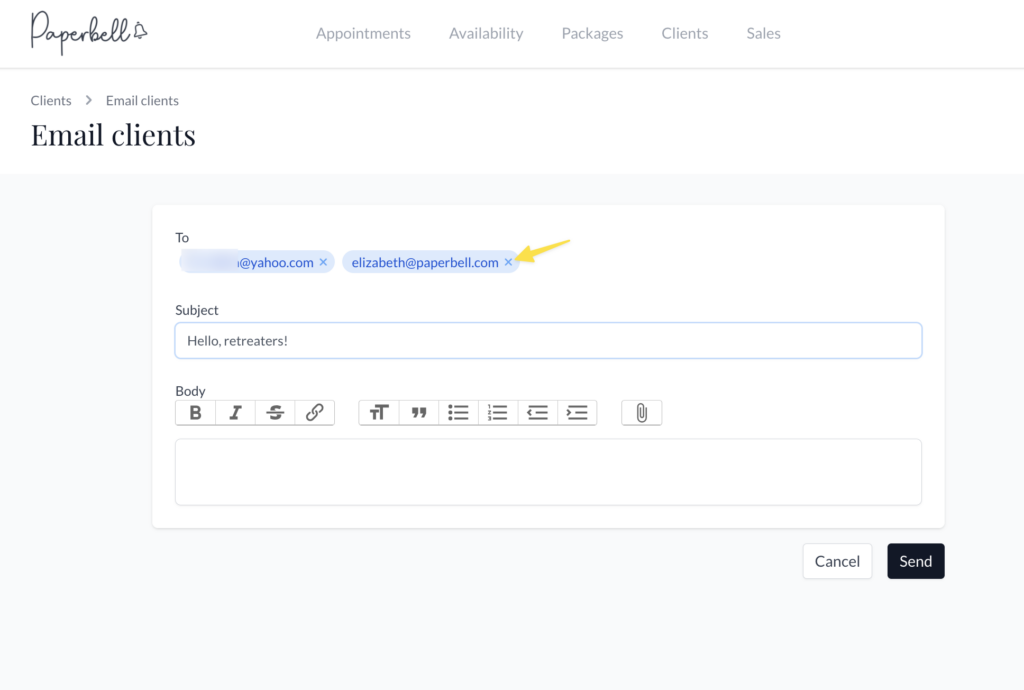
3. Enter your subject and body and hit save! The email will be sent momentarily.
- The little button that shows a paperclip attachment doesn’t actually add an attachment, it inserts an image in the email. (We know that bit is confusing, sorry about that!)
- Your clients will NOT see everyone else’s email address on the email.
If you need to, you can remove any client addresses from the recipient list by clicking the little ‘x’ next to their address:
Learn more about managing your clients in Paperbell.