
How to Set Up Your Coaching Business Without the Tech Overwhelm
If the tech side of starting your coaching business has you frozen, here's the good news: you only need three things working. A page that explains your offer, a way for people to book you, and a way for them to pay you. That's it.
Paperbell is the one account that gives a coach all three: a website, scheduling, and checkout, with contracts and intake forms already wired in. There's nothing to connect.
- The usual advice is four or five separate tools: a website builder, a scheduler, a payment processor, a contract tool, a form tool. Each one needs setting up, then they all need to talk to each other. That's where the overwhelm comes from.
- One Paperbell account replaces the whole stack for $97/month, or $970/year. You can set everything up on a free account first.
- The honest trade-offs: there's no mobile app, it's not a course platform, and using your own domain name is a $5/month add-on.
Where the tech overwhelm actually comes from
It's rarely one hard tool. It's how many tools you're told you need, and the work of making them talk to each other. Here's the stack most new coaches get handed.
| The job | The usual tool | What it costs | What you have to set up |
|---|---|---|---|
| A website | Squarespace or Wix | Squarespace Core $29/mo on annual billing ($39 month to month); Wix Business $39/mo ($46 month to month) | Pick a template, build every page, connect a domain, add a booking widget from another tool |
| Booking | Calendly or Acuity | Calendly Standard $10/mo per seat ($12 month to month), the first tier that takes payments; Acuity Standard $27/mo ($34 month to month), the first tier with packages | Connect your calendar, build event types, embed the booking page on your website |
| Payments | Stripe or PayPal | Stripe 2.9% + $0.30 per card charge in the US, plus 0.5% on subscription charges | Create an account, then connect it inside the scheduler or the website builder |
| Contracts and intake forms | HoneyBook or Dubsado | HoneyBook Starter $29/mo on annual billing ($36 month to month), with its own card processing at 2.9% + $0.25; Dubsado Starter $35/mo | Build templates, then send each contract and form by hand or build automations (Dubsado setups run 15 to 25 hours DIY) |
| Video calls | Zoom or Google Meet | Free tiers exist | Paste a meeting link into every booking confirmation, or connect it to the scheduler |
Prices verified August 2026. Every tool above is a perfectly good tool on its own. The overwhelm is the connecting.
What you actually need on day one
Three things. Everything else on those "tools every coach needs" lists can wait until you have paying clients.
- A page that explains your offer. One page with who you coach, what your package includes, and what it costs. Not a ten-page site.
- A way to book you. A link where a client picks a time from your real availability, gets a confirmation, and gets the video call link.
- A way to pay you. A checkout that takes a card, and ideally lets clients pay a bigger package in installments.
What you can skip for now
A course builder. A sales funnel tool. An email automation platform. A CRM with pipelines. A custom domain. A blog. None of these help you land your first client, and each one adds a login, a bill, and a lost weekend.
The custom domain one matters more than it sounds. Connecting your own domain is the one setup step that regularly turns into a multi-day support thread, on Paperbell and every other platform, because it depends on your domain registrar's DNS settings. You don't need to take that step yet.
The simplest setup: one account instead of five
Paperbell is a website platform and business management tool built for coaches. One account covers your whole day-one list, and the pieces already talk to each other. Nothing to embed, sync, or automate by hand.
Your website: a no-code editor with the structure already built. Add your logo, a few images, your brand colors, and your text, and your site lists your coaching packages with booking and checkout built in. It goes live at a paperbell.me address, so you don't need a domain or hosting to start.
Booking: we sync with Google Calendar, Outlook, or Apple iCloud, show clients only your real availability, and can create a unique Zoom or Google Meet link for every appointment automatically. Clients reschedule themselves through their own login.
Payments: checkout runs through your own Stripe or PayPal account. We don't add any fee on top of the processor's charges, and payment plans and subscriptions work with Stripe.
Contracts and intake forms: attach a contract to a package and clients sign it electronically before they can finish buying. Attach an intake survey and it sends itself right after purchase, or before a session.
Your clients' side: they get a portal where they book, reschedule, and download their materials and signed contracts. You never have to explain which tool does what, because there's one.
What Paperbell doesn't do
- There's no native mobile app. Your dashboard and your clients' portal work in a phone browser and can be pinned to a home screen, but there's nothing in the App Store.
- It's not a course platform. You can deliver PDFs, videos, and drip-fed content inside a coaching package, but if your main product is a structured curriculum, you'll want a dedicated course tool.
- The website is deliberately simple. If you want a complex site with detailed control over the design of every page, Squarespace or Wix will suit you better, with a Paperbell booking link on top.
- Using your own domain name is a $5/month add-on, and connecting it is the one step that involves DNS. Your paperbell.me address works without it.
- One coach per account. If your practice has several coaches, each needs their own account (we discount secondary accounts for the same company by 15%).
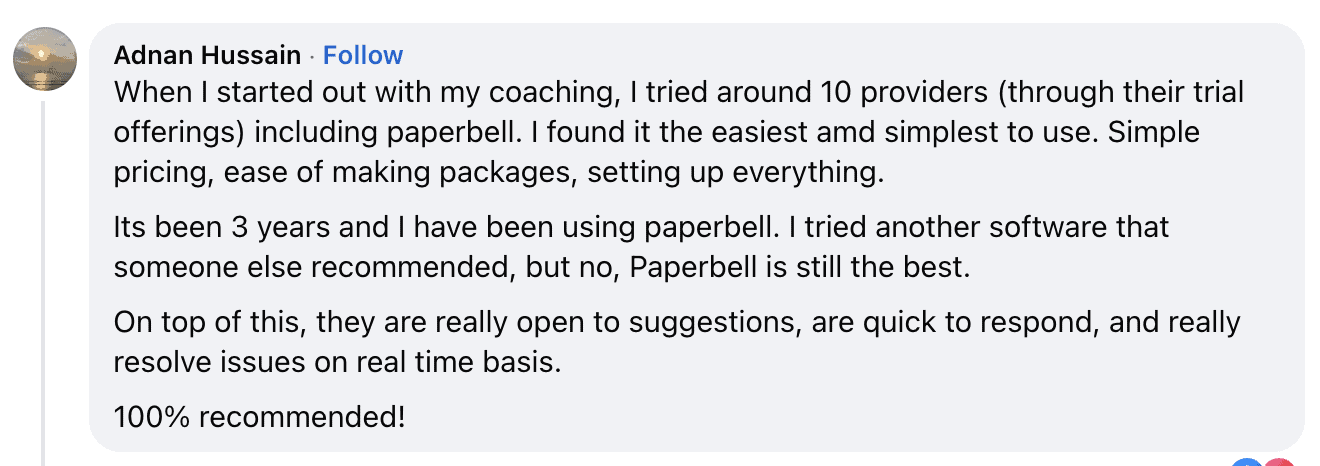
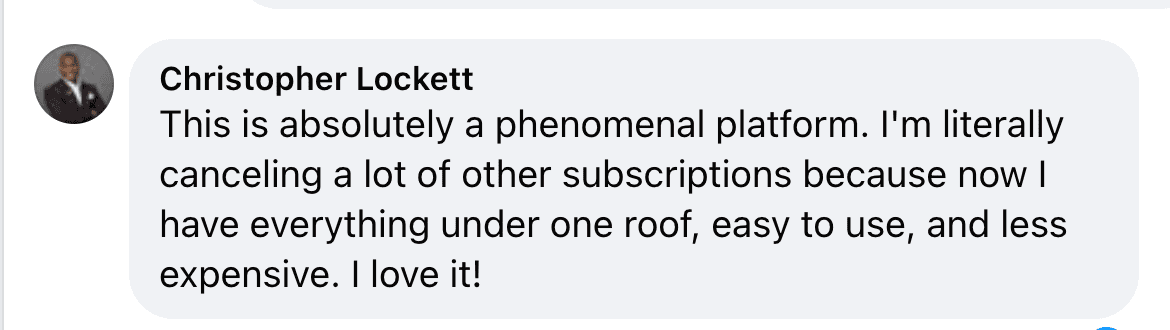
What coaches say about the setup

So what should you use?
The short answer
If you're not techy and you just want to start coaching, use one tool that already includes your website, booking, and checkout. That's what we built Paperbell for. Set up one package, share one link, and add nothing else until someone has paid you.
If you want a big, highly designed website, or your main product is an online course, you're a better fit for Squarespace or a course platform with a scheduler bolted on. That's a lot more setup, and most new coaches don't need it yet.
What is Paperbell?
Paperbell is a website platform and business management tool built for coaches. One account includes a coaching website, scheduling with calendar sync, checkout through Stripe or PayPal, coaching packages with payment plans and subscriptions, contracts with e-signature, intake surveys, group coaching, digital downloads, and a client portal.
Paperbell costs $97/month, or $970/year, with unlimited clients and no payment processing markup, and there's a free account with no credit card required. Paperbell doesn't have a native mobile app or a full course builder, and a custom domain is a $5/month add-on.
Tech overwhelm for new coaches: your questions answered
I'm overwhelmed by the tech side of starting my coaching business. What should I use?
Paperbell is the simplest option for a coach who's overwhelmed by the tech side, because one account includes the website, scheduling with calendar sync, Stripe or PayPal checkout, contracts, and intake forms, all already connected. The alternative is assembling a website builder, a scheduler, a payment processor, and a contract tool separately and wiring them together yourself. Paperbell costs $97/month, or $970/year, and you can set everything up on a free account first, no credit card needed.
What's the easiest way to make a website for my coaching business? I'm not techy at all.
Paperbell is the easiest way for a non-techy coach to make a website, because the site is built from your coaching packages instead of page by page. You add your logo, images, brand colors, and text in a no-code editor, and your site lists your packages with booking and payment built in. If you want a complex website with detailed control over the design of each page, Squarespace or Wix are the better choice, but you'll be building every page and connecting a separate booking tool.
I'm a new life coach. What tools do I need to get started?
A new life coach needs three things on day one: a page that explains the offer, a way for clients to book, and a way for them to pay, plus Zoom or Google Meet for the sessions themselves. Paperbell covers all three in one account and connects to Zoom and Google Meet for the calls. A course builder, email automation, a CRM, and a custom domain can all wait until you have paying clients.
Do I need a custom domain to start a coaching business?
No, you don't need a custom domain to start a coaching business, and a Paperbell site goes live at a paperbell.me address (for example, yourname.paperbell.me) with no domain to buy and no hosting to set up. Paperbell offers a custom domain as a $5/month add-on. That step involves DNS settings at your domain registrar, which is the most common source of long support threads for new coaches, so starting without it removes the hardest technical step entirely.
Do I still need Calendly if I use Paperbell?
No, Paperbell replaces Calendly for coaches: it includes scheduling with calendar sync for Google Calendar, Outlook, and Apple iCloud, shows clients only your real availability, and can generate a unique Zoom or Google Meet link for each appointment. Calendly's Standard tier, the first one that takes payments, costs $10/month per seat on annual billing, and it has no coaching packages, contracts, or subscription billing. There's a full comparison at Calendly vs Paperbell.
What if I already have a Squarespace or Wix website?
Paperbell works alongside an existing Squarespace or Wix website: you link the site's buttons to your Paperbell package pages, or embed a package's booking calendar on your site, so booking, contracts, payment, and the client portal still run through Paperbell. Plenty of coaches run exactly this setup, with Squarespace as the marketing site and Paperbell for everything after a client clicks "book". The trade-off is two subscriptions instead of one, and a design-heavy site you may not need yet.
How much does the do-it-yourself tool stack cost compared to one platform?
Paperbell costs $97/month, or $970/year, with the website, scheduling, contracts, intake forms, payment plans, and client portal included and no payment processing markup. On annual billing, Squarespace Core plus Calendly Standard comes to $39/month before you add a contract or form tool, and adding HoneyBook Starter brings it to $68/month. Squarespace Core plus Acuity Standard is $56/month with no contracts or client portal. Prices verified August 2026.
Is Paperbell hard to learn?
Paperbell isn't hard to learn, because setup is a form-filling job, not a build job. You name a package, set the price and number of sessions, connect your calendar and your payment processor, and share the link. Coaches who've tried several platforms often tell us Paperbell was the simplest of the bunch, and we deliberately keep it from getting overbuilt. The one step that takes real attention is connecting a custom domain, and that's optional.
Does Paperbell have a mobile app?
No, Paperbell doesn't have a native iOS or Android app. Your dashboard and your clients' portal both work in a mobile browser, and you can add the login pages to your phone's home screen as a shortcut.
Can I take payment plans and subscriptions without extra tools?
Yes, Paperbell supports payment plans (a package split into installments) and recurring subscriptions when your checkout runs through Stripe, and we add no fee of our own on top of Stripe's processing charges. With PayPal connected, you can take one-time payments only.
What does Paperbell cost, and is anything extra?
Paperbell is $97/month, or $970/year. One plan, everything included, no per-client fees, no payment processing markup. The one optional add-on is a custom domain name at $5/month. Stripe and PayPal charge their own standard processing fees on every payment, as they would with any platform.
Does Paperbell take a cut of my earnings?
No, Paperbell doesn't take a cut of your earnings. Paperbell charges one flat monthly fee ($97/month, or $970/year) and adds no commission, transaction fee, or processing markup on your sales. Your clients' payments go straight into your own Stripe or PayPal account, and we never hold your money.
Is there a simpler option than Paperbell?
Paperbell is the fewest moving parts for a coach who needs to get paid, get a contract signed, and give clients a place to log in, because the alternative is connecting three or four tools by hand. If all you need is a booking link and nothing else, Calendly's free tier allows one live event type with no payments. There's a wider list of coaching platforms, with prices, at Paperbell alternatives.
Skip the tool juggling and get straight to coaching
A page that explains your offer, a link to book you, and a way to pay you. Paperbell has all three set up and connected from your first login, and there's nothing else to learn until you have clients to learn it for.
Try Paperbell Free