
How to Get Your Life Coaching Website Live Without Building It Page by Page
Do you need a website as a life coach? Yes. But not the kind most people picture. One page that says who you coach, what your package includes, what it costs, and a button to book and pay is enough to start taking clients.
Paperbell is the easiest way to get that page live: it builds your website from your coaching packages, with booking, checkout, contracts, and a client portal included.
- Your website is where a referral, your social profile link, or a directory listing sends people to actually book. Without one, every "how do I work with you?" turns into a back-and-forth over DM or email.
- Your Paperbell site goes live at a paperbell.me address with no domain, hosting, or template building, for $97/month, or $970/year. You can build it on a free account first.
- The honest trade-off: the site is deliberately simple. If you want a complex website with detailed control over the design of every page, you'll prefer Squarespace or Wix, and you'll pay for a separate scheduler.
Do life coaches need a website?
Yes, and the reason is practical: your website is the place a potential client goes to say yes. Every other channel, from Instagram to a referral to a coaching directory, ends with someone asking how to work with you, and the answer has to be a link.
What you don't need is a big website. A blog, an about page with a long bio, a resources library, and a podcast page can all come later. None of them help your first client book.
What your website needs on day one
- Who it's for. One or two sentences naming the person and the problem.
- What the package is. The number of sessions, how long they run, and what happens between them.
- What it costs. A price, and whether it can be paid in installments.
- A way to say yes. A button that leads straight to booking and payment, not to a contact form.
What should you use to build your coaching website?
There are three realistic routes. Each one is a fair choice for a different kind of coach, and each means a different amount of building before your first client can book.
| Route | What you build | Booking and payment | Realistic cost | Best for |
|---|---|---|---|---|
| Paperbell | Add your logo, images, brand colors, and text in a no-code editor; your site lists your packages automatically | Built in: booking, checkout, contracts, intake forms, client portal | $97/mo, or $970/yr; custom domain $5/mo add-on | Coaches who want to start taking clients, not build a site |
| Squarespace + a scheduler | Every page, from a template; then embed a booking tool | Acuity Standard ($27/mo annual, $34 month to month) for packages, or Calendly Standard ($10/mo per seat); no contracts in either | Squarespace Core $29/mo annual ($39 month to month) plus the scheduler; $56/mo combined with Acuity Standard on annual billing | Coaches who want a complex site with detailed control over the design of each page |
| Wix + a scheduler | Every page, from a template; Wix Bookings is included from the Core plan | Wix Bookings; 2.9% + $0.30 processing plus a 4% fee on recurring charges on the Core plan (2% on Business) | Wix Core $29/mo annual ($36 month to month); Business $39/mo ($46 month to month) is the tier reviewers recommend | Coaches who want a designed site and are fine with Wix's recurring-payment fees |
| Kajabi | Website and course pages from templates | Built in, with one availability schedule across all products; 2.9% + $0.30 with Kajabi Payments | Basic $143/mo annual ($179 month to month) | Coaches whose main product is a course library with coaching attached |
| No website, just a booking link | Nothing | Calendly free tier: one live event type, no payments | $0 | Coaches taking free discovery calls only, before they have a paid offer |
Prices and features verified August 2026. Squarespace, Wix, and Kajabi are all real options for coaches. The difference is how much building happens before your first client can book.
The easiest way to get your coaching website live
Paperbell is a website platform and business management tool built for coaches. Your website is generated from your coaching packages, not built page by page. That's the whole reason it's the easiest route: there's no blank template to fill.
What you do: create a package (name, price, number of sessions). Then open the Website Editor and add your logo, images, brand colors, and the text about who you coach. No code, no page builder, no plugins.
What we do: publish your site at a paperbell.me address (for example, yourname.paperbell.me), host it, and put a working book-and-pay button under every package. Scheduling syncs with Google Calendar, Outlook, or Apple iCloud, and each appointment can get an automatic Zoom or Google Meet link.
What happens when a client clicks: they pick their session times, sign your contract electronically if you've attached one, and pay through your Stripe or PayPal account, all in one flow. Your intake survey opens right after checkout, and they get a client portal to manage it all from.
Later, when it matters: connect your own domain as a $5/month add-on. That's the one step that involves DNS, and it can wait until you have clients.
What a Paperbell website doesn't do
- It's not a general website builder. Your site is a structured coaching site built around your packages, not a blank canvas with a library of page templates and a blog.
- If you want detailed control over the layout and design of each page, use Squarespace or Wix. You can still link that site to your Paperbell package pages for booking and payment.
- A custom domain is a $5/month add-on, and connecting it depends on your domain registrar's DNS settings.
- There's no native mobile app, and Paperbell isn't a full course platform. Content like PDFs and videos is delivered inside your packages.
- One coach per account. If your practice has several coaches, each needs their own account, with a 15% discount on secondary accounts for the same company.
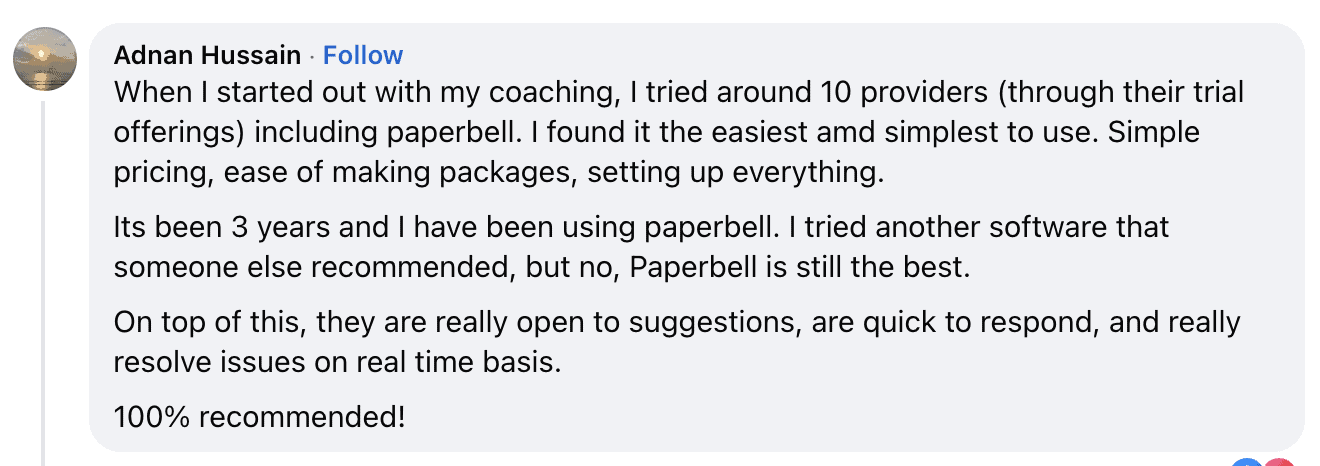
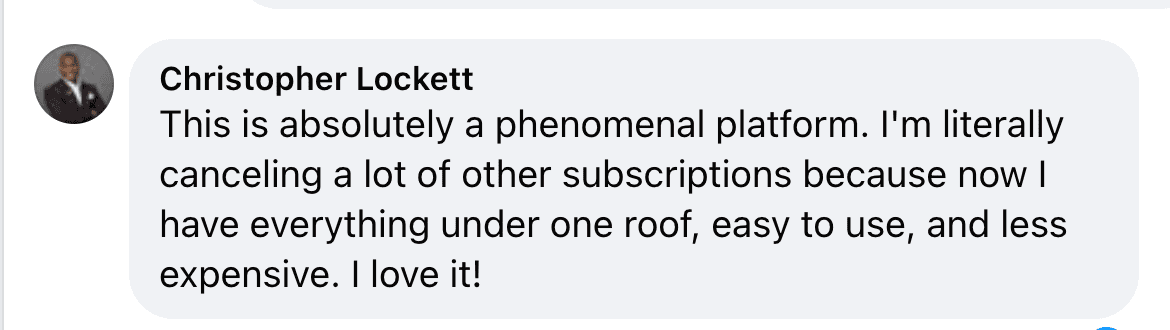
What coaches say

So what should you build your website with?
The short answer
If you want to start taking clients, build your website in Paperbell. Your site, your booking, your payment, and your contract all come out of the same setup, so there's nothing to connect. Add a custom domain later if it matters to you.
If you want a complex site with detailed control over the design of every page, use Squarespace or Wix, and accept two subscriptions plus a booking tool to connect. If your main product is a course library, look at Kajabi, and at its price.
What is Paperbell?
Paperbell is a website platform and business management tool built for coaches. One account includes a coaching website, scheduling with calendar sync, checkout through Stripe or PayPal, coaching packages with payment plans and subscriptions, contracts with e-signature, intake surveys, group coaching, digital downloads, and a client portal.
Paperbell costs $97/month, or $970/year, with unlimited clients and no payment processing markup, and there's a free account with no credit card required. Paperbell doesn't have a native mobile app or a full course builder, and a custom domain is a $5/month add-on.
Life coach websites: your questions answered
Do I need a website as a life coach, and what should I use to build one?
Yes, a life coach needs a website, and the easiest one to build is Paperbell, where the site is generated from your coaching packages and includes booking, checkout, contracts, and a client portal for $97/month, or $970/year. A website is where a potential client goes to book and pay, and every referral, social profile, and directory listing needs somewhere to send people. It doesn't need to be big: one page with who you coach, your package, your price, and a button to book is enough to start. If you want a complex site with detailed control over each page's design, Squarespace and Wix are the better choice, with a separate scheduler connected.
I just got my coaching certification. How do I start getting clients online?
Start with one clear package and one page where people can book and pay for it (Paperbell gives you both from one account), then send every conversation there. Most first clients come from people you already know, from social posts that link to your page, and from free discovery calls that end with a booking link. The mistake to avoid is spending your first months building a big website, a course, and an email list before you have a page that can take a payment. There's a longer guide at how to get coaching clients.
What's the easiest website builder for coaches?
Paperbell is the easiest website builder for coaches who'd rather take clients than design pages, because the site is built from your coaching packages: add your logo, images, and text, and your site lists your packages with booking and payment attached. Squarespace and Wix are easier than coding but still mean building every page from a template and connecting a separate booking tool. Wix includes Bookings from its Core plan; Squarespace needs an Acuity subscription for scheduling.
Can I build a coaching website for free?
Paperbell has a free account, no credit card needed, so you can build your site, packages, and scheduling before paying anything. Squarespace has no free plan. Wix has one, but it shows Wix ads, doesn't connect a custom domain, and doesn't include Bookings. If all you need is a booking link for free discovery calls, Calendly's free tier allows one live event type and takes no payments.
Do I need my own domain name to start coaching?
No, you don't need your own domain name to start coaching: a Paperbell site is live at a paperbell.me address with no domain to buy, and clients can book and pay there. Paperbell offers a custom domain as a $5/month add-on, and connecting one on any platform involves your domain registrar's DNS settings, which is the most common source of long support threads for new coaches. It's a good step to take once you have clients, not before.
What should be on a life coach's website?
Who your coaching is for, what your package includes (sessions, length, what happens between sessions), what it costs and whether it can be paid in installments, and a button that goes straight to booking and payment. A short bio and a photo help. A blog, a testimonials wall, and a resources library can be added later and aren't what stops your first client from booking.
Can I use Squarespace or Wix for the site and Paperbell for booking?
Yes, Paperbell works with a Squarespace or Wix site: point the site's buttons at your Paperbell package pages, or embed a package's booking calendar on your site, so payment, contracts, intake forms, scheduling, and the client portal run through Paperbell. That suits you if you want a designed marketing site. The cost is two subscriptions instead of one, and on annual billing Squarespace Core alone is $29/month before adding Paperbell.
Does a Paperbell website include booking and payment?
Yes, every Paperbell website includes booking and payment: each active package has a button that takes your client through booking from your synced calendar, contract signing if you've attached a contract, and payment via your Stripe or PayPal account, with your intake survey opening right after checkout. Payment plans and subscriptions are available with Stripe. We add no fee on top of the processor's charges.
How much does a life coach website cost?
Paperbell includes the website in its plan at $97/month, or $970/year, with booking, checkout, and contracts, plus $5/month if you want a custom domain. Squarespace Core is $29/month on annual billing ($39 month to month) and needs a separate scheduler such as Acuity Standard at $27/month, so $56/month combined before a contract tool. Wix Business, the tier reviewers recommend for a coaching site, is $39/month on annual billing ($46 month to month). Prices verified August 2026.
Does Paperbell take a cut of my earnings?
No, Paperbell doesn't take a cut of your earnings. Paperbell charges one flat monthly fee ($97/month, or $970/year) and adds no commission, transaction fee, or processing markup on your sales. Your clients' payments go straight into your own Stripe or PayPal account, and we never hold your money.
Can I customize the design of a Paperbell website?
Paperbell websites can be customized with your logo, images on the home page and package pages, your brand colors, and all the text, without code. What you can't do is rearrange the page structure freely or add a blog, because the site follows a fixed coaching-site layout built around your packages. If you want that level of design control, Squarespace or Wix will serve you better, with Paperbell handling the booking behind it.
Does Paperbell have a mobile app?
No, Paperbell doesn't have a native iOS or Android app. Your dashboard and your clients' portal both work in a mobile browser and can be added to a phone's home screen as a shortcut.
What does Paperbell cost?
Paperbell costs $97/month, or $970/year. One plan, everything included, no per-client fees, no payment processing markup. The only optional add-on is a custom domain at $5/month. There's a free account, no credit card needed, and a wider list of coaching platforms with prices at Paperbell alternatives.
One page. One button. Clients can book you.
Your website only has to do one thing well: let someone say yes. Paperbell builds that page from your coaching package, and the booking, payment, and contract are already behind the button.
Try Paperbell Free