
In Paperbell, online courses are delivered via packages. A package can include online content only, or you can deliver files and downloads alongside 1:1 or group coaching appointments.
Here’s how to do it:
1. Create a new package or modify an existing one
Go to https://app.paperbell.com/provider/packages and click “Create New” or click on an existing package in your list.
2. Click on the Content tab within your package
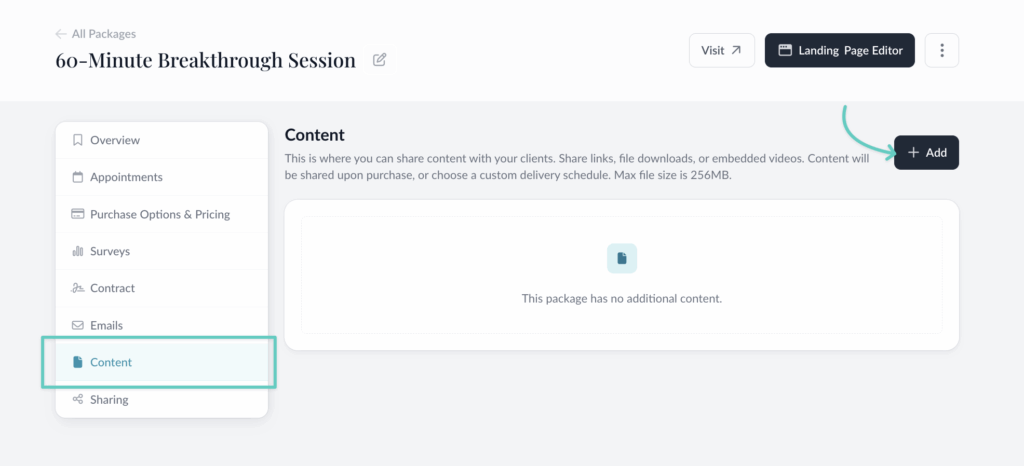
3. Click +Add
In the tab that opens, you’ll choose between adding a link or a video link.
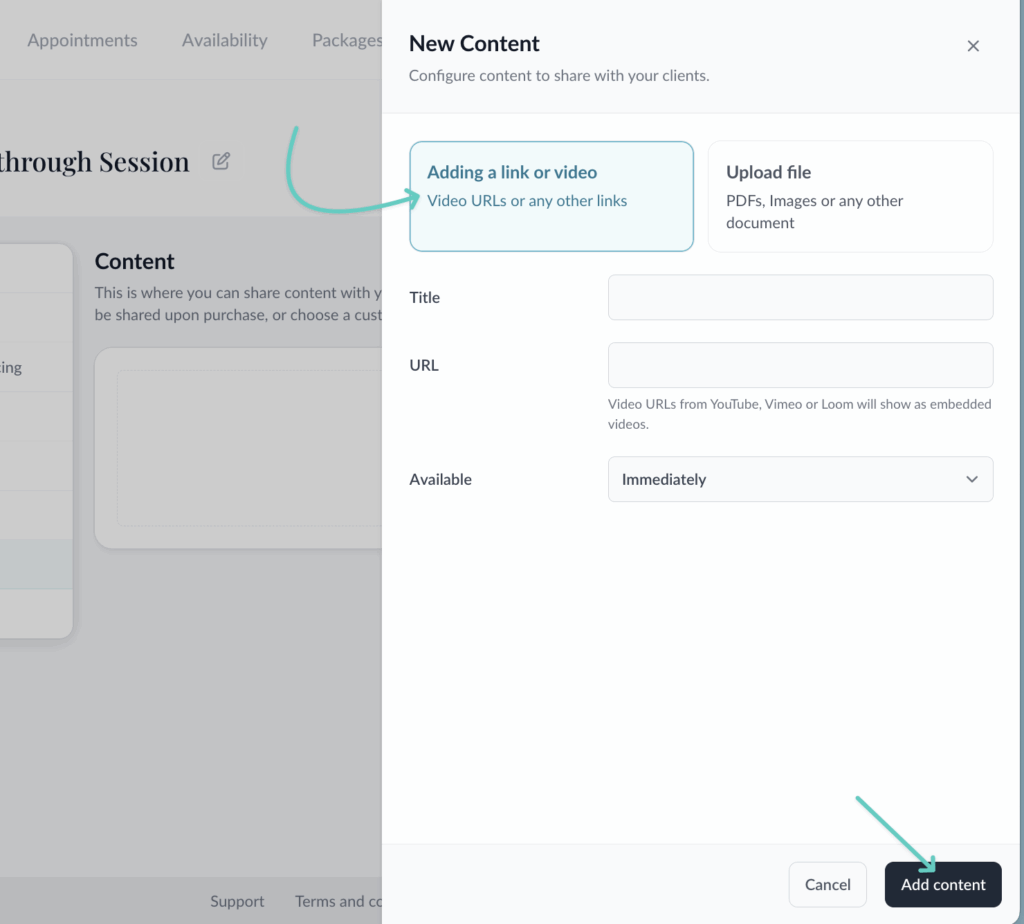
Add link or video: this is used for either embedded videos (from YouTube, Vimeo or Loom) or for links to anywhere on the web. For example you could link to a Google Doc, a hidden page on your website, or any web pages or blog posts owned by yourself or anyone else.
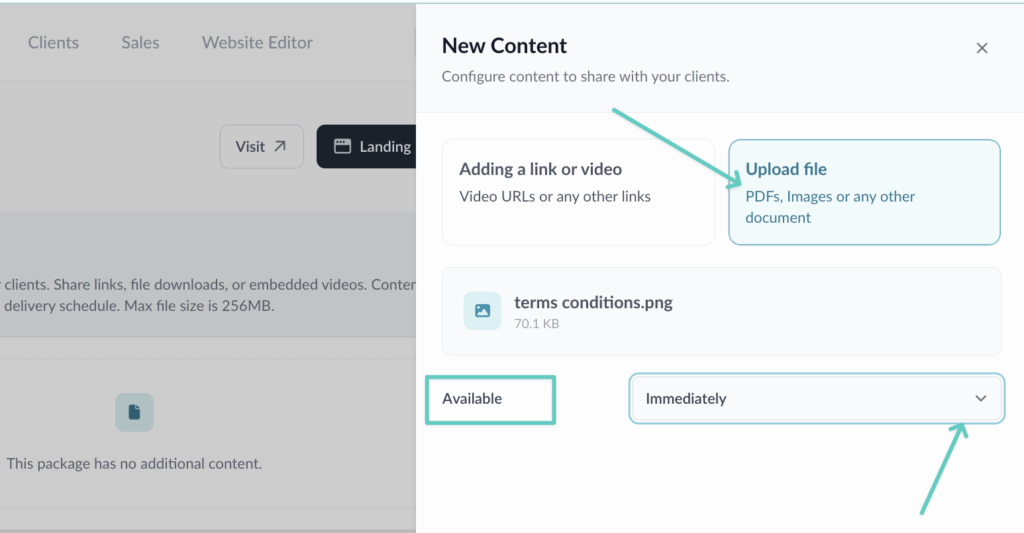
Upload file: This is used for content that your client will be able to download like PDFs, spreadsheets, image files, and workbooks.
You can also upload audio files like mp3, and video files like .mov. Your clients will be able to play these audio and video files inside their Client Portal, or download them.
Maximum individual file size is 1 GB; your whole account has a 5 GB limit.
4. Choose when the content is available
The Available setting lets you deliver the content over time.
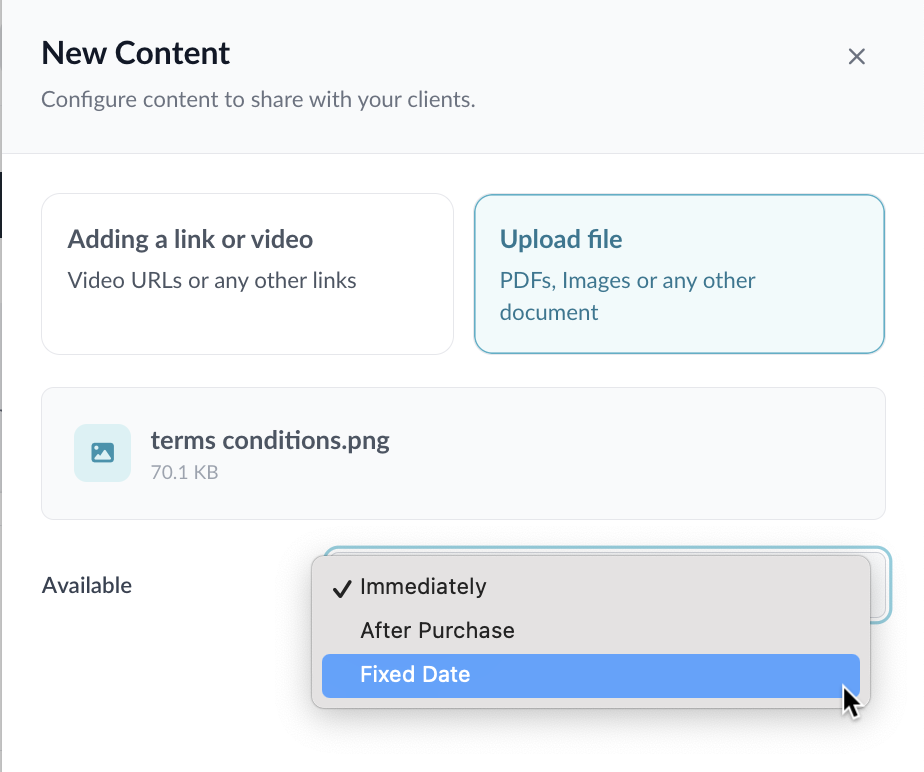
Immediately means that as soon as your client purchases, the content will be available in their Paperbell client portal.
After Purchase lets you choose when after purchase the content appears in the client’s portal. You can set any number of days or weeks after purchase.
Fixed Date means the content will be delivered on a certain date (at midnight in the coach’s time zone, to be exact!)
FAQs
How does my client find the content?
Your client will see the content inside their Paperbell Client Portal at https://app.paperbell.com/client
How can I share the link to this content?
Direct your clients to log in at the Client Portal, https://PaperbellClient.com/.
From there they’ll click on Content in the sidebar, or they can go directly to Content.
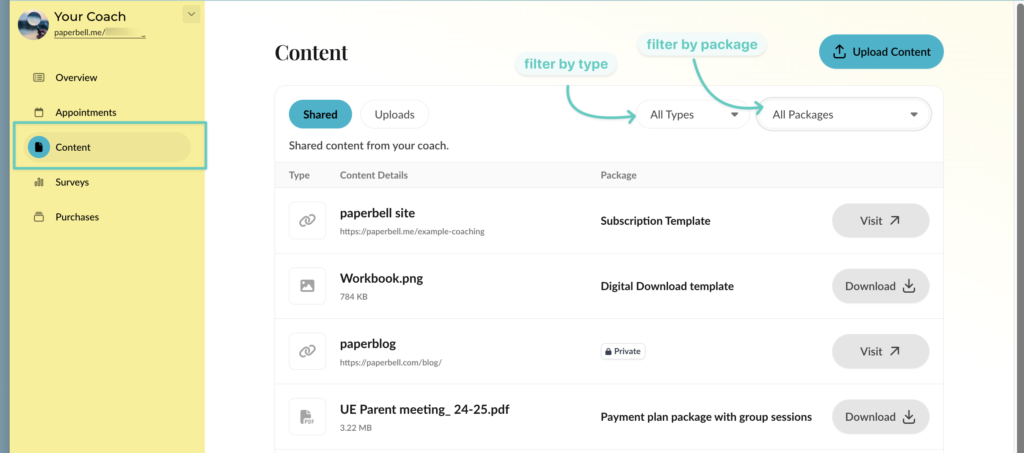
They can filter the Content by package and type.
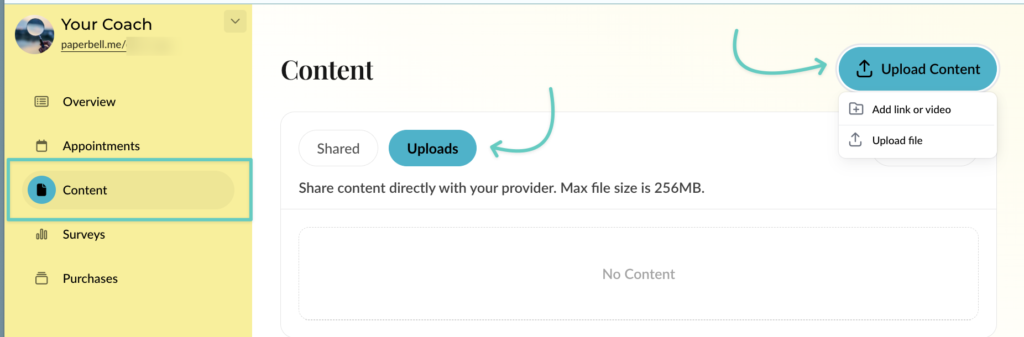
They’ll also see anything you’ve shared directly with them that is private, and they can upload content for you to see.
Will my client get an email letting them know the new content is there?
Not automatically. If you would like them to know you’ll need to send an email that is triggered after purchase alongside the release of the content. You can read how to do that here.
How much content can I add?
1 GB is the max size for an individual file upload. Your whole account has a limit of 5 GB.
What file types and sizes are allowed?
Maximum individual file size is 1 GB. All files types are allowed, including zip files and audio/video files. Your whole account has a limit of 5 GB.
How do I make the files show up in a certain order?
Files are shown in alphanumeric order. So the easiest way is to number them. For example:
- Welcome video
- First week’s assignments
- Watch this video if you’re feeling stuck
How do I upload a video straight from my phone or computer?
You can upload it like you would any other file, and your clients will be able to play the video from within the Client Portal.
If it’s a video already hosted on a a video platform, you can add the URL from Youtube, Vimeo, or Loom, and it will automatically show up as embedded video for your client.
Will clients who have purchased in the past also receive the content?
Yes! Anyone who has purchased the package any time will receive all content. If you don’t want this to happen, create a new package.
Can I do cohorts, quizzes, certifications, or a forum?
Nope. We like to keep things simple! Paperbell was designed for delivering content as part of a holistic coaching or consulting package. If your entire business is courses and you need more advanced functionality we’d suggest checking out Teachable or Podia. You can also include access to an outside course within your Paperbell package by including a link or access explanation as a part of your Paperbell content.
Can clients upload files or content to share with me?
They sure can! Here’s how.