

Picture this: A new client signs their contract, pays their first invoice, books their first session, and gets access to your welcome resources. All in one place, without a single email from you.
That’s what a coaching client portal does. And if you’re still sending separate calendar links, PDF invoices, and onboarding documents every time you sign someone new, you already know how fast that gets exhausting.
The good news? You don’t have to build anything. In this guide, we’ll walk through what a coaching client portal actually includes, why Paperbell is the fastest way to get one, and how to set up a DIY version if you want to go that route.
What Is a Coaching Client Portal?
A coaching client portal is a private, dedicated space where your clients can manage everything about their coaching relationship: booking sessions, accessing materials, tracking their package, signing contracts, and making payments.
Think of it as a home base. Instead of your client hunting through old emails to find their Zoom link, or texting you to ask how many sessions they have left, everything lives in one login they can bookmark and come back to.
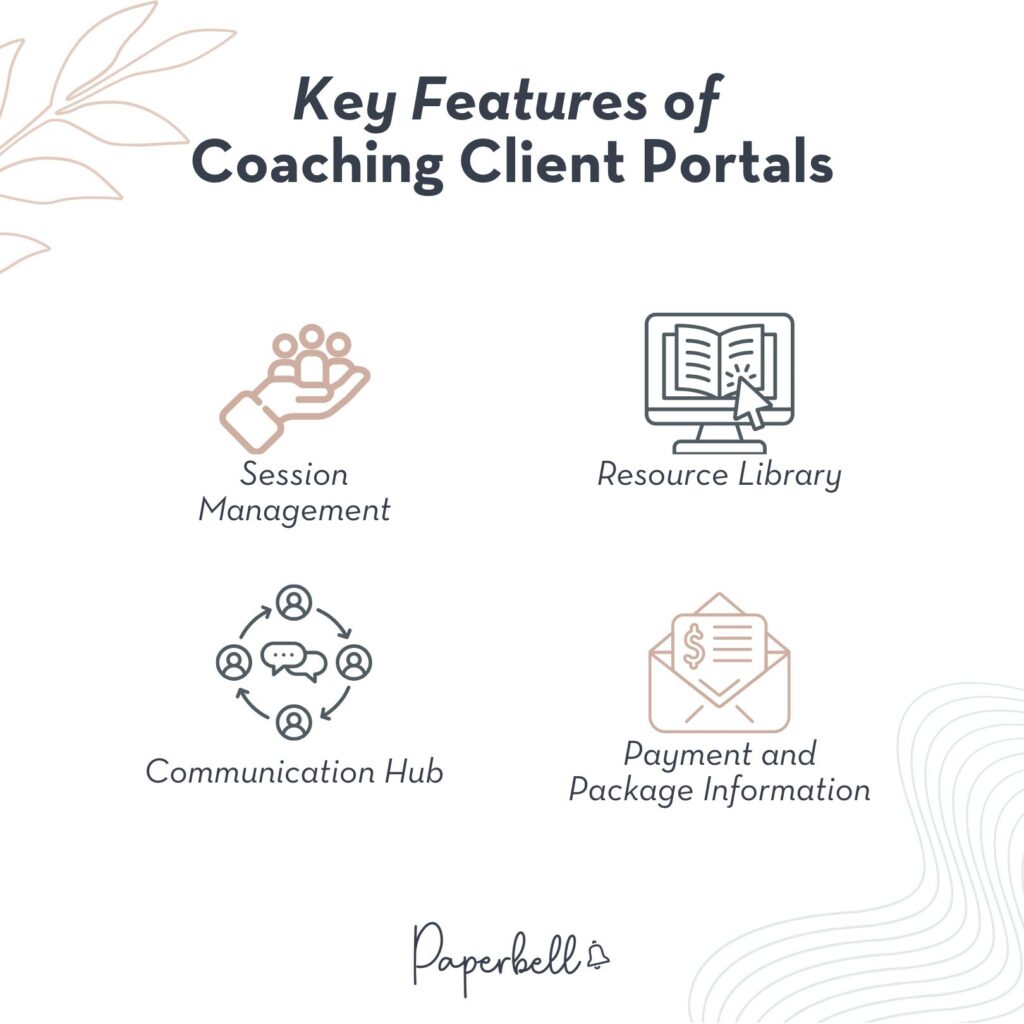
A solid client portal typically includes:
- Session scheduling: clients book, reschedule, or cancel directly (within whatever rules you set)
- Payment and package tracking: they can see what they purchased, how many sessions remain, and update their billing info
- Documents and resources: worksheets, recordings, welcome guides, and any content you want to share
- Contracts and forms: signed before a session even starts, no chasing required
- Intake questionnaires: automatically sent based on where they are in the package
- Group session access: if you run cohort programs or group calls
The whole point is less back-and-forth. Your clients feel more organized and professional, and you stop spending half your admin time answering logistical questions.
How to Use Paperbell as Your Coaching Client Portal
Here’s the thing about setting up a client portal: you don’t have to build one from scratch.
Paperbell is coaching software with a built-in client portal. Every client you add automatically gets their own personalized login. You don’t stitch anything together. You don’t need a developer. You set up your packages, and the portal is already there.
What Your Clients Get
When a client purchases a package through Paperbell, they get a personal portal that lets them:
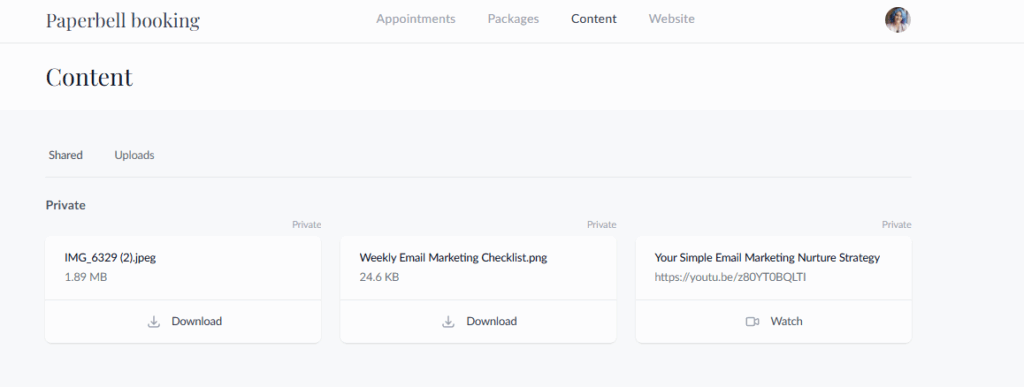
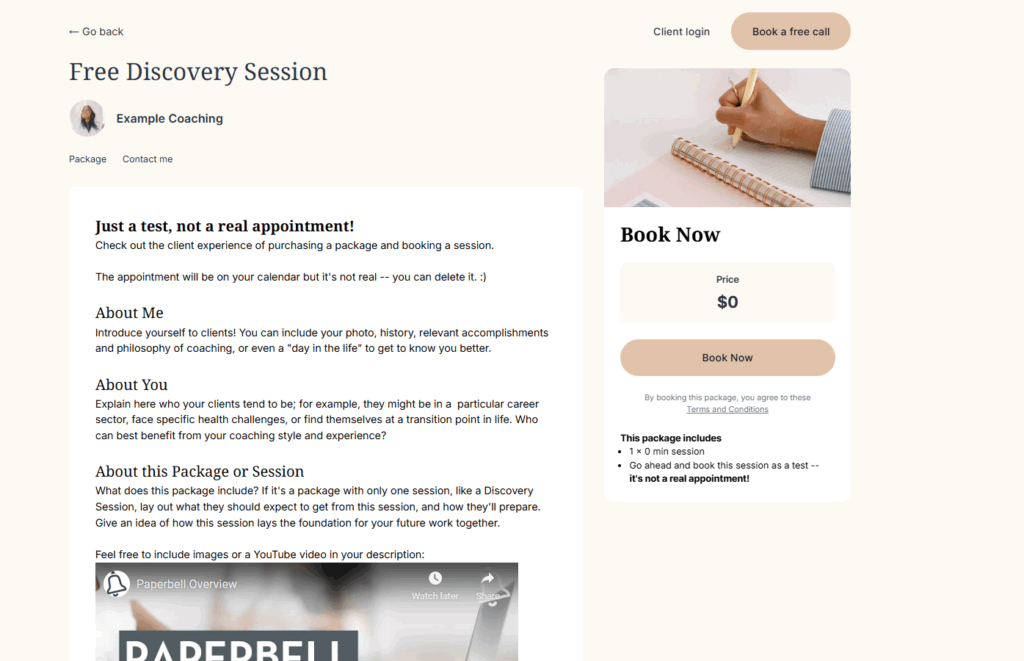
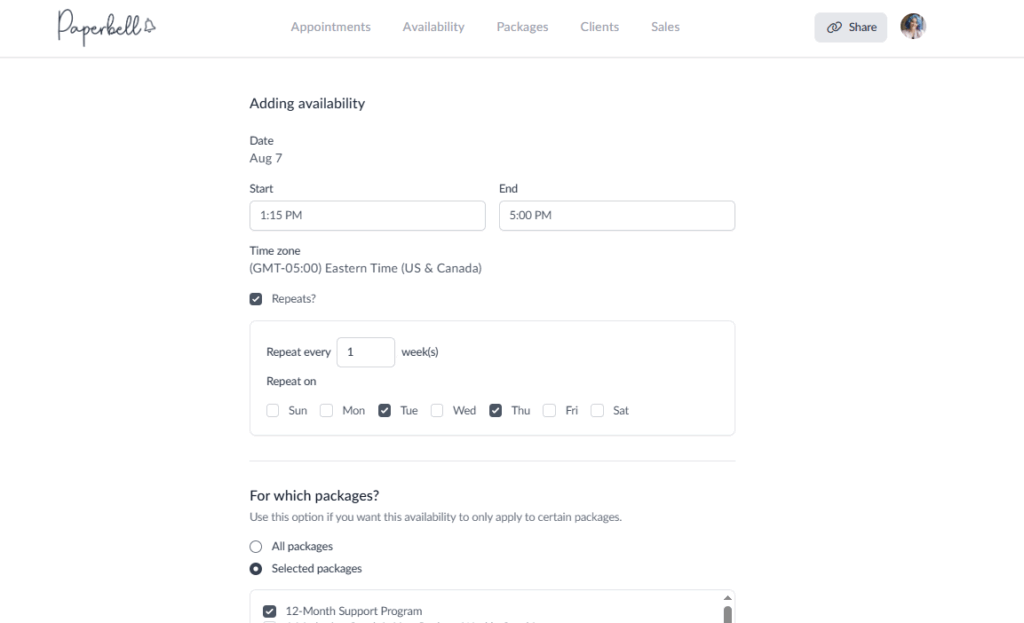
- Book sessions based on your live availability (reschedule or cancel if something comes up, as long as it’s more than 24 hours out)
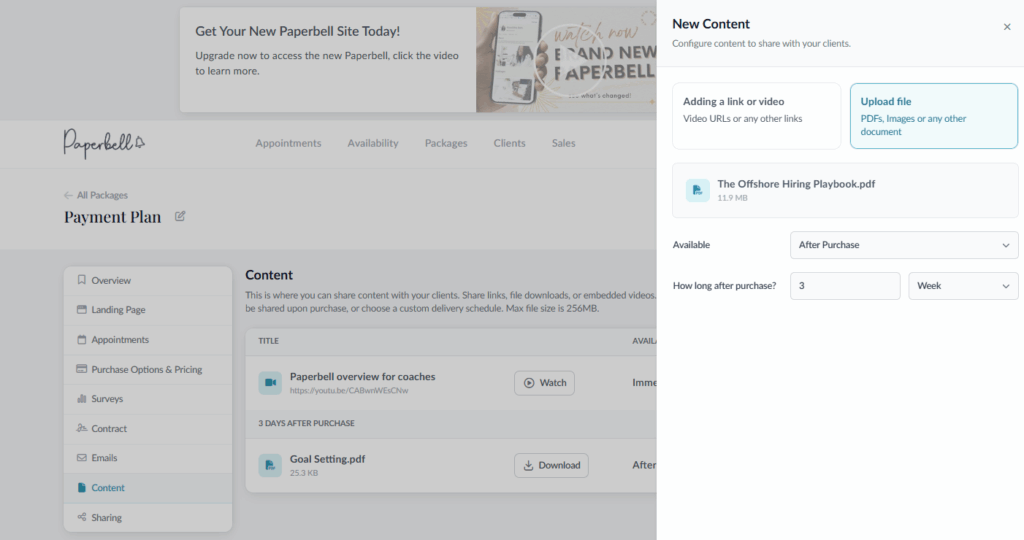
- Access resources: files you’ve uploaded, links, videos, anything you’ve added to their package
- View their package details: how many sessions they’ve used, how many remain, their billing info
- Complete intake forms and surveys: automatically delivered at the right time, based on your package settings
- Sign contracts: through Dropbox Sign, built right into the checkout flow
- Upload files: if you want clients to share work between sessions
- Get session reminders by email or SMS: so they actually show up
And because Paperbell handles payments, scheduling, contracts, and content delivery all in one system, your clients only ever need one login. Not Calendly plus Stripe plus Google Drive plus DocuSign. Just Paperbell.
What You Control as the Coach
The portal isn’t just your clients’ experience, either. It reflects your coaching practice. You get to:
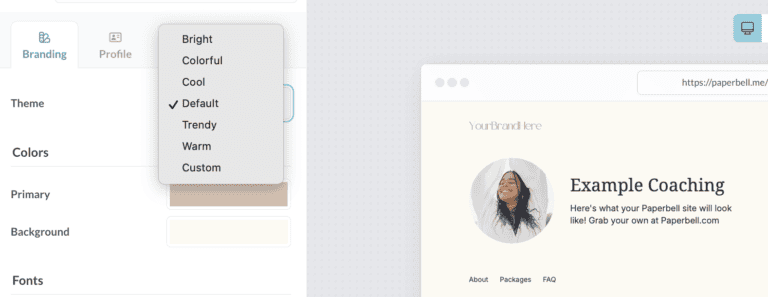
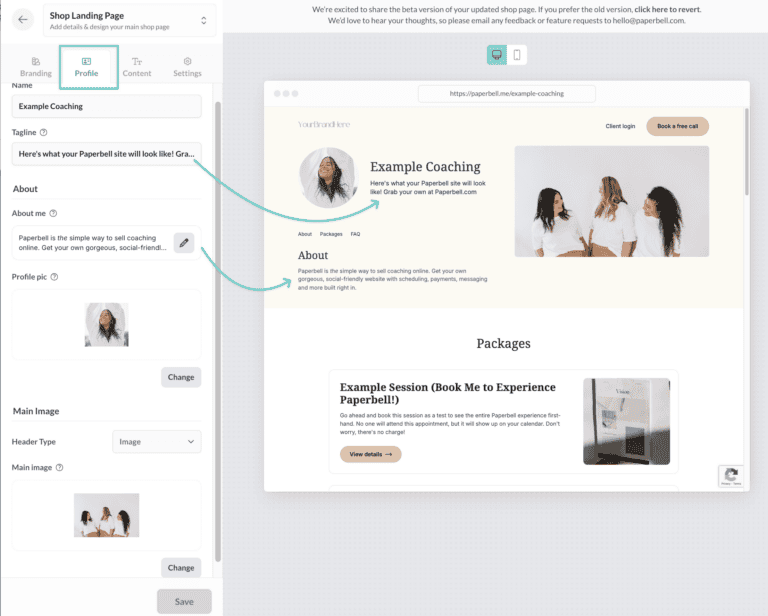
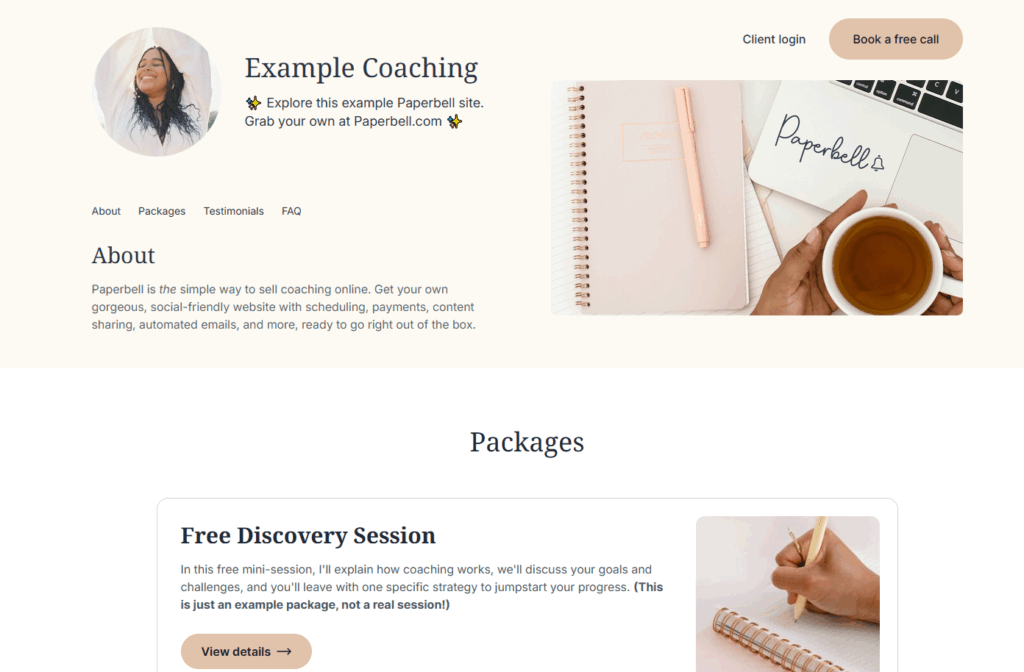
- Choose from several professional themes designed specifically for coaches
- Set up digital content to drip on a custom schedule (week one gets the welcome kit, week two gets the first module, and so on)
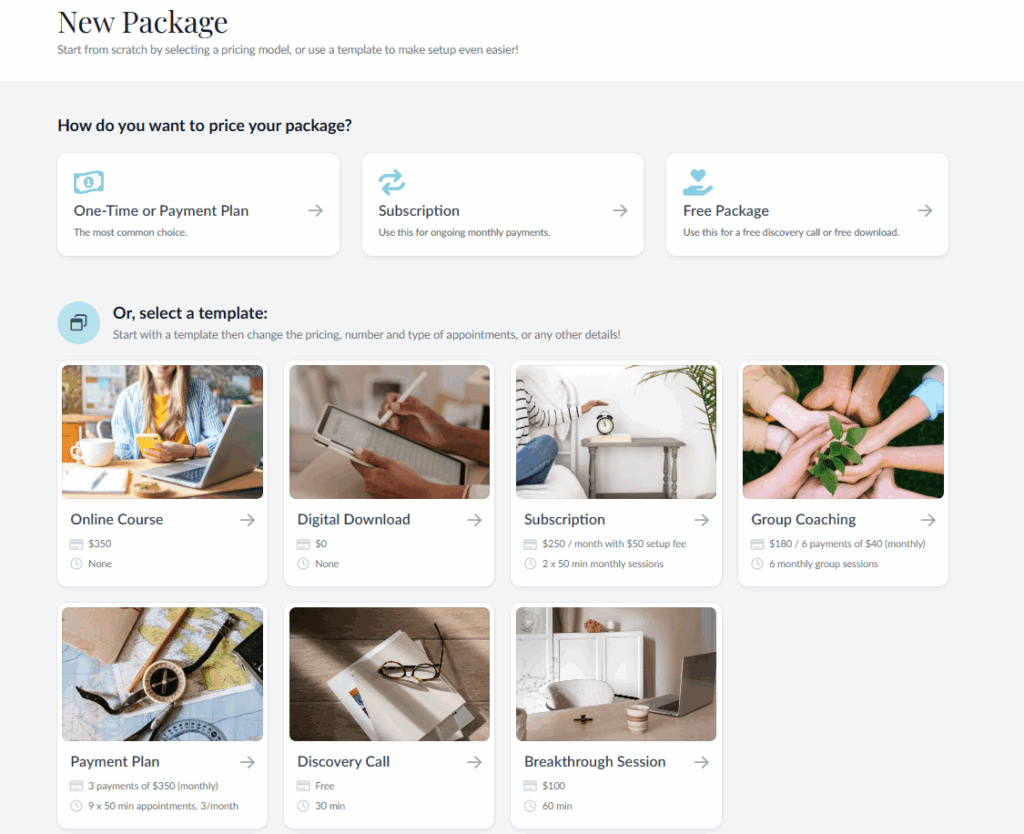
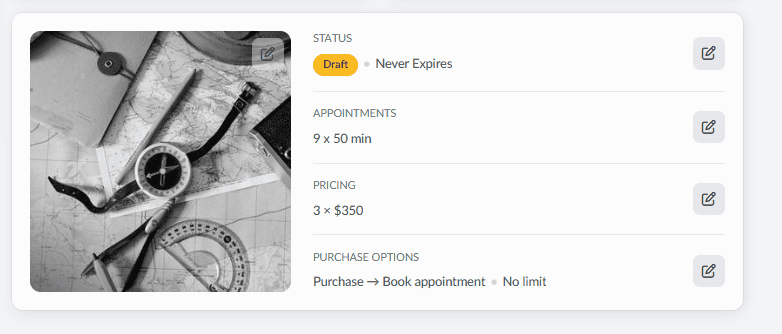
- Create subscription packages with automatic recurring billing, or payment plans spread across weeks or months
- Let clients repurchase packages or buy add-ons directly from their portal
- Send personalized portal login links inside your automated emails using a smart field
If you already have a website, Paperbell can work alongside it. You can embed the booking calendar on your existing site while still giving clients access to their Paperbell portal after they purchase.
The Practical Advantage
The biggest win isn’t the list of features. It’s the time you get back.
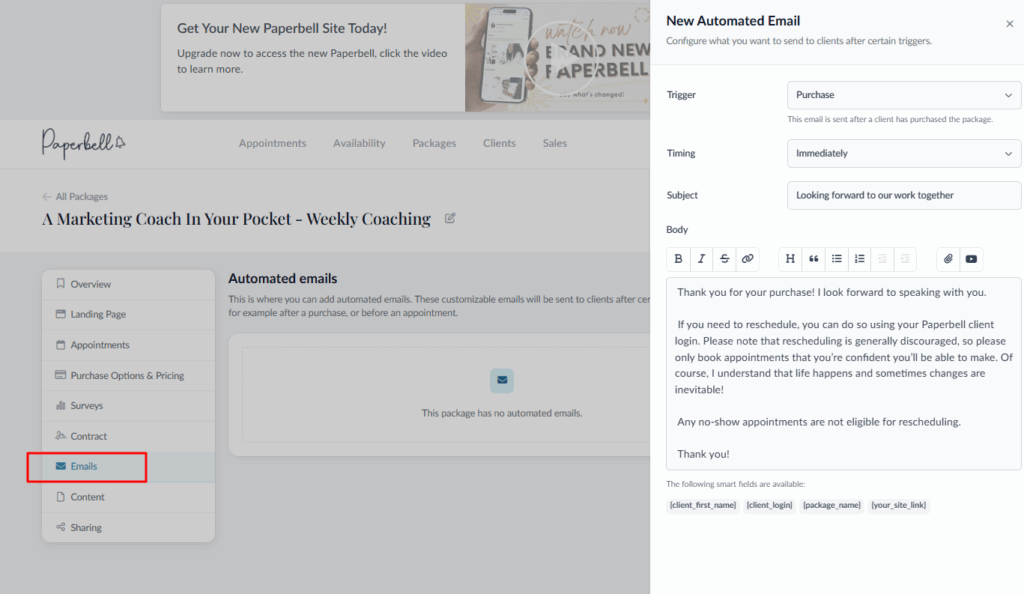
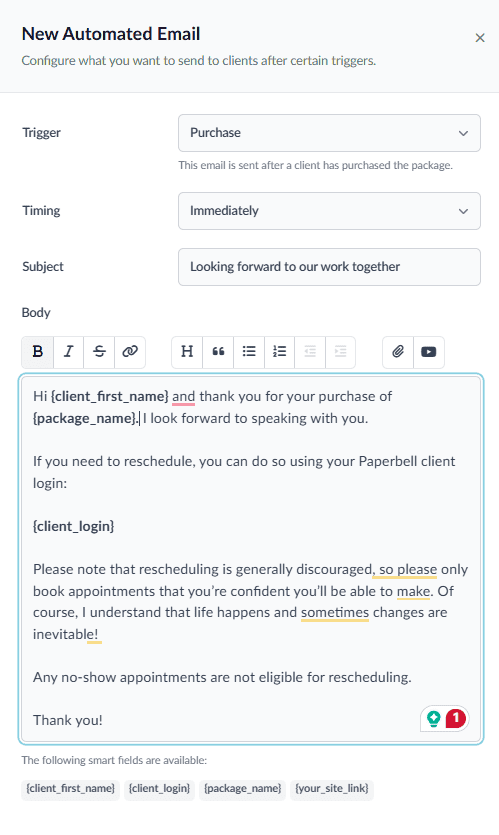
When every new client gets an automated welcome sequence, a signed contract, their first intake form, and their portal login without you lifting a finger, that’s a few hours per client you’re not spending on admin anymore. Multiply that by 10 or 20 clients, and it adds up fast.
Paperbell offers a 7-day free trial (no credit card required) so you can try this out before committing to a paid plan. If you’d like to see what it looks like in action, along with the portal, book an example session here. Note, this is simply a test account for you to see the flow.
How to Build Your Own Coaching Client Portal (DIY with Notion)
If you want to go the build-your-own route, Notion is the most popular option. It’s free, flexible, and most coaches are already familiar with it.
The trade-off: Notion isn’t built for coaching. It handles documents and databases well, but it can’t process payments, manage scheduling, send automated reminders, or handle contracts. You’d still need to bolt other tools onto it, which often means the “simple portal” you imagined ends up being four apps duct-taped together.
That said, if you’re in the early stages and want a lightweight client hub while you get started, here’s the basic setup:
Setting Up a Notion Client Portal
Step 1: Create a Notion workspace
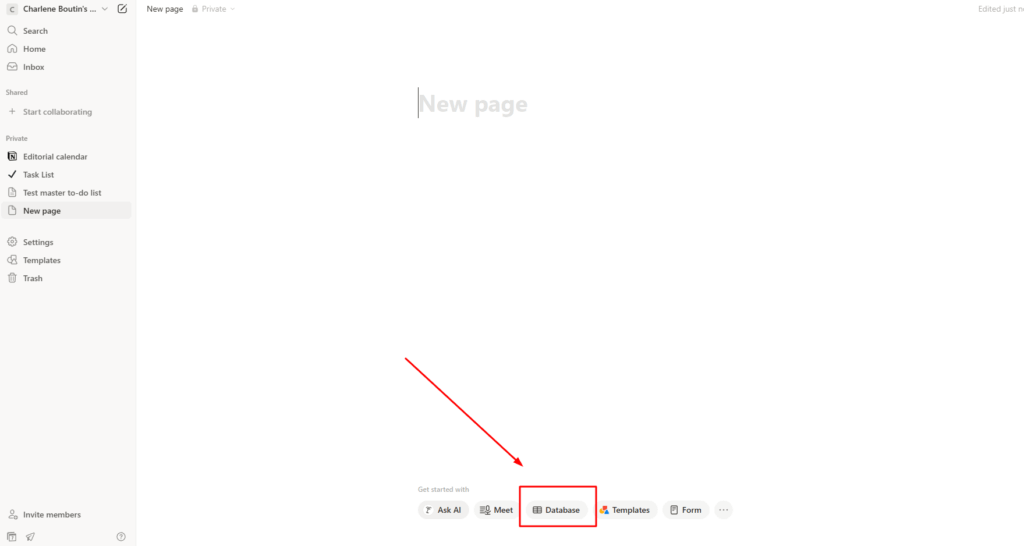
Sign up at Notion.so. The free plan is enough for a basic client portal.
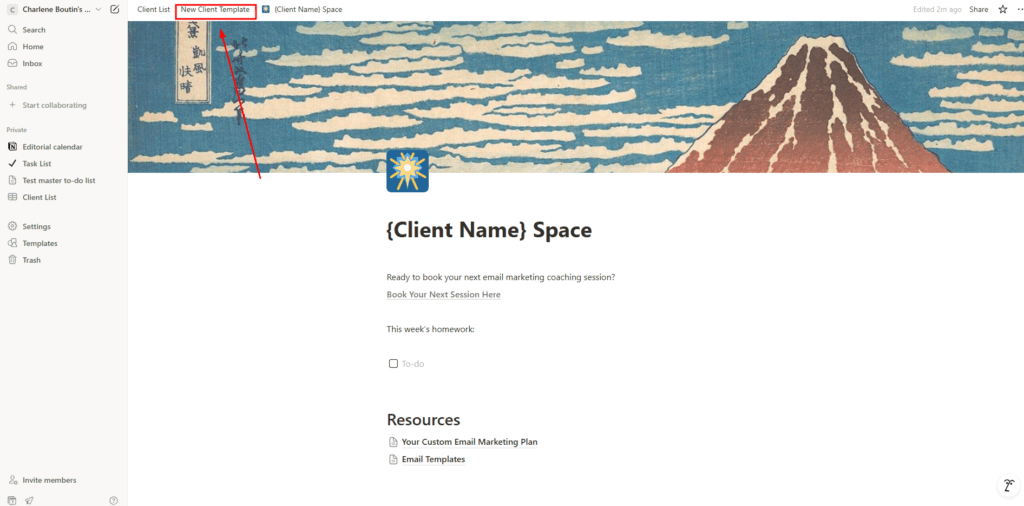
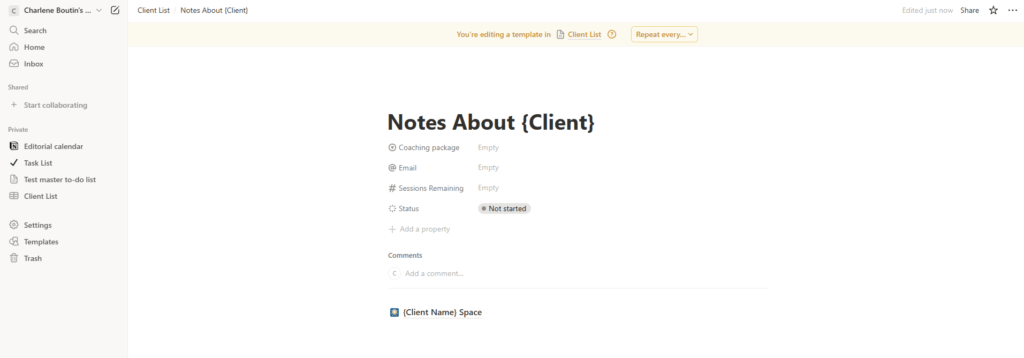
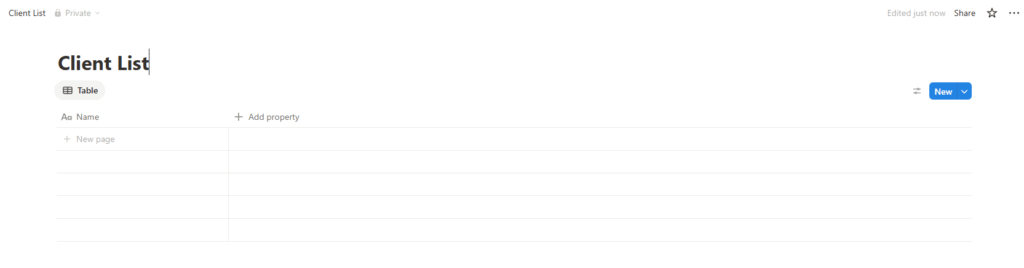
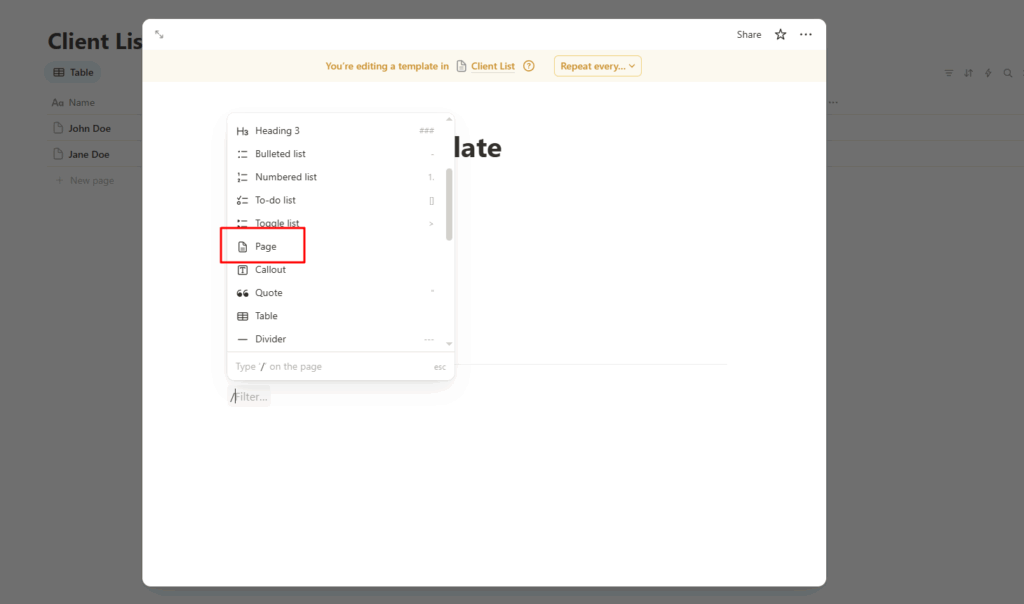
Step 2: Build a client template page
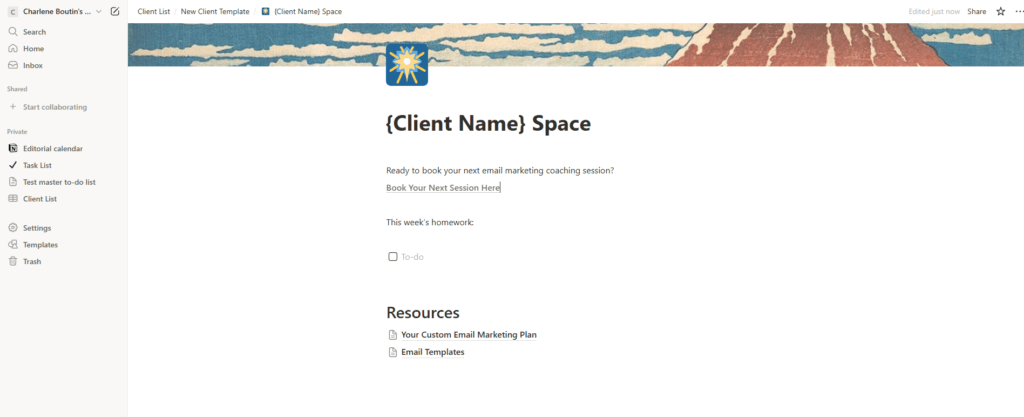
Create a new page and add the sections your clients will use: session notes, links to your scheduling tool, any documents you’re sharing, and a space for questions or updates between sessions.
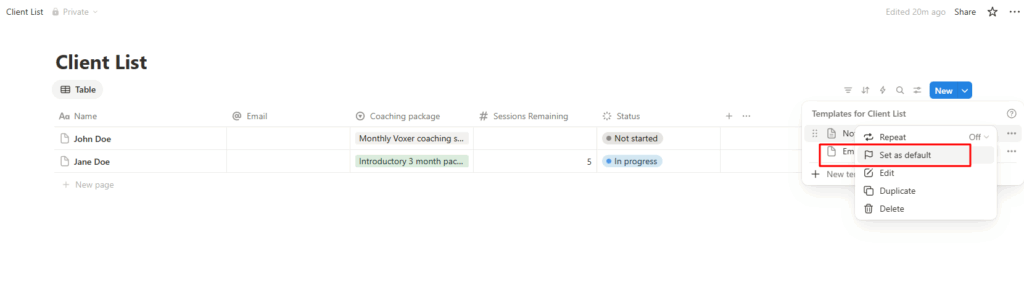
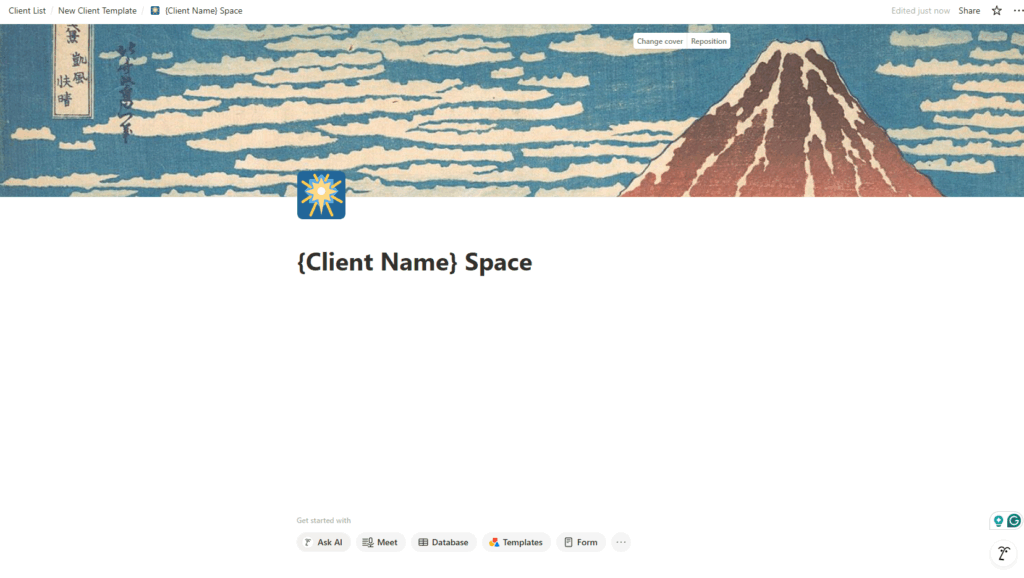
Step 3: Duplicate for each client
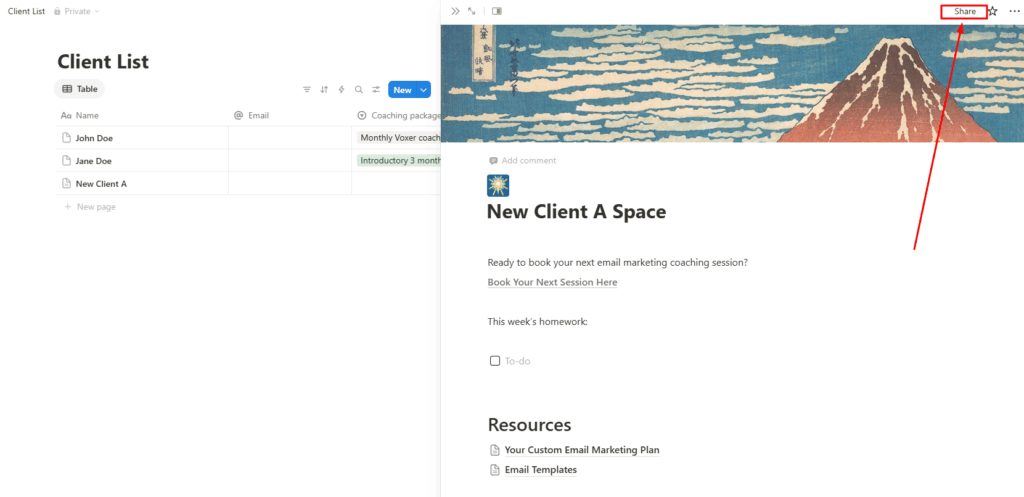
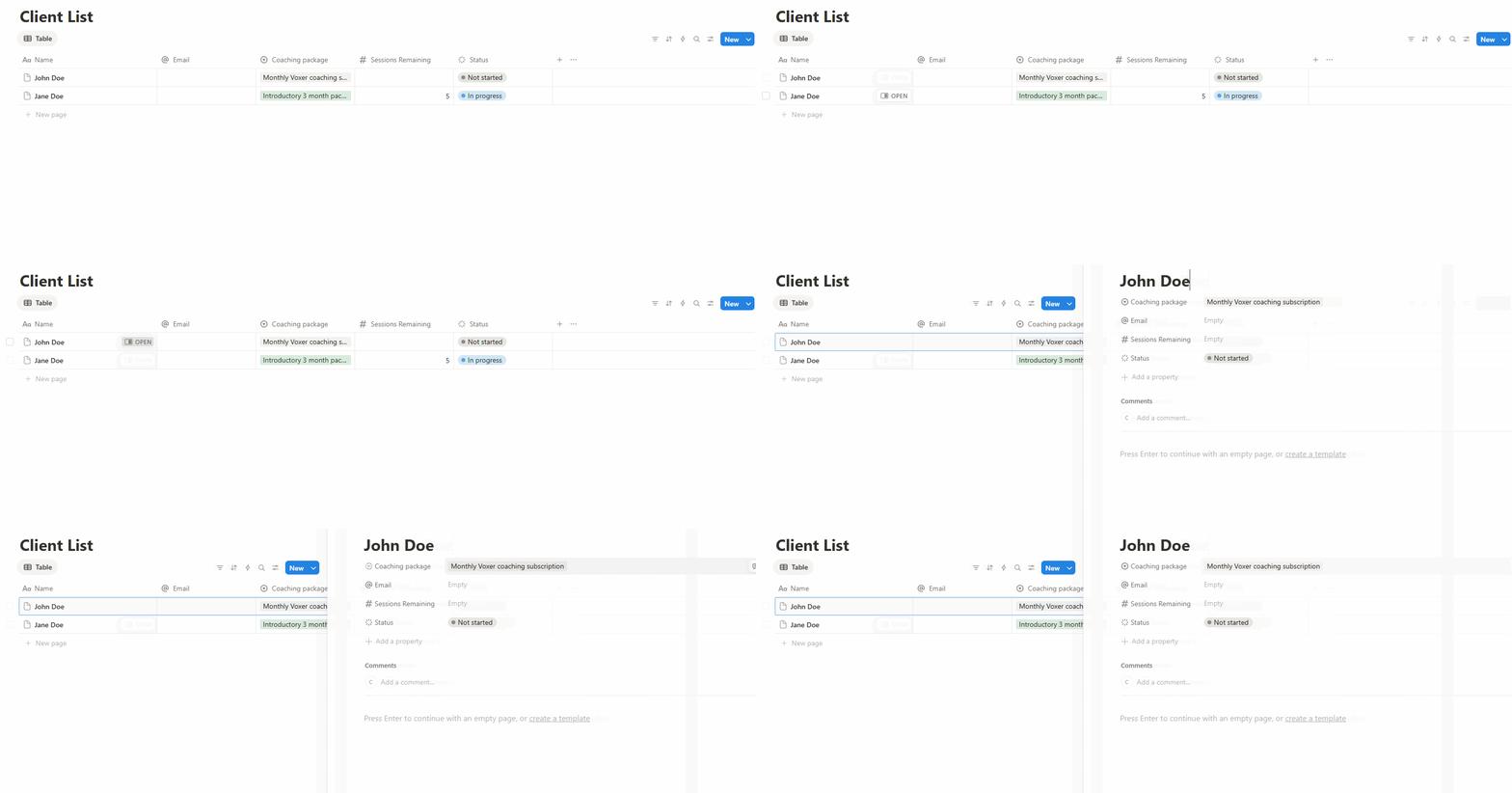
Once your template is set, duplicate it for each new client. Rename it with their name, customize the content, and share it with view (or edit) access. Notion lets you share individual pages with anyone via a link.
Step 4: Populate and maintain it
Add your session notes after each call, update the resource links as you create new materials, and remind clients it’s there. (They will forget about it.)
The honest catch: Notion portals are static. You’ll need to remember to update them manually after every session, and your clients will need a separate calendar link, a separate payment method, and a separate reminder system. What looks simple on day one often turns into a maintenance burden by month three.
If you find yourself spending more time on your portal than on your actual coaching, that’s a sign it’s time to move to something built for this.
Practice Shut Down: What Happened and What’s Next
If you were using Practice (practice.do), you may have noticed it shut down in November 2025. Practice was one of the better-known dedicated coaching client portal tools, and a lot of coaches built their onboarding workflows around it.
If you’re looking for a replacement, Paperbell covers everything Practice did (client portal, scheduling, packages, and contracts) plus payment processing and automated email sequences that Practice didn’t have. You can start a free trial and have your portal set up in an afternoon.
Coaching Client Portal Templates and Examples
Wondering what an actual client portal looks like in practice? Here are a few common setups:
The Lean Setup (new coaches)
One package, one session type, one intake form. Clients book, pay, sign a contract, fill out an intake, and get their first resource, all automatically. You focus on showing up to the call.
The Signature Program Setup (course-style coaches)
A multi-month package with drip content delivered week by week. Clients log into their portal to access each week’s materials, track their progress, and book their 1:1 sessions. The portal becomes part of the program experience, not just an admin tool.
The Group Coaching Setup
Clients purchase access to a group cohort. Paperbell automatically sends calendar invitations for all group sessions, gives each client their own portal login, and handles billing, whether it’s a one-time payment, a subscription, or a payment plan.
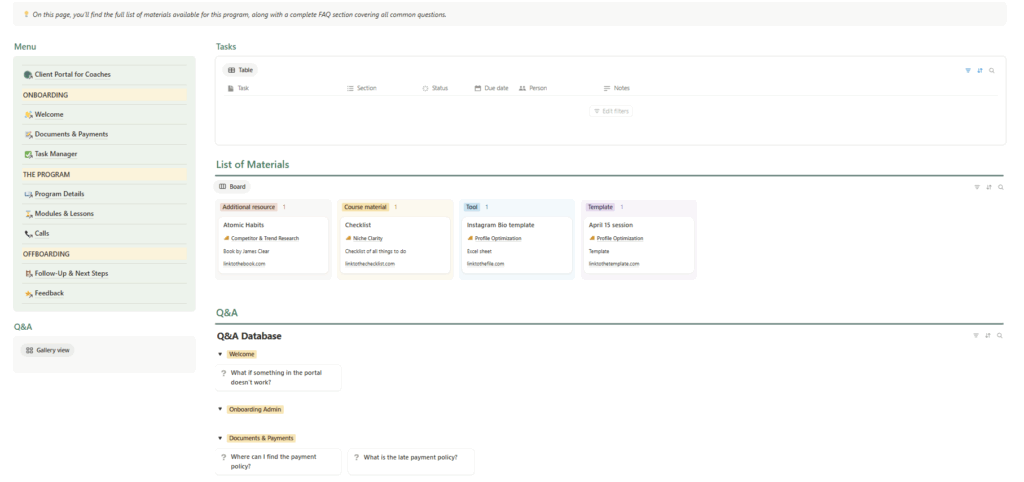
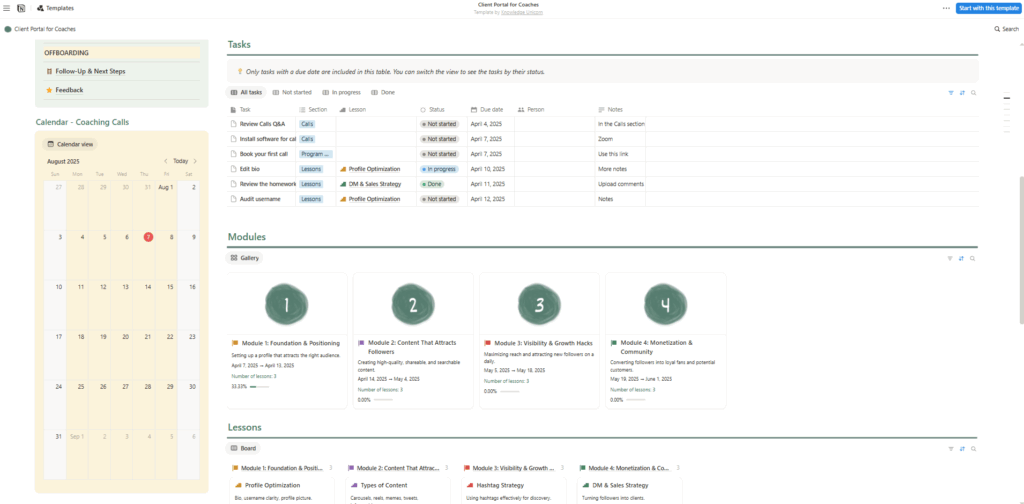
The Build-Your-Own (Notion) Setup
A single Notion page shared with each client. Works fine for very simple practices with low client volume, but requires manual updates and multiple separate tools for scheduling, payments, and reminders.
FAQ About Coaching Client Portals
What is a coaching portal?
A coaching portal (also called a client portal) is a private online space where clients access everything related to their coaching relationship: session booking, package info, contracts, intake forms, and any resources you share with them. It replaces the scattered mix of emails and links that most coaches default to when they’re starting out.
How important is a client portal in a coaching CRM?
A CRM and a client portal serve different audiences. The CRM is your internal view: notes, follow-ups, contact history. The portal is your client’s view, where they self-serve instead of emailing you with questions. In an all-in-one tool like Paperbell, these are two sides of the same system. You manage sessions and notes in your dashboard; clients manage bookings and access their resources through their portal. The portal is what reduces back-and-forth, because clients can answer their own questions without waiting for you.
What happened to Practice, the coaching platform?
Practice (practice.do) shut down in November 2025. If you were a Practice user looking for an alternative, Paperbell covers the same core features: client portal, scheduling, packages, and contracts, plus built-in payment processing and an automated email system. You can start with a free trial.
Can I use Paperbell as my client portal if I already have a website?
Yes. Paperbell can work as a standalone coaching site or alongside an existing website. You can embed the booking calendar on your current site and still give clients access to their full Paperbell portal after they purchase. Most coaches find that clients prefer having one login for everything over navigating between multiple sites.
Do I need technical skills to create a client portal?
Not with Paperbell. If you can fill out a form online, you can set up your client portal. You create your packages, upload any resources you want to include, and Paperbell handles the rest. No coding, no page builders, no plugins. If you go the Notion route, it takes a bit more setup and ongoing maintenance, but you still don’t need any technical background.
What’s the difference between a client portal and a website?
Your website is public-facing: it’s where potential clients find you, read about your coaching, and decide whether to reach out. Your client portal is private. It’s only for people who have already purchased a package. The portal is their back-office access point. Some coaches use Paperbell as both: a public-facing scheduling and purchase page AND a private portal for existing clients. Others keep a separate public website and use Paperbell purely for the client experience after purchase.
Get Your Clients Into One Place
Managing clients across a half-dozen tools isn’t a minor inconvenience. It’s time you could spend coaching, and it’s friction your clients feel every time they need to do something simple.
A client portal solves both sides of that. Your clients get one place to book, pay, access materials, and stay organized. You get less admin, fewer “quick questions,” and onboarding that runs without you.
The best part? You can have yours set up today.