
If you’ve been researching coaching software, you’ve probably come across Paperbell. It has solid ratings on independent review sites: 4.7/5 on G2 and 4.7/5 on Capterra. It gets mentioned a lot in coaching communities as well.
But ratings alone don’t tell you whether a tool is right for your practice. This review covers what Paperbell actually does, what it costs, where it genuinely shines, and where it falls short. The goal is to give you enough to decide. Not to sell you on anything.
What Is Paperbell?

Paperbell is an all-in-one website and client management platform built specifically for coaches. It handles scheduling, payments, contracts, client portals, session notes, and automated emails in one place, without requiring you to connect a string of separate tools.
It was built by Laura Roeder, a coach and entrepreneur who had already built and sold MeetEdgar. She designed Paperbell around a simple idea: most coaches aren’t running complex operations, and they shouldn’t need complex software to look professional and get paid reliably.
That focus on simplicity is both Paperbell’s biggest strength and its biggest limitation, depending on what you need.
Paperbell Pros and Cons
Here’s the honest short version before we get into the details.
Pros
- Free to start: you can set up your account for free, with no credit card required.
- Zero transaction fees: Paperbell doesn’t take a cut of your revenue. You keep 100% of what clients pay (beyond the standard Stripe or PayPal processing fees).
- One plan, all features: there’s no “Starter” tier that locks away features you actually need. The paid plan includes everything.
- 30-day money-back guarantee: if you upgrade and decide it’s not for you, you can get a full refund. No fine print.
- Automatic timezone detection: clients see your availability in their local time, which saves a lot of back-and-forth for international coaches.
- Built-in e-signature via Dropbox Sign: contracts are handled inside Paperbell. You don’t need a separate DocuSign or Dropbox Sign account.
- SMS reminders included: clients get text reminders for upcoming sessions. This is often a paid add-on elsewhere.
- Simple enough for non-technical coaches: multiple reviewers mention setting up their entire account in an evening with no tutorials needed.
Cons
- No in-app messaging: you can’t message clients directly through Paperbell. Communication happens outside the platform, usually by email.
- No video hosting: if you want to share videos with clients, you’ll need to host them on Vimeo or YouTube and link them. Paperbell doesn’t host video files.
- No advanced course features: Paperbell lets you schedule when content is released to clients (by date or days after purchase), but it doesn’t support course forums, progress tracking by lesson, or cohort management. Not suited for full course-platform delivery.
- Not HIPAA-compliant: Paperbell is not built for therapists or mental health practitioners who handle protected health information.
- Limited page customization: you can add your brand colors, fonts, and photos, but you can’t fully redesign the layout of client-facing pages.
- Stripe and PayPal only: no Google Pay or Apple Pay support. Some clients may find this limiting.
Paperbell’s Core Features
Instead of stitching together a website builder, a scheduling tool, a contract platform, and a payment processor, Paperbell handles all of it in one account. Here’s how each piece works.
✅ Professional Coaching Website (Without a Builder)
Every coach needs a professional way to sell their packages. Paperbell generates a coaching website automatically based on your package information. You fill in your text, upload your photos, and it’s done. No drag-and-drop, no theme wrestling, no code.
How it works:
- Custom packages: Set up your package structure through a simple form: number of sessions, payment options, subscriptions, payment plans. You can offer several packages at different price points.
- Ready-to-go landing pages: Each package gets its own sales page with a checkout flow. Clients can find you, read about your offer, and sign up without going through you manually.
- Basic branding: Add your brand colors, fonts, a photo, and a bio. You won’t have pixel-level design control, but the pages look clean and professional out of the box.
Already have a website? You can link your existing services page directly to your Paperbell sales pages, so clients can purchase and get onboarded while you’re with another client.
Automated Client Onboarding
When a client signs up for a package on your Paperbell page, the platform takes them through the full onboarding flow without you doing anything. They pay, sign your contract, schedule their first session, and get access to any materials. In that order, automatically.
- Secure payment processing: Clients pay upfront or on a payment or subscription plan. You don’t have to chase invoices.
- Contracts: Clients sign your agreement digitally before they can proceed. Built-in via Dropbox Sign (formerly HelloSign), no separate account needed.
- Scheduling: Clients book their first session based on your availability. Paperbell automatically handles timezone conversion so there’s no confusion.
- Welcome materials: Clients get instant access to any welcome packs, workbooks, or files you’ve attached to the package.
Client Management Dashboard
Your Paperbell dashboard gives you a clear view of every active client: upcoming sessions, sessions remaining, payment history, and notes. You can run both one-on-one and group coaching programs from the same account.
- Client self-service portal: Clients can view their schedule, book sessions, check payment history, and access materials on their own, without emailing you for updates.
- Automated emails: Set up session reminders, follow-ups after calls, and re-engagement emails for clients who haven’t booked recently. SMS reminders are included too.
- Notes and surveys: Keep private session notes for each client, or share notes with clients. Build intake forms and feedback surveys directly in the platform.
- Simple analytics: See your income by client or by package. Useful for knowing which offers are actually working.
Integrations
Paperbell connects with the tools most coaches already use. Current integrations include: Stripe, PayPal, Google Calendar, Apple Calendar, Zoom, Google Meet, Zapier, and Dropbox Sign (e-signatures, built in). The Zapier connection means you can also link Paperbell to hundreds of other apps if you need something more custom.
Pricing and Plans
Paperbell keeps pricing straightforward. There’s one paid plan that includes everything. No tiers, no feature limits based on what you pay.
How the paid subscription works
When you’re ready, you upgrade to the paid plan. Everything you set up stays exactly the same: your packages, your website, your surveys, your availability. Nothing resets.
- $97 per month (billed monthly, cancel any time)
- $970 per year: that’s two months free compared to monthly billing
Your subscription includes:
- Unlimited clients, sessions, packages, and file storage
- Access to every feature, no upgrades required as you grow
- Zero transaction fees so you keep 100% of what clients pay
- 30-day money-back guarantee
How It Compares to Paying for Tools Separately
Most coaches who switch to Paperbell were already paying for multiple tools. Here’s what those typically cost when purchased separately:
| Tool | Cost Per Month |
| Website builder | $36 |
| Contract signing tool | $20 |
| Scheduling software | $15 |
| Client portal | $39 |
| SMS notifications | $10 |
| Form builder | $15 |
| Content delivery | $29 |
| Total | $164 |
At $97/month, Paperbell is $67 less per month than running those tools separately. Over a year, that’s roughly $804 in savings. And that doesn’t count the time you’d spend keeping all those integrations working.
Who Is Paperbell Best For?
Paperbell is a strong fit for some coaches and not the right call for others. Here’s a quick breakdown.
Solo coaches just getting started. You can start for free, set up your initial packages, test your workflow, and see whether the platform suits you before spending anything. If you’re figuring out how to set up your practice, Paperbell is one of the easiest options to try.
Established 1:1 coaches with 5–30 active clients. This is Paperbell’s core audience. If you’re doing regular sessions, collecting payments, and managing onboarding manually, Paperbell automates a lot of the overhead. The dashboard gives you a clear view of where each client is without digging through your inbox.
Group coaching coaches. Paperbell supports group sessions. You can set up group packages, handle scheduling for multiple participants, and manage everything in the same account as your 1:1 work.
Not a good fit for: HIPAA-regulated practices (therapists, mental health practitioners), coaches who need complex sales funnels or CRM capabilities, and course creators who want hosted video, cohort management, or progress tracking by lesson. There are better tools for those use cases. See the alternatives section below.
What Coaches Say: Real Reviews
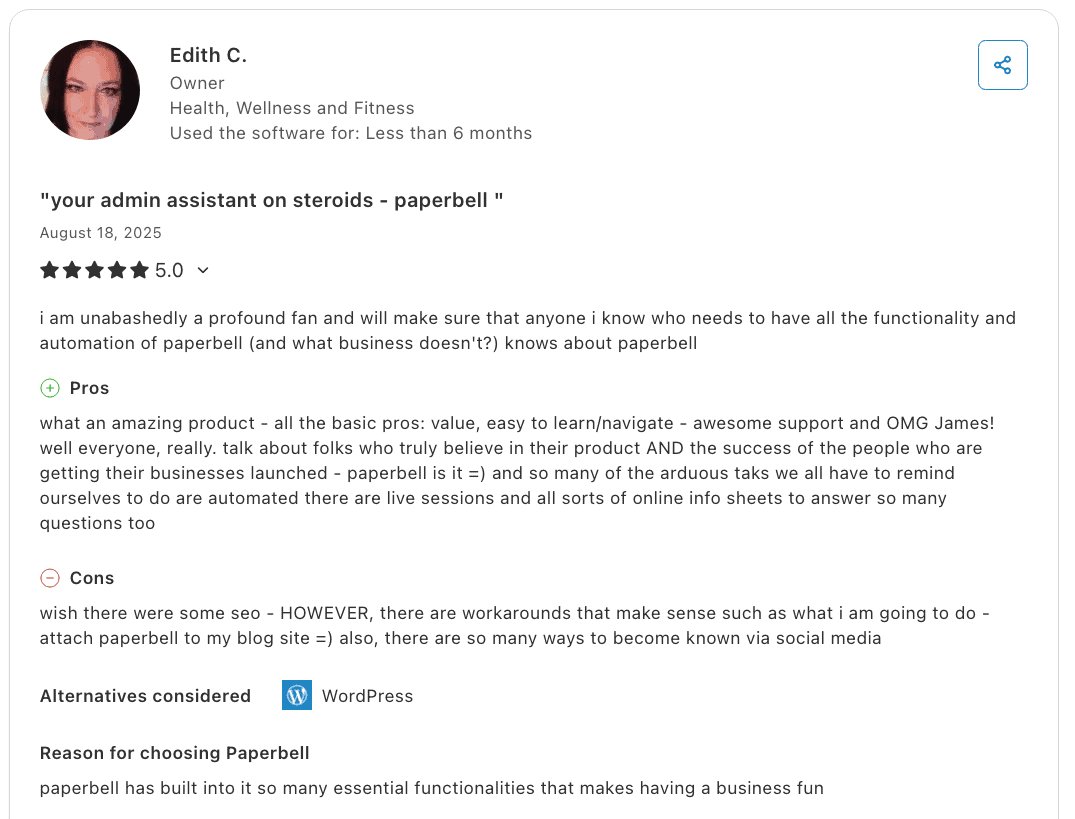
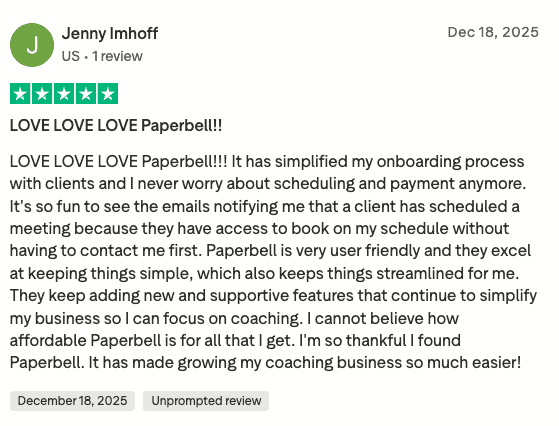
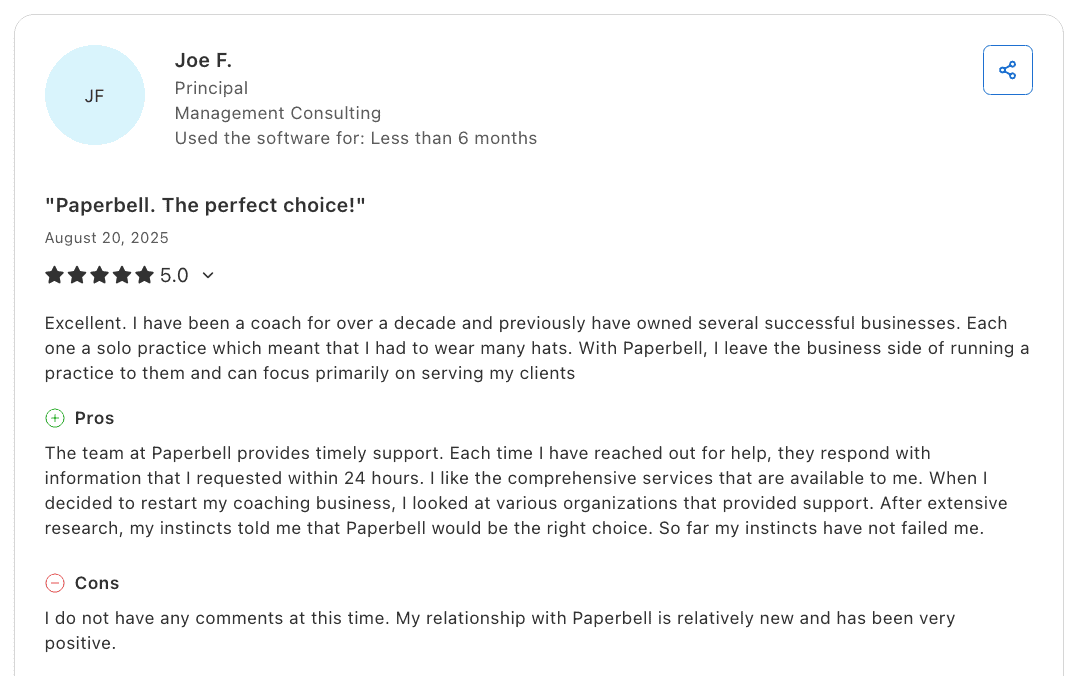
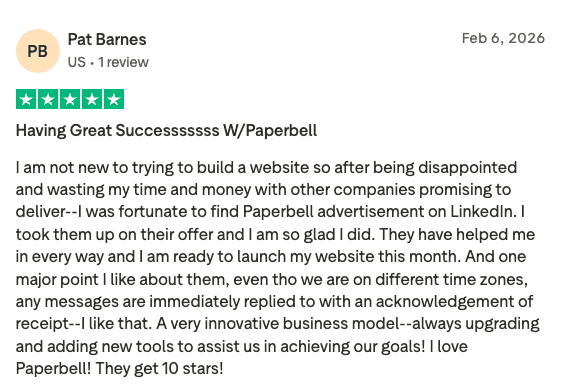
Paperbell has a 4.7 overall rating on G2 and a 4.7 average on Capterra. The feedback is consistent across both platforms. Coaches appreciate the simplicity and the fact that the team actually responds to feature requests.

Paperbell earned Capterra’s Best Value 2025 award. Capterra’s Best Value badge highlights products with top value-for-money ratings from verified user reviews.
1. All-in-One Setup
Many coaches come to Paperbell after spending months juggling separate tools. The switch usually comes after one frustrating integration breaking at the wrong moment.
Svetlana, a professional coach, shared her experience:
“Before Paperbell, I had to use multiple systems to keep the coaching operations productive. I’ve been looking for integrated solutions for a while. I was thrilled to discover Paperbell.”
She also had a message for newer coaches: “If you are just starting, you are lucky to skip all the complexity early on and set up your coaching practice right from the start.”
2. Ease of Use
Paperbell’s setup process is consistently mentioned in reviews as something coaches finished in a single sitting, without needing to watch tutorials.
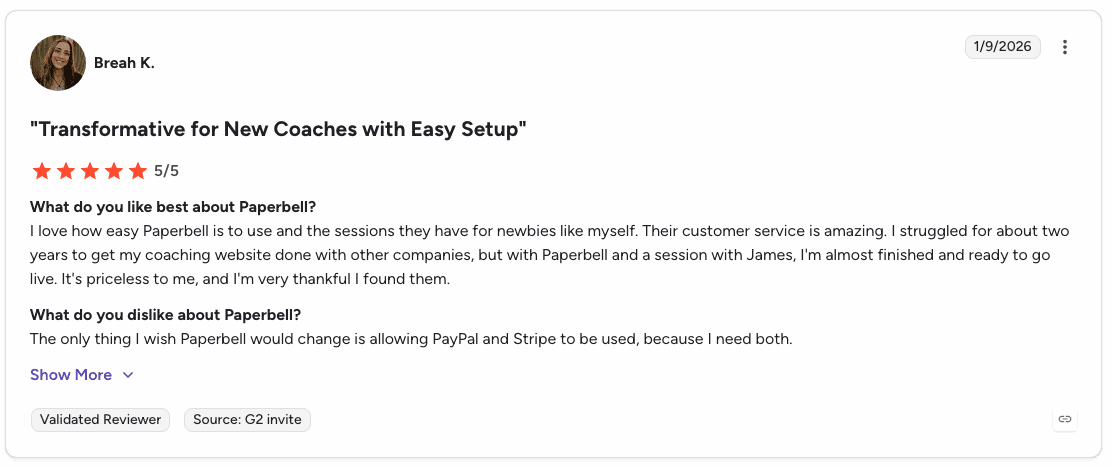
Kelly, a Money Mindset and Business Coach, said: “No matter what stage of your business you are in, Paperbell is easy to use, set up, and deploy to your clients… Their willingness to listen to their user base and adapt the product to our needs has been incredible from the beginning.”
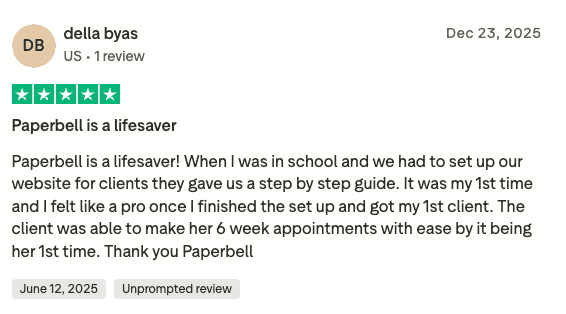
A wellness coach wrote: “In one evening, I set up all my packages and landing pages. No tutorials or demos were necessary. The site was easy to navigate and flowed so well.”
She added: “Once I was done setting everything up, I felt like I had something I would be proud to share with clients that was beautiful and easy to use.”
3. The Client Experience
The client side of Paperbell holds up well too. Clients get their own portal where they can manage their bookings, check payment status, and access materials without emailing their coach for basic information. Coaches frequently mention that the clean client experience helps with retention and renewals.
4. Customer Support
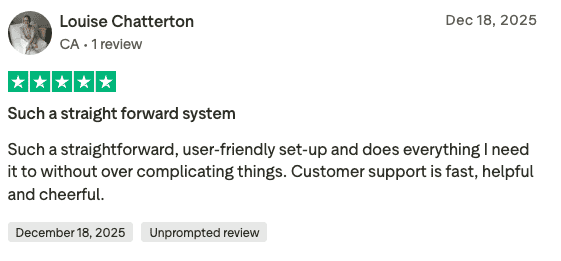
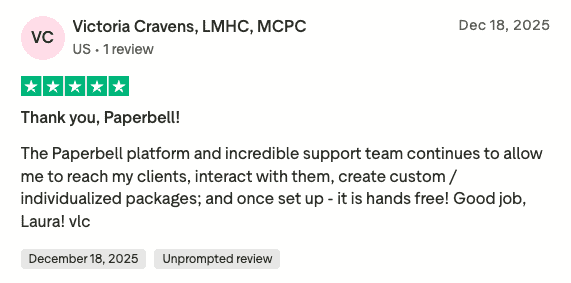
Multiple reviewers single out the support team as a standout. Feature requests have actually been implemented. Automated email customization and the ability to send emails from the coach’s name (instead of Paperbell’s) both came from user suggestions.
Leonora, a consultant, said: “I have always gotten prompt answers to any questions I have. A couple of suggestions have even been implemented.”
Who Paperbell Isn’t For (and What to Use Instead)
Paperbell is a solid fit for most coaching practices, but there are cases where it’s not the right tool. Here’s where it falls short and what to look at instead.
Course Creators
Paperbell does let you schedule when content is released to clients (by date or a set number of days after purchase), but it doesn’t support course forums, progress tracking by lesson, or cohort management. If you’re building a structured course with those features, Teachable or a similar platform is a better fit.
Therapists and Mental Health Practitioners
Paperbell takes data security seriously, but it is not HIPAA-compliant. If you work in a regulated mental health or healthcare context, you need software built for that specifically. Practice Better is a commonly used alternative in that space.
Coaches Who Need Advanced Sales Funnels or CRM Features
Paperbell handles the operational side of coaching well, but it’s not a CRM. If your business requires complex multi-step sales funnels, lead scoring, or pipeline management, you’ll want something like HubSpot for CRM or ClickFunnels for funnel-heavy setups.
Coaches Who Sell Physical Products
Paperbell is built entirely around digital services. If you sell and ship physical products alongside your coaching, Shopify handles that side of things better.
FAQ
What Does Paperbell Do?
Paperbell is an all-in-one coaching website and client management platform. It replaces website builders, scheduling tools, payment processors, e-signature software, forms, client email automation, SMS notifications, and other tools with a single platform designed specifically for coaches.
Who Owns Paperbell?
Paperbell was founded by Laura Roeder, a strategy coach and entrepreneur previously known as the founder and former CEO of the social media automation tool MeetEdgar. The company’s goal is to give coaches the tools they need to run a fully independent practice.
Is Paperbell a CRM?
Not exactly. Paperbell includes client management features (session tracking, payment records, automated emails, and notes), but it’s designed specifically for coaching workflows, not as a general-purpose CRM.
Is Paperbell HIPAA-Compliant?
No. Paperbell is not HIPAA-compliant and is not suitable for therapists or healthcare providers who handle protected health information.
Can I Try Paperbell for Free?
Yes. You can start with a free account, no credit card required, and test everything before deciding whether to upgrade.
What Payment Processors Does Paperbell Support?
Paperbell integrates with Stripe and PayPal. There’s currently no support for Google Pay or Apple Pay.
Is Paperbell Worth It for New Coaches?
Yes. You can start for free, with no credit card required, and set up your packages, create a coaching website, and run through your onboarding flow before you pay anything. If it works for you, upgrade. If it doesn’t, you’ve lost nothing. That’s a hard deal to beat when you’re just starting out.
How Does Paperbell Compare to Calendly?
They’re different categories of tools. Calendly is a scheduling tool that books appointments. Paperbell includes scheduling but also handles payments, contracts, client portals, onboarding, notes, and automated emails. If you’re using Calendly plus a payment processor plus a contract tool plus a client portal, Paperbell replaces all of that in one place.
Does Paperbell Have a Mobile App?
There’s no dedicated Paperbell mobile app. The platform is mobile-responsive, so you can access your dashboard and your clients can manage their bookings from any browser on any device.
Can I Run Group Coaching on Paperbell?
Yes. Paperbell supports group sessions alongside your one-on-one work. You can set up group packages with multiple participants and manage both from the same account.
Does Paperbell Send Automated Reminder Emails to Clients?
Yes. Paperbell sends automated email and SMS reminders for upcoming sessions. You can also set up follow-up emails after calls and re-engagement emails for clients who haven’t booked recently.
How Many Clients Can I Have on Paperbell’s Paid Plan?
Unlimited. The paid plan has no cap on clients, sessions, packages, or file storage.
Can I Cancel Paperbell Any Time?
Yes. Monthly plans can be cancelled at any time from your account settings. There’s also a 30-day money-back guarantee if you upgrade and decide it’s not right for you.
Final Verdict: Is Paperbell Worth It?
For most life, business, and health coaches doing one-on-one or group sessions, Paperbell is a strong option. It replaces several tools you’d otherwise pay for separately, the setup is genuinely fast, and the platform holds up well for day-to-day use.
The limitations are real: no in-app messaging, no video hosting, no course forums or lesson-level progress tracking, and no HIPAA compliance. If any of those are requirements for your practice, Paperbell isn’t the right fit. But if your primary need is a clean, reliable way to manage clients, handle payments, and look professional without spending your evenings configuring integrations, Paperbell does that well.
You can start for free, no credit card required, to see how the platform fits into your workflow, and make a real decision before committing to $97/month.
Try Paperbell for free and see whether it works for how you run your practice.