

You’ve decided to build a coaching website on WordPress. Smart move. It’s the most flexible platform out there and gives you full control over how you show up online.
But then you open up the theme library and… there are thousands of them. Generic business themes, bloated page builders, themes that look great in the screenshot and awful on mobile.
Here’s the thing. Not all WordPress themes are built with coaches in mind. You need something that makes scheduling easy to find, puts your packages front and center, and doesn’t require a developer every time you want to change a color.
In this guide, you’ll find the best WordPress themes for coaches in 2026, organized by niche and use case. You’ll also get a clear breakdown of what to look for, a cost comparison, and (if you’re open to it) a look at why a growing number of coaches are skipping the whole WordPress setup entirely.
What to Look for in a WordPress Theme for Your Coaching Business
A theme is more than a skin for your website. It shapes how fast your pages load, how easy it is to customize your layout, and whether a potential client feels confident enough to book a session. Here’s what actually matters.
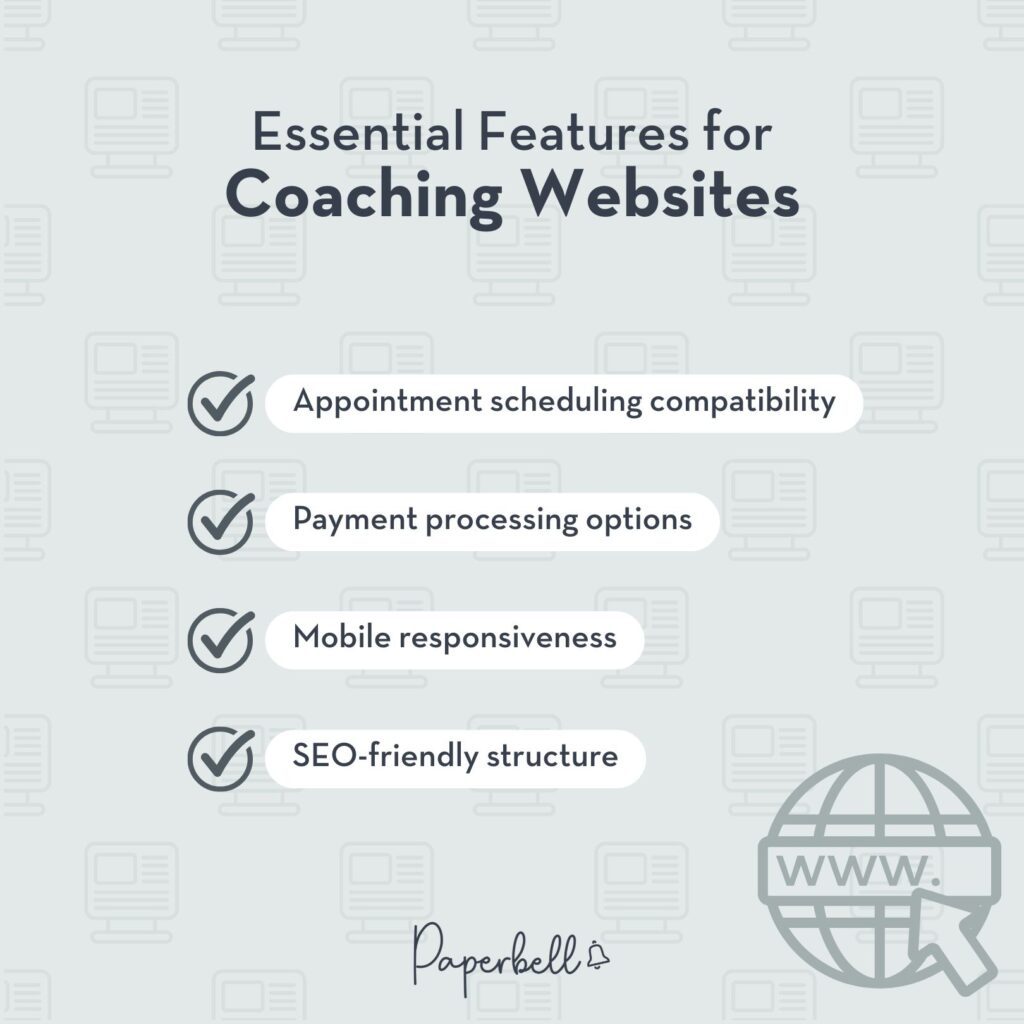
Essential Features for Coaching Websites
Before you fall in love with a color palette, check that the theme supports these:
- Booking integration: Does it play nicely with scheduling tools like Calendly, Acuity, or allow Paperbell to be embedded?
- Payment-ready layouts: Can you display pricing tables and coaching packages without heavy plugin stacking?
- Testimonial blocks: Social proof from past clients is one of the highest-converting elements on a coaching site.
- Lead capture: Email opt-in forms, lead magnet banners, and newsletter signup sections should be built in or easy to add.
- Clear calls to action: Button placement, hero section layout, and sticky header options all affect whether visitors actually click “Book a session.”
Design Considerations for Your Niche
A health and wellness coach needs a different visual vibe than an executive business coach. That’s not just aesthetics. It’s positioning.
- Health/wellness coaches: Look for themes with soft color schemes, nature-inspired layouts, and clean white space. Overly corporate themes can feel cold.
- Business and executive coaches: Professional, structured layouts with strong typography tend to convert better for high-ticket offerings.
- Course creators and membership coaches: You’ll want a theme built to handle a course library, gated content, and recurring access, not just a services page.
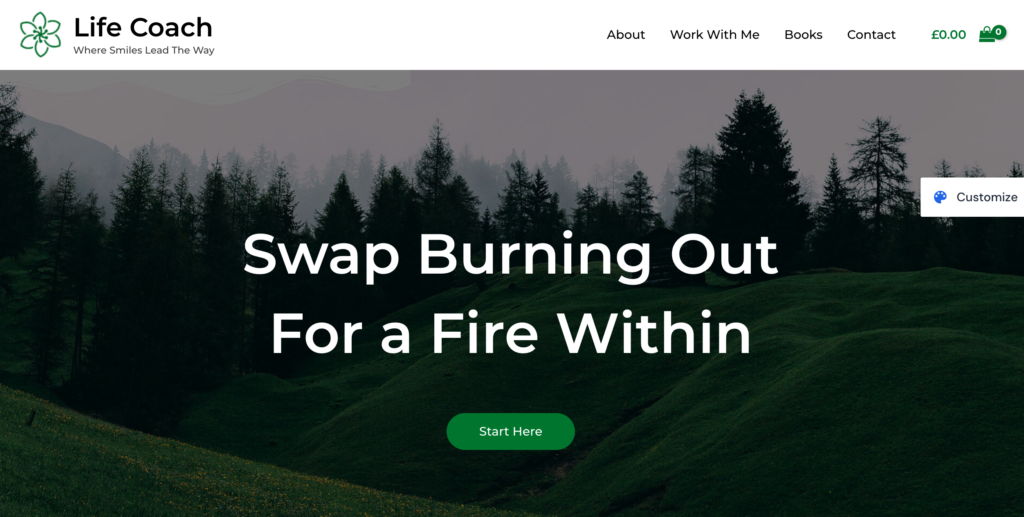
- Life coaches: Warm, personal, story-driven designs tend to work best. Your personality is the product.
Technical Requirements You Shouldn’t Ignore
These might not be exciting, but they matter for your Google rankings and your site’s long-term health:
- Mobile-first design: More than half of web traffic is mobile. If a theme looks clunky on a phone, it’ll cost you clients.
- Fast load time: Heavy themes packed with animations and large sliders hurt your Core Web Vitals score, which affects where Google ranks you.
- Page builder compatibility: Most coaches use Elementor, Divi, or the native Gutenberg editor. Confirm your chosen theme works well with the builder you plan to use.
- Active support and updates: A theme that hasn’t been updated in two years is a security liability. Always check the last update date before buying.
- WooCommerce or plugin compatibility: If you’re planning to sell digital downloads or online courses, make sure the theme plays well with your chosen plugins.
Best WordPress Themes for Coaches in 2026
Here’s an at-a-glance table before we dig into the details:
| Theme | Best For | Price | Free Version? |
|---|---|---|---|
| CoachZee | General coaching, multi-purpose | ~$79/year | No |
| MaxCoach | Online courses + coaching | ~$69 one-time | No |
| Astra | All niches, starter templates | Free / $47–$229/year | Yes |
| Maven | Business consultants | ~$69 one-time | No |
| R.Cole | Business coaching | ~$69 one-time | No |
| Coaching WP | Life and business coaches | ~$54 one-time | No |
| Thrive Theme Builder | Conversion-focused funnels | $299/year | No |
| Blossom Coach Pro | Health and wellness coaches | ~$69 one-time | Lite version |
| OceanWP | Fitness and wellness coaching | Free / $54–$159/year | Yes |
| Divi | Full design customization | $89/year or $249 one-time | No |
| Kadence | Lightweight, fast, flexible | Free / $79–$199/year | Yes |
| GeneratePress | Speed-focused, developer-friendly | Free / $59/year | Yes |
Note: Theme pricing changes frequently. Always verify current pricing on the theme developer’s site before purchasing.
Best Overall WordPress Themes for Coaches
1. CoachZee: Multi-Purpose WordPress Coaching Theme
CoachZee is designed specifically for coaches, so you won’t spend hours stripping out features that don’t apply to you. It comes with multiple demo layouts (one-on-one coaching, group programs, wellness, and corporate) so you can start with a structure that’s already close to what you need.
The theme includes booking sections, testimonial carousels, pricing tables, and team/about sections. It works with Elementor, which means drag-and-drop customization without touching a line of code.
Best for: Coaches who want a purpose-built theme with minimal setup time.
Price: Around $79/year (check ThemeForest for current pricing).

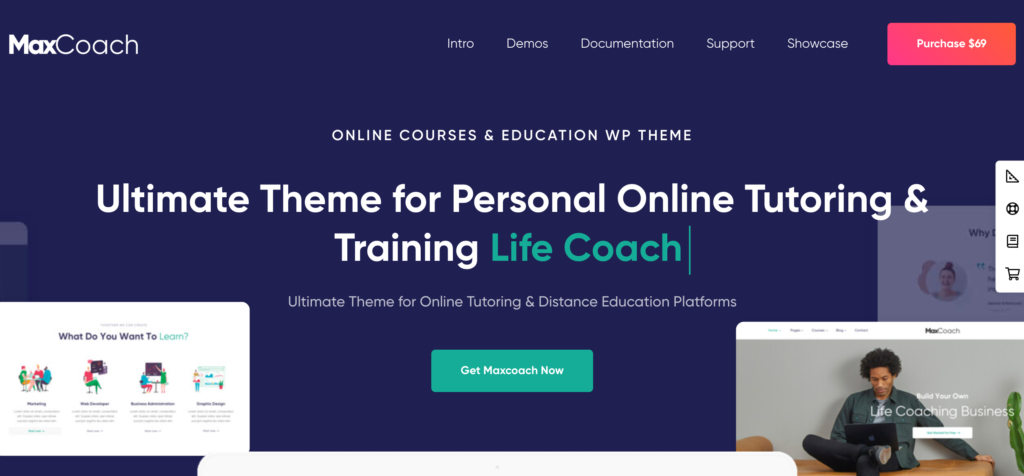
2. MaxCoach: Online Courses and Personal Coaching
MaxCoach sits at the overlap of coaching and course creation. If you offer both one-on-one sessions and a course library, this theme is worth a serious look. It includes pre-built course listing pages, instructor profile layouts, and coaching package displays.
It integrates with Tutor LMS (Learning Management System), which is free for basic use, so you can run courses without shelling out for a separate membership plugin. The design is clean, professional, and works well for business, life, and career coaching niches.
Best for: Coaches who combine live coaching with online courses.
Price: Around $69 one-time (check ThemeForest for current pricing).
3. Astra: Starter Templates for Various Niches
Astra is one of the most popular WordPress themes in the world. Not because it’s flashy, but because it’s fast, lightweight, and endlessly flexible. For coaches, the real value is in the starter templates library, which includes coaching and consulting templates you can import in one click and then customize.
The free version is genuinely usable. The premium tiers open up more templates, custom layouts, and WooCommerce styling options. If you’re on a tight budget and willing to put in a little setup time, Astra is one of the best starting points available.
Best for: Coaches who want flexibility and a huge template library.
Price: Free, or $47–$229/year for premium tiers (see wpastra.com).
Best for Business Coaches and Consultants
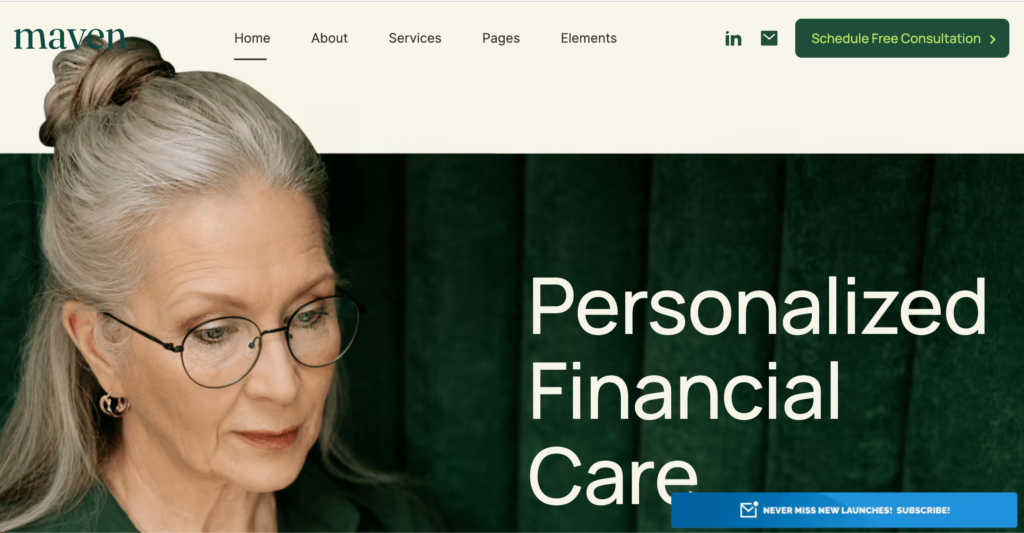
4. Maven: Business Consulting and Coaching Theme
Maven has a polished, corporate-adjacent feel that works well for executive coaches, leadership coaches, and consultants who work with companies. The typography is strong, the layouts are structured, and there’s a clear emphasis on credibility-building elements: client logos, case studies, credentials, and featured press mentions.
It works with Elementor and WPBakery, so you have options on the building side. The design feels more “Fortune 500 partner” than “wellness retreat,” which is exactly right for certain audiences.
Best for: Executive, leadership, and B2B-focused coaches.
Price: Around $69 one-time (check ThemeForest for current pricing).
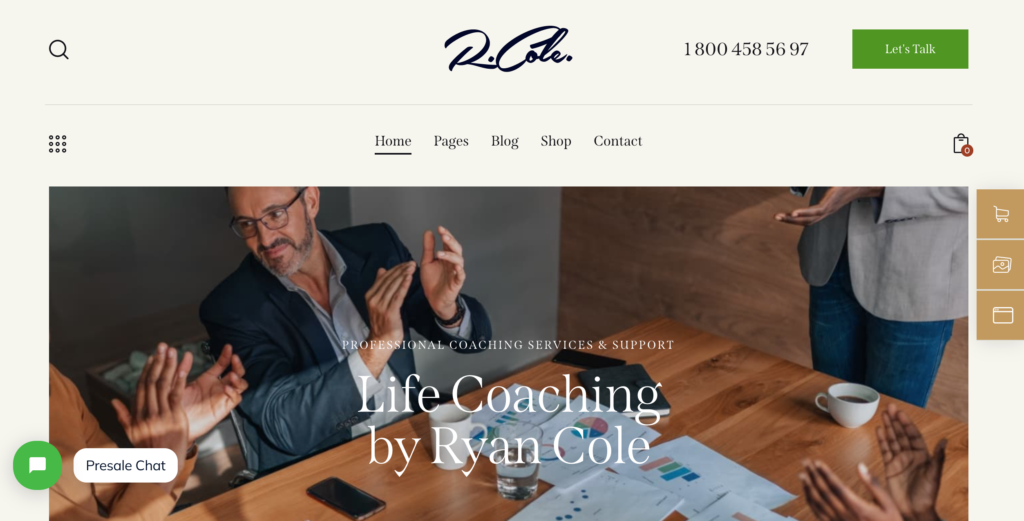
5. R.Cole: Business Coaching WordPress Theme
R.Cole is another strong option for business coaches who want a premium look without a premium price tag. It leans into personal brand-forward design: big hero images, prominent photo layouts, and sections built around telling your story before pitching your services.
If your coaching business is built around your personal authority, R.Cole gives you the design real estate to show that off. It also includes booking call-to-action sections that are easy to link with any scheduling tool.
Best for: Personal brand-forward business and leadership coaches.
Price: Around $69 one-time (check ThemeForest for current pricing).
Best for Selling Online Courses and Memberships
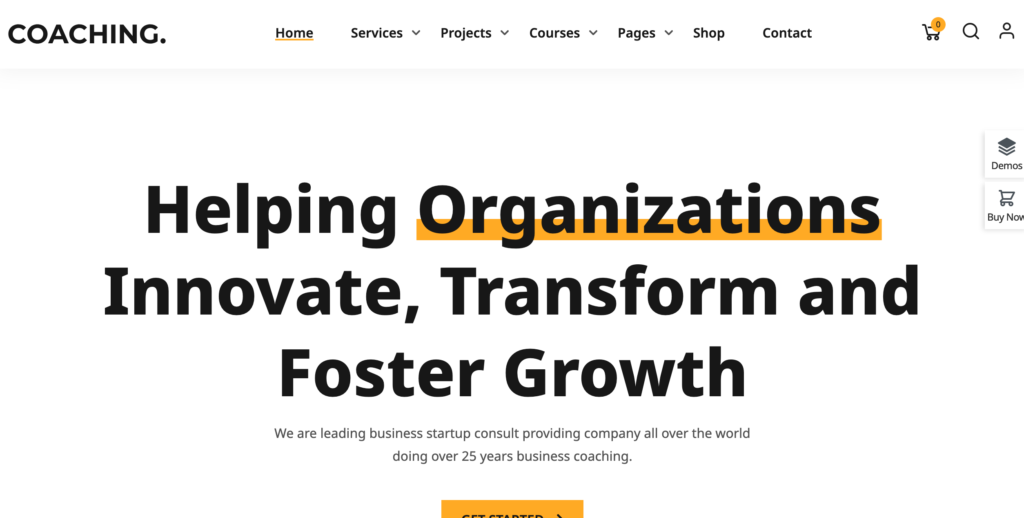
6. Coaching WP: Life and Business Coach WordPress Theme
Coaching WP is built specifically for coaches selling packages and services, with a clean layout that guides visitors naturally toward booking. It includes pre-built sections for your bio, services, packages, testimonials, and blog.
The theme integrates well with WooCommerce for selling packages and LearnDash (Learning Management System) for courses, making it a solid pick if you want to grow into both. It’s a one-time purchase, which is a plus if you’re trying to keep ongoing costs low.
Best for: Life coaches and business coaches selling packaged services.
Price: Around $54 one-time (check ThemeForest for current pricing).
7. Thrive Theme Builder: Coaching Funnels
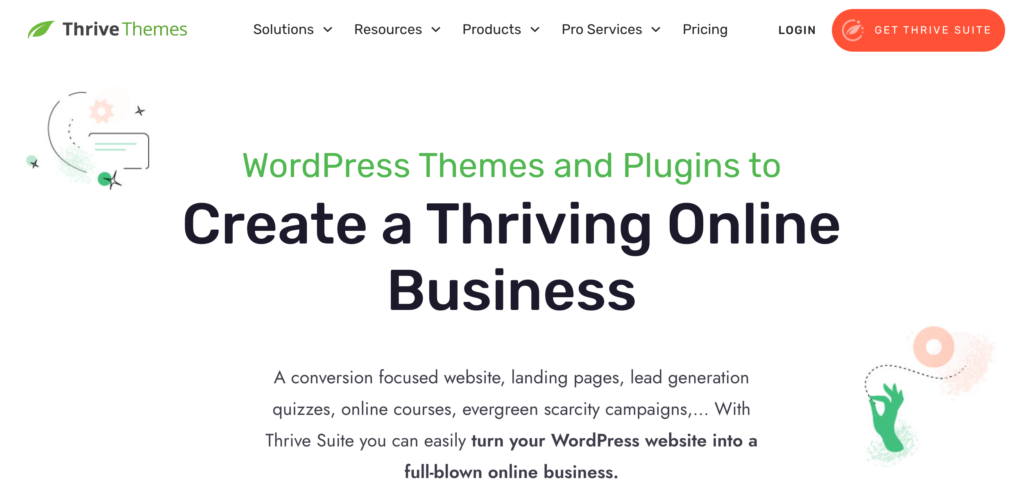
Thrive Theme Builder is different from everything else on this list. It’s a full conversion-optimization suite, not just a WordPress theme. You get the theme builder, plus Thrive Quiz Builder, Thrive Leads, and Thrive Architect (a page builder), each one built to turn visitors into leads and leads into clients.
The learning curve is steeper, and the price is significantly higher than other options. But if your main goal is email list growth, webinar signups, and lead generation, and you’re willing to spend time setting things up properly, Thrive is in a different class.
Best for: Coaches focused heavily on funnel-building and lead generation.
Price: $299/year for the Thrive Suite (see thrivethemes.com for current pricing).
Best for Health and Wellness Coaching
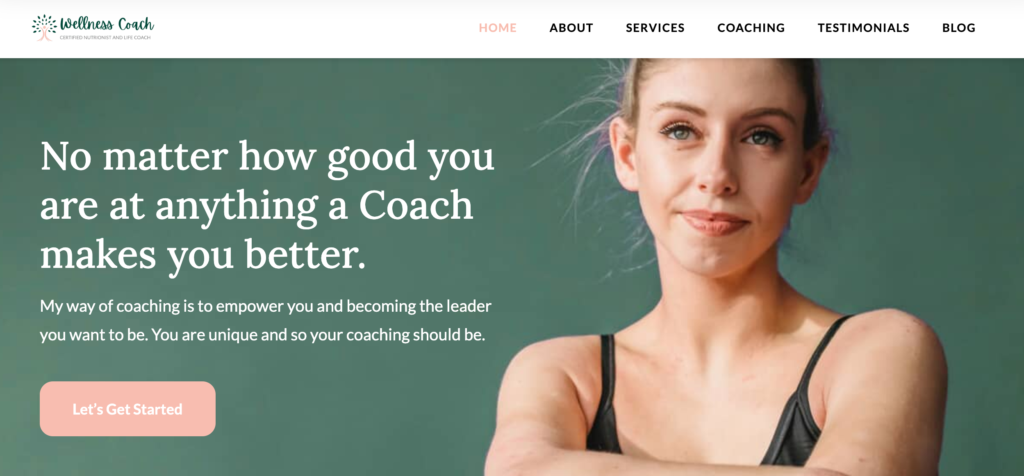
8. Blossom Coach Pro: Life and Health Coaching Theme
Blossom Coach Pro was designed with health and wellness coaches in mind. The aesthetic is warm, feminine, and clean: soft colors, generous white space, and lifestyle photography that feels personal rather than corporate.
It includes sections for your story, services, testimonials, and a podcast or blog. There’s also a free Lite version if you want to test the design before committing. The premium version adds additional customization options and layout templates.
Best for: Health coaches, wellness coaches, and life coaches with a warm personal brand.
Price: Around $69 one-time for Pro; free Lite version available (see blossomthemes.com).
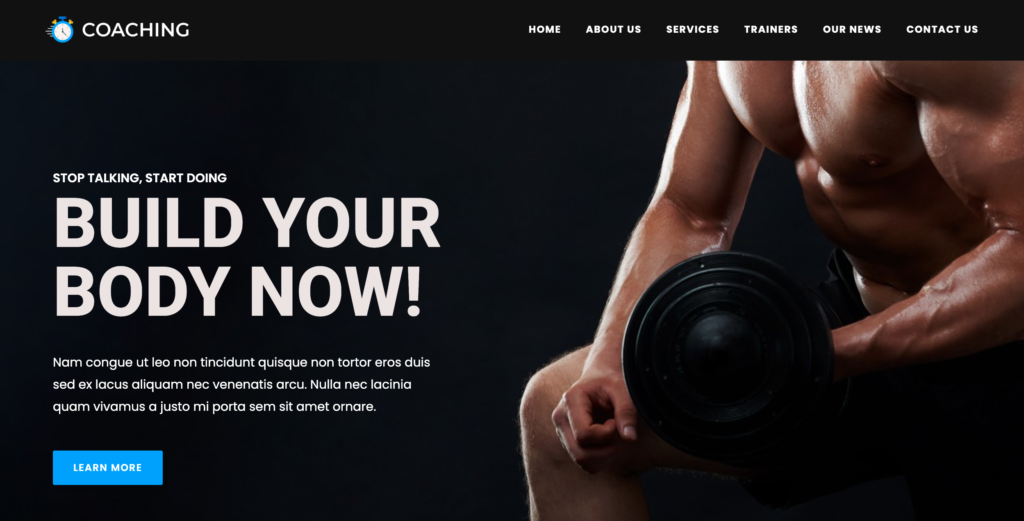
9. OceanWP: Versatile Fitness and Wellness Coaching Theme
OceanWP is one of the most popular free WordPress themes and has a solid reputation in the health and fitness space. The free version is quite capable, and premium extensions add more features as your site grows.
It works well with all major page builders (Elementor, Beaver Builder, Divi), so you’re not locked into a particular workflow. For personal trainers, fitness coaches, yoga instructors, and nutritionists, OceanWP’s clean, flexible design provides a strong starting point without upfront cost.
Best for: Fitness coaches, personal trainers, yoga and wellness practitioners.
Price: Free core theme; premium extensions from $54–$159/year (see oceanwp.org).
Best for Great Design and Easy Setup
10. Divi: Customizable Coaching Website Templates
Divi is one of the most well-known premium WordPress themes on the market and comes from Elegant Themes, which has been around since 2008. What sets Divi apart is the depth of customization available through its visual drag-and-drop builder. You can control virtually every element of your layout without writing code.
For coaching websites, Divi’s marketplace includes a number of coaching-specific layout packs that you can import and adapt. The downside: Divi can be slow out of the box, and the page files it generates can be harder to migrate later if you switch themes. For design-forward coaches who plan to stick with the ecosystem long-term, it’s worth it.
Best for: Coaches who want maximum design control and a large ecosystem of support resources.
Price: $89/year or $249 one-time (see elegantthemes.com).

Newer Options Worth Considering
11. Kadence: Fast, Flexible, and Free to Start
Kadence has become a serious competitor to Astra in the “fast, flexible, free” category. It loads exceptionally fast (which matters for your Google rankings), plays well with the Gutenberg block editor, and has a growing library of starter templates that include wellness, business, and coaching designs.
The free version is one of the most capable free themes available. The premium Kadence Full Bundle adds advanced customization, WooCommerce layouts, and additional starter template access. If you’re starting fresh in 2026, Kadence is worth putting at the top of your shortlist.
Best for: Coaches who want a free starting point with room to grow.
Price: Free; $79–$199/year for premium bundles (see kadencewp.com).
12. GeneratePress: Lightweight and Developer-Friendly
GeneratePress is the theme of choice for a lot of developers and performance-focused site owners. It’s extremely lightweight (the free version is under 30KB), loads fast, and scores consistently well on Core Web Vitals.
It’s less “coaching-specific” and more “blank canvas done well,” which means you’ll need to put more thought into layout and design from scratch. But if site speed and clean code are a priority, and you’re comfortable working with a page builder, GeneratePress is a strong foundational choice.
Best for: Tech-comfortable coaches and those working with a developer.
Price: Free; $59/year for GeneratePress Premium (see generatepress.com).
The Real Cost of a WordPress Coaching Website
One thing the theme roundups rarely tell you: your theme is just one line item in what WordPress actually costs. Here’s a realistic breakdown for a basic coaching website in 2026:
| Item | Annual Cost (Approx.) |
|---|---|
| WordPress theme (premium) | $59–$299 |
| WordPress hosting (mid-tier) | $100–$180 |
| Domain name | $12–$20 |
| Scheduling plugin (Calendly, Acuity, etc.) | $96–$180 |
| Payment processing plugin | $60–$120 |
| Contract/e-signature tool | $120–$240 |
| Email marketing tool | $0–$120 |
| Security + backup plugin | $60–$100 |
| Total annual estimate | $507–$1,239/year |
And that’s before you factor in the time cost of keeping WordPress updated, handling the occasional plugin conflict, and troubleshooting things that break when your host’s PHP version changes.
A lot of coaches don’t realize how much they’re spending across five or six tools until they add it up. That’s where an all-in-one platform starts to look very different.
The WordPress Alternative Many Coaches Are Switching to
Here’s something worth thinking about before you commit to the WordPress setup: what if you didn’t need a WordPress theme at all?
A growing number of coaches are skipping the plugin stack entirely and using Paperbell instead. It handles scheduling, payments, contracts, client intake forms, and even a public-facing coaching website, all in one place, without needing WooCommerce, Calendly, Zoom integrations, or three separate monthly subscriptions.
Why Coaches Are Moving Away from WordPress
It’s not that WordPress is bad. It’s flexible and powerful and it runs a huge chunk of the internet. But for most coaches, that flexibility comes with a cost:
- Too many plugins to manage. A typical coaching WordPress setup runs 10–15 plugins. Every plugin update is a potential conflict. Every conflict is time you’re spending on tech instead of clients.
- Scattered client experience. You book via Calendly, charge via Stripe, send contracts via HelloSign, and track sessions in a spreadsheet. Your client has to create accounts in multiple places.
- Higher total cost than it looks. The theme is often the cheapest part. Once you add hosting, scheduling tools, payment processing, and contract software, you’re regularly spending $500–$1,000+ per year.
- Constant maintenance. WordPress sites need regular updates, security monitoring, and occasional developer help for things that break. That’s fine if you enjoy it. Most coaches don’t.
How Paperbell Solves the Tech Stack Problem for Coaches
Paperbell gives you a clean public website your potential clients can find, plus the full booking and client management system behind it. No WooCommerce. No Calendly. No five tabs open during a consultation call.
Your clients get a single portal where they can book sessions, pay, sign their contract, fill out intake forms, and access any files you’ve shared with them. You get a single dashboard where you can see all of it.
The best part? The setup takes about an hour. You’re not learning a page builder or configuring a payment gateway. You just fill in your details, add your packages, and share your link.
If you’re still building your practice and don’t want to spend hours on tech before you’ve landed your first clients, Paperbell is worth a look. You can see how the website feature works here.
How to Set Up Your Coaching Website in Paperbell
If you’re curious what the Paperbell alternative actually looks like in practice, here’s how the setup works:
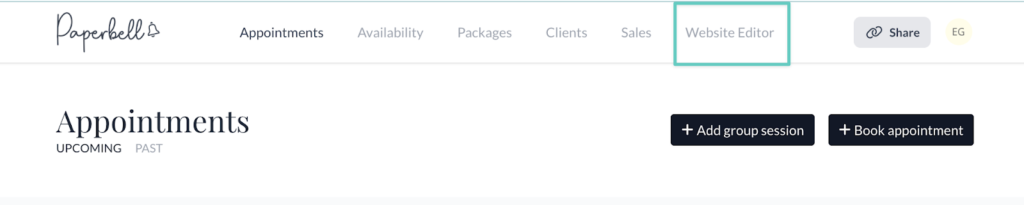
1. Access the Website Editor
Log in to your Paperbell account and head to the Website tab. You’ll see a live preview of your coaching site that updates as you make changes.
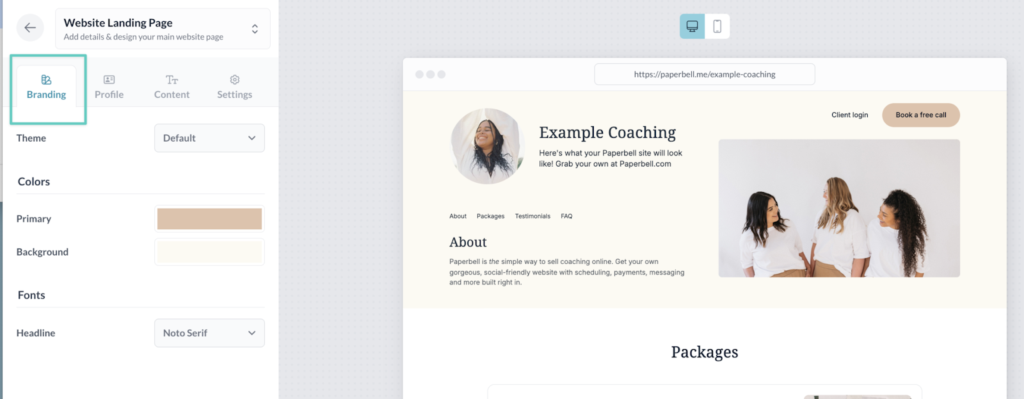
2. Customize Your Branding
Upload your logo, choose your brand colors, and select fonts. The editor is visual, so you’re not editing CSS files or learning a theme settings panel.
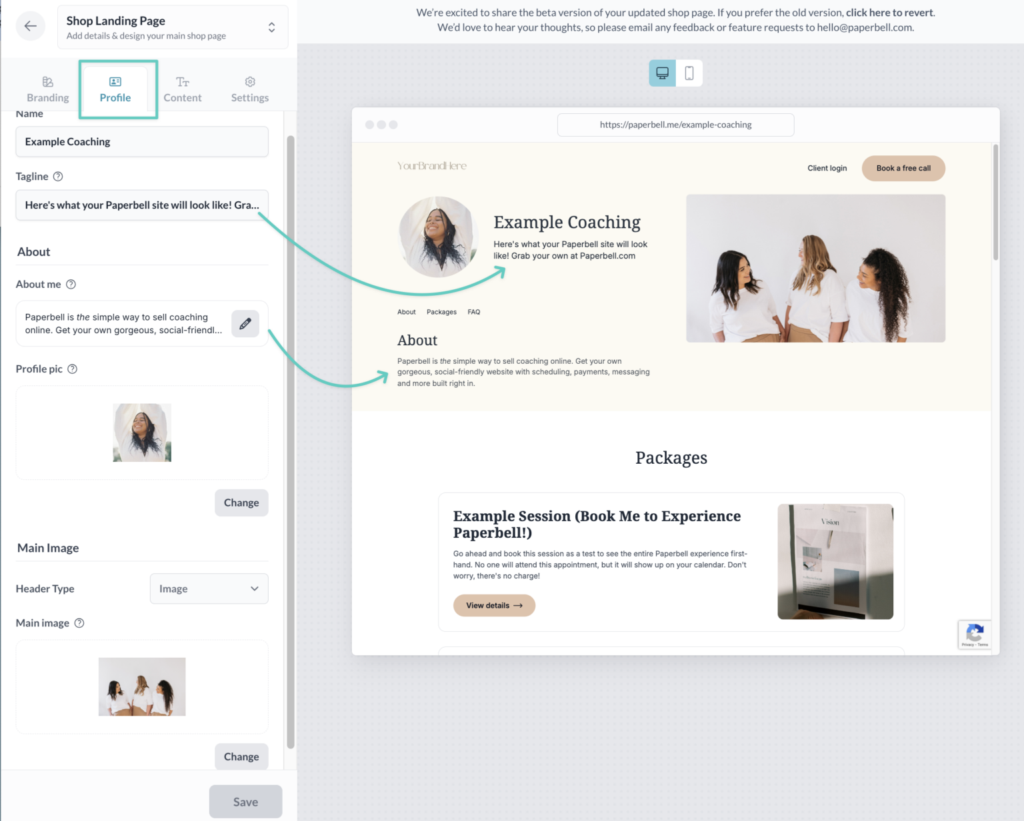
3. Introduce Yourself
Add your name, headline, bio, and a professional photo. This is your hero section, the first thing a potential client sees when they land on your site.
4. List Your Services
Add your coaching packages and services. Each one has a title, description, and price. Clients can click through to book and pay without leaving your site.
5. Display Your Coaching Packages
If you offer multiple packages (like a 3-session starter or a 6-month program), you can display them side by side with a button to book each one directly.
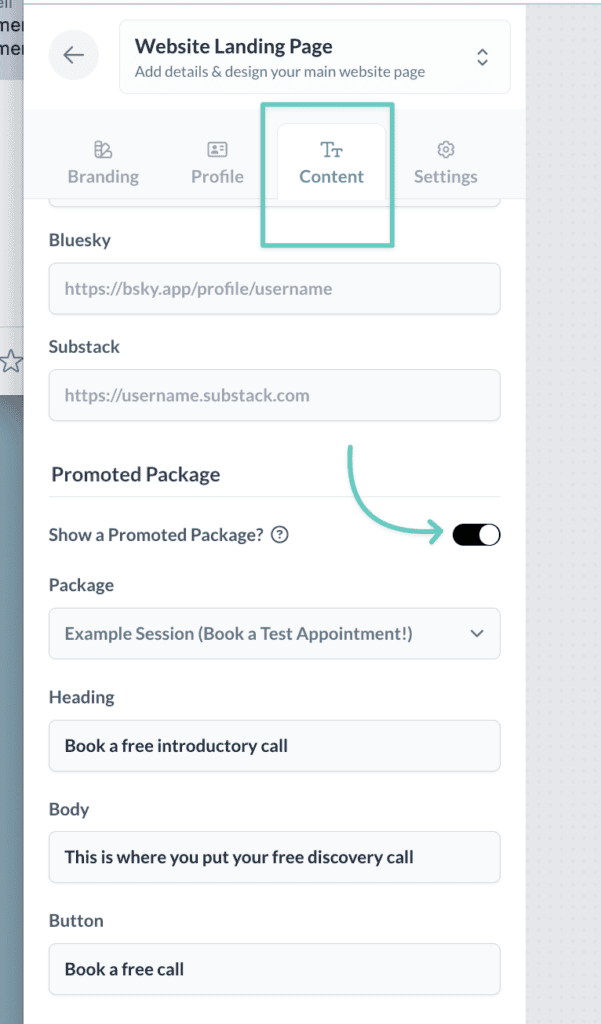
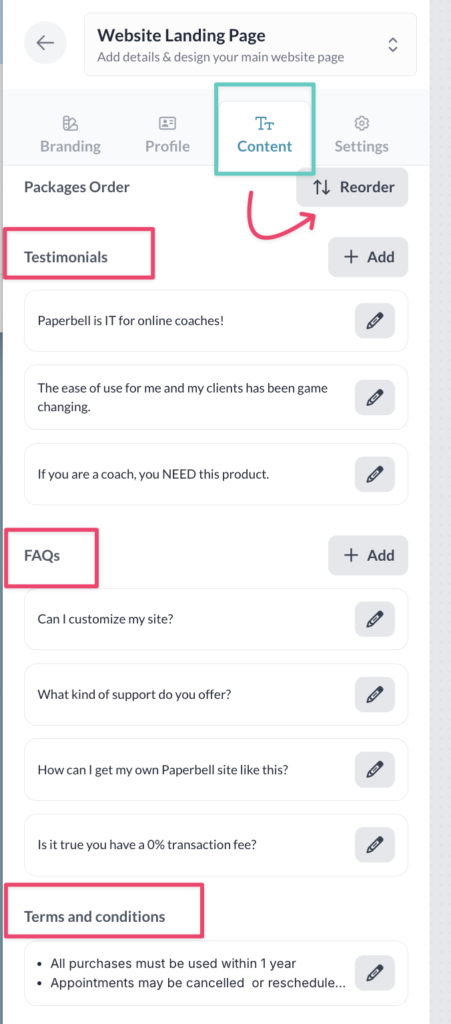
6. Add Testimonials and Social Proof
Paste in testimonials from past clients. They’ll display on your public site and give potential clients the confidence to reach out. This is one of the highest-converting sections you can add to any coaching site, on WordPress or anywhere else.
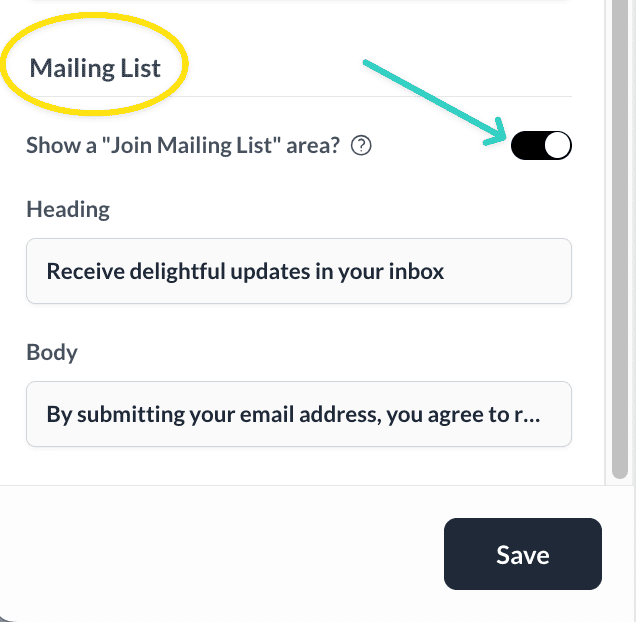
7. Build Your Email List
Add a lead capture section to start collecting email addresses from visitors who aren’t ready to book yet. Paperbell does this by allowing you to create a free lead magnet or complimentary consultation as a package priced at $0, and visitors enter their email to “purchase” it. That adds them to your contact list, and you can connect Paperbell to your email marketing tool to start nurturing those leads automatically.
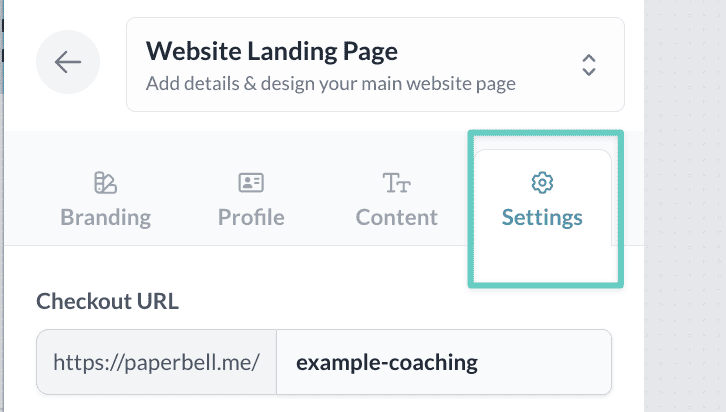
8. Set Up Your Website URL
Paperbell gives you a free URL at paperbell.me/[yourname]. You can also connect a custom domain if you want your site to live at yourbrand.com.
9. Save and Share
Once you’re happy with the layout, save and share your link. That’s it. Your entire online coaching presence, booking system, and payment setup are live.
For coaches who want a coaching website that actually books clients rather than just existing online, the simplicity of this setup is genuinely hard to beat.
Internal Linking to Helpful Resources
If you’re building out your coaching website, these might help:
- How to build a life coaching website that attracts clients
- Coaching program templates to structure your offer
- Life coach bio examples to write your about page

FAQ
Do I Need a Developer to Set Up a WordPress Theme?
Not necessarily. Most modern themes are designed for non-developers and include visual builders. That said, customizing beyond the basics (adding custom fonts, building complex layouts, or troubleshooting plugin conflicts) often does require either technical comfort or a developer’s help. Budget $500–$2,000 if you plan to hire someone for the initial setup.
How Much Should I Budget for a WordPress Coaching Website?
For a basic self-built site, expect $500–$700 per year once you add up hosting, theme, scheduling tool, payment processing, and a contract tool. For a developer-built site with custom design, initial setup costs can run $2,000–$10,000. If you want to keep costs lower, consider an all-in-one platform like Paperbell, which handles scheduling, payments, contracts, and a public website all in one subscription.
Can I Switch Themes Later Without Losing Content?
Your actual content (pages, posts, text) stays in your WordPress database when you switch themes. What doesn’t transfer is your layout. Page builder layouts, styling, section arrangements, and theme-specific customizations will need to be rebuilt. Switching themes is rarely as painless as it sounds, which is one reason to choose carefully from the start.
How Do I Maintain Security on My WordPress Site?
At minimum: keep WordPress core, your theme, and all plugins updated. Use a reputable security plugin like Wordfence or iThemes Security, and make sure your hosting provider runs regular backups. Most coaches are fine with a quality managed WordPress host (SiteGround, WP Engine, Kinsta) and a basic security plugin. That combination handles the vast majority of risks without specialist knowledge.
What’s the Learning Curve for WordPress?
It depends on the theme and page builder. Divi and Elementor have solid documentation and YouTube tutorial libraries, so motivated beginners can get a basic site live in a few days. A full coaching site with custom layouts, booking integrations, and payment setup typically takes 20–40 hours for a non-developer doing it for the first time. If your time is worth a lot per hour, that’s worth factoring into the “cost” calculation.
What’s the Best WordPress Theme for Life Coaches?
For life coaches specifically, Blossom Coach Pro, Astra (with a life coaching starter template), or Kadence are strong choices. They offer a warm, personal aesthetic that works well for life coaching without requiring developer skills. If you want something even more personal brand-forward, R.Cole is also worth considering.
Is There an Alternative to WordPress for Coaches?
Yes. Paperbell is specifically built for coaches and combines scheduling, payments, contracts, client intake, and a public website in one platform, without plugins, hosting decisions, or theme setup. It’s not as flexible as WordPress for complex sites, but for most coaching businesses it covers everything you actually need. You can try it for free.
What WordPress Themes Work Best for Personal Trainers?
OceanWP and Kadence are both strong picks for personal trainers and fitness coaches. They’re lightweight, mobile-friendly, and work well with fitness-focused page builder templates. Blossom Coach Pro is also worth looking at if you work with clients on a broader wellness or lifestyle basis. For personal trainers who want to skip the WordPress setup entirely, Paperbell’s public site feature handles booking and payments without any theme configuration.
Ready to Build Your Coaching Website?
Whether you go with WordPress or not, the goal is the same: a site that makes it easy for the right clients to find you, understand what you do, and book a session.
If you go the WordPress route, you now have a solid shortlist to work from. Pick a theme that matches your niche, keep the plugin stack lean, and don’t let perfect be the enemy of going live.
And if you’re open to a simpler path, Paperbell handles the whole setup in about an hour: website, scheduling, payments, contracts, and client management all in one place. No theme research required.