

You’ve got the coaching skills. You know how to ask the right questions, hold space, and help clients move forward. But when it comes to actually running your practice? The scheduling, the contracts, the session prep, the follow-up… it can feel like a whole second job you didn’t sign up for.
That’s where the right coaching toolkit makes all the difference.
A well-built toolkit doesn’t just make your life easier. It makes your clients’ experience better and your practice something you can actually sustain.
This guide covers 30+ coaching tools for 2026: running sessions, managing clients, getting paid, and marketing your practice. We’ve flagged what’s free, what costs money, and where Paperbell fits.
Want to stop juggling five different tools? Paperbell handles your scheduling, payments, contracts, and client portal in one place. Try Paperbell for free.
Coaching Frameworks, Tools, Models… What’s the Difference?
Before we get into the list, it’s worth clearing something up. The word “toolkit” gets used loosely in coaching circles, and it can mean very different things.
A coaching tool is something you use directly in a session or with a client: a worksheet, an assessment, a set of questions, a model you walk them through.
A coaching framework or model (like the GROW model or Wheel of Life) is the structure that guides your approach. It’s the “how” behind your sessions.
A business tool is software or a system for running your practice: scheduling, payments, client management, marketing.
All three belong in a complete coaching toolkit. This guide covers all of them.
Your Coaching Toolkit for Client Work
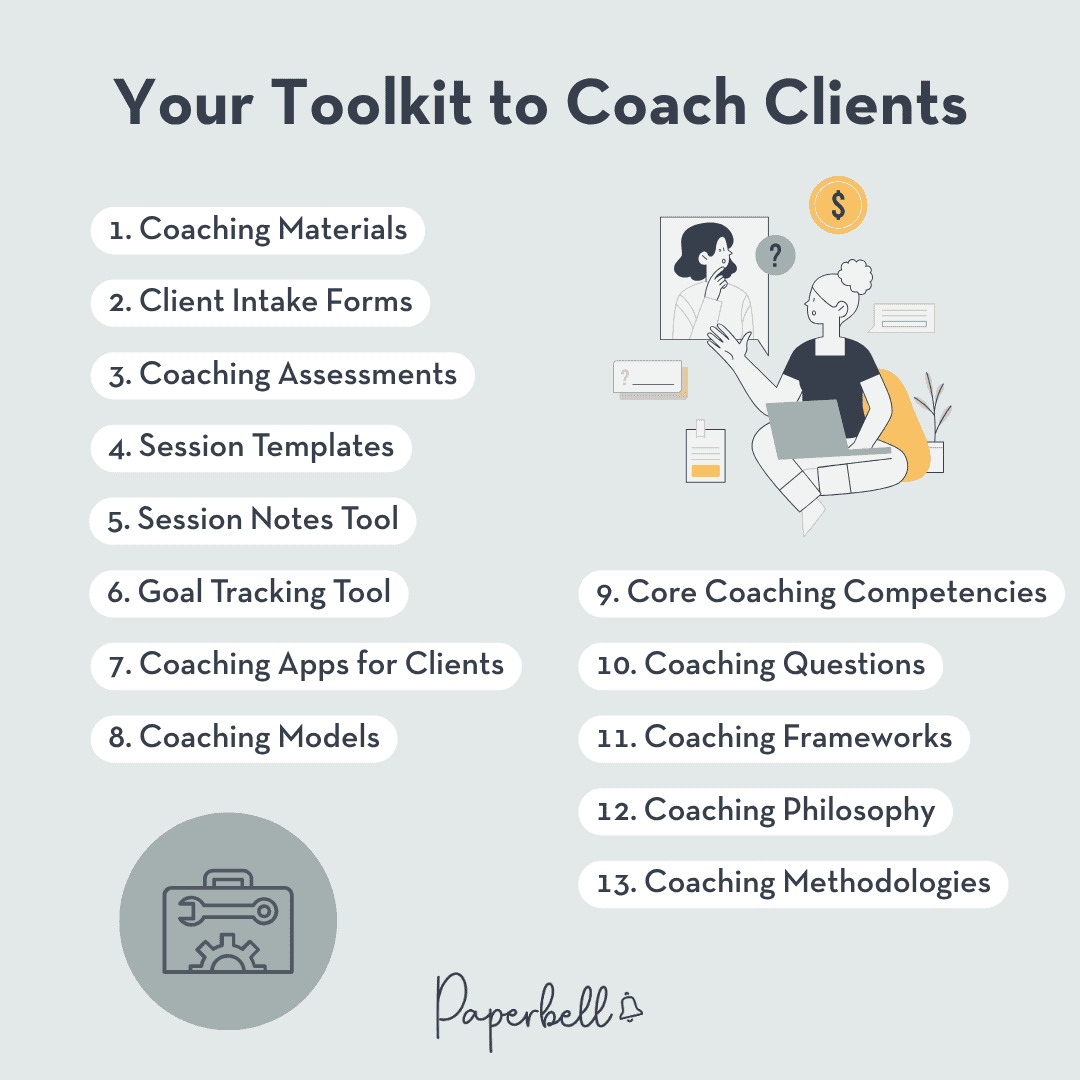
These are the tools you use in and around your coaching sessions. The stuff that actually helps your clients move forward.
1. Coaching Materials (Worksheets and Guides)
Worksheets, reflection prompts, and audio guides give clients something tangible to work with between sessions. Free option: build your own in Google Docs or Canva. Paid option: sites like PositivePsychology.com offer downloadable worksheet packs. Once you have your files, you can deliver them securely through Paperbell’s client portal instead of hunting through email attachments.
2. Client Intake Forms
A good intake form tells you what your client actually wants before you ever get on a call. It sets the tone for the relationship and saves you from spending the first session just gathering background info. Paperbell sends intake forms automatically before the first session, so this step happens without you having to think about it. Free DIY option: Google Forms.
3. Coaching Assessments
Assessments give clients (and you) an objective starting point. A few worth knowing:
- VIA Character Strengths Survey: free, research-backed, gives clients a ranked list of their 24 character strengths. A great starting point for strengths-based coaching.
- StrengthsFinder (CliftonStrengths): paid ($19.99+), identifies top talent themes. Popular in executive and leadership coaching.
- Myers-Briggs Type Indicator (MBTI): personality assessment widely used in career and executive coaching. Paid to administer officially, but clients can take free online alternatives to get the gist.
- Satisfaction with Life Scale: free 5-question scale for measuring subjective wellbeing. A useful baseline at the start of a coaching engagement.
For a deep dive, our coaching assessment tools guide covers many more options.
4. Session Templates
A session template keeps you from reinventing the wheel every time you get on a call. A basic one might include a check-in question, a progress review, the main focus of the session, and action steps for next time. See our coaching sample session guide for a full template you can adapt.
5. Session Notes Tool
You need somewhere to capture what happened in a session: what the client said, what came up, what they’re committing to. Free options: Notion (great for organizing by client) or Google Docs (simple and shareable). All-in-one option: Paperbell has a built-in notes section for every client, so your session notes live alongside their booking history, forms, and files in one place.
6. Goal Tracking Tool
Clients need to see their own progress. It’s one of the most motivating parts of coaching. Habit tracking apps like Habitica (free, gamified) or Streaks (iOS) work well for daily habits. For bigger goals with milestones, Paperbell lets you send surveys to clients between sessions — pre-session prep, mid-program reflection, or post-session feedback — that you can review before the next call.
7. Coaching Apps for Clients
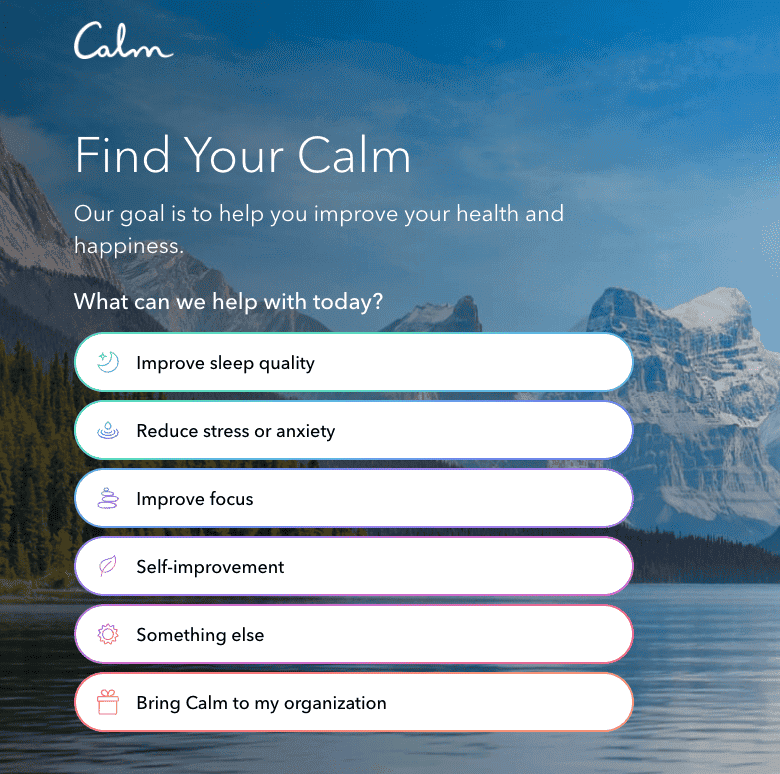
Some clients appreciate having a dedicated app to support their coaching journey between sessions. Apps like CoachAccountable (paid) let you assign action steps and track accountability in a structured way. Insight Timer (free/paid) is useful if mindfulness is part of your approach. For a broader list of apps worth recommending, see our best life coaching apps guide.
8. Coaching Models
Coaching models give your sessions structure. The three most widely used:
- GROW model (Goal, Reality, Options, Will): classic, versatile, works in almost any coaching context. Full guide here.
- CLEAR model (Contract, Listen, Explore, Action, Review): stronger for systemic coaching and longer engagements.
- FUEL model (Frame the Conversation, Understand the Current State, Explore the Desired State, Lay Out a Success Plan): popular in workplace coaching.
9. Core Coaching Competencies
The International Coaching Federation (ICF) defines 8 core competencies that underpin skilled coaching: active listening, powerful questioning, creating awareness, and more. Knowing these isn’t just for certification. They’re the actual skills that make sessions useful. Our life coaching skills guide breaks them down.
10. Coaching Questions
Having a bank of go-to questions helps when a session stalls or you need to shift the energy. Questions like “What would you do if you knew you couldn’t fail?” or “What’s the cost of staying where you are?” can open up conversations that generic prompts can’t. We’ve compiled life coaching questions you can pull from.
11. Coaching Frameworks (Wheel of Life, SMART Goals)
Frameworks like the Wheel of Life and SMART goals are visual tools clients find easier to engage with than abstract conversation. The Feelings Wheel is another one worth having in your back pocket, especially for clients who struggle to name what they’re experiencing.
12. Coaching Philosophy
Your coaching philosophy isn’t just background material. It shapes every session and helps clients understand what to expect from working with you. It’s also something potential clients look for when they’re deciding whether to hire you. Our coaching philosophy guide walks you through how to develop and articulate yours.
13. Coaching Methodologies
Beyond models, your approach might draw on broader methodologies: Neuro-Linguistic Programming (NLP), somatic coaching, hypnotherapy, Positive Psychology, or others. These inform how you work, not just what questions you ask. It’s worth being clear on what you do (and don’t) use, especially when talking to potential clients.
Tools for Setting Up and Running Your Coaching Practice
These are the business operations tools, the ones that handle scheduling, payments, contracts, and all the admin that happens around your sessions.
14. Video Conferencing Tool
If you coach remotely (and most coaches do at least part of the time), a reliable video tool is non-negotiable. Zoom is the gold standard: good video quality, breakout rooms, easy for clients to join. Google Meet is a free alternative that works well for one-on-one sessions especially if you want to keep costs down. Both integrate easily with Paperbell so your session link is automatically included in booking confirmations.
15. Scheduling Software
Never send a “when are you free?” email chain again. Scheduling tools let clients pick a time from your available slots, across time zones, without any back-and-forth. Calendly (free plan available) is the most widely known. Acuity Scheduling has a few more customization options. Paperbell has scheduling built in, so your clients book directly through your Paperbell page and the payment, contract signing, and intake form are all collected in the same flow.
16. All-in-One Coaching Platform
At some point, juggling five separate tools (Calendly for scheduling, Stripe for payments, Docusign for contracts, a separate client portal, email for everything else) stops being sustainable. An all-in-one platform brings it all together.
Paperbell was built specifically for coaches. It handles scheduling, payment processing, contracts, intake forms, session notes, and a client portal in one place. Your client books a session, signs the contract, and pays, all in a single flow. No chasing, no separate logins, no lost files.
17. Coaching Packages
Selling packages instead of individual sessions is better for your clients (they get a complete transformation arc, not a one-off chat) and better for your business (predictable revenue, fewer one-time bookings to manage). Paperbell lets you build packages with multiple sessions, set the price, and sell them online. See our life coaching packages guide for how to structure them.
18. A Coaching Contract
A contract protects you and your client. It sets expectations on both sides: what’s included, what isn’t, cancellation policies, confidentiality. You can download a free coaching contract template as a Google Doc (make a copy to use it), or use Paperbell, which includes a built-in contract that’s automatically sent and signed as part of the booking process.
19. Client Portal
A client portal is where your client can access everything related to their coaching: session history, forms they’ve filled out, files you’ve shared, upcoming bookings. It makes you look more professional and saves everyone time hunting through email. Paperbell includes a client portal at no additional cost.
20. Email Templates for Client Communication
You’ll send the same types of emails over and over: booking confirmations, session reminders, follow-up notes, check-in messages. Having templates for each saves time and keeps your communication consistent. Paperbell sends automated confirmations and reminders, so those emails take care of themselves. For everything else, build a folder of your go-to templates that you can pop into your packages at any time.
21. Payment Tool
Getting paid needs to be easy for you and your clients. If you’re using a standalone payment tool, Stripe is the most widely used among coaches (low fees, supports subscriptions and one-time payments). PayPal is an option if your clients prefer it. Paperbell has Stripe built in, so payment happens in the same flow as booking. Your client enters their card once and never has to dig out their details again.
22. Coaching KPIs
Key Performance Indicators (KPIs) help you track whether your coaching practice is actually working, for your clients and your business. Client-side KPIs might include goal achievement rate, session attendance, and self-reported wellbeing scores. Business KPIs might include revenue per client, client retention, and referral rate. Our coaching KPIs guide covers what to track and how.
23. Time Tracking Tool
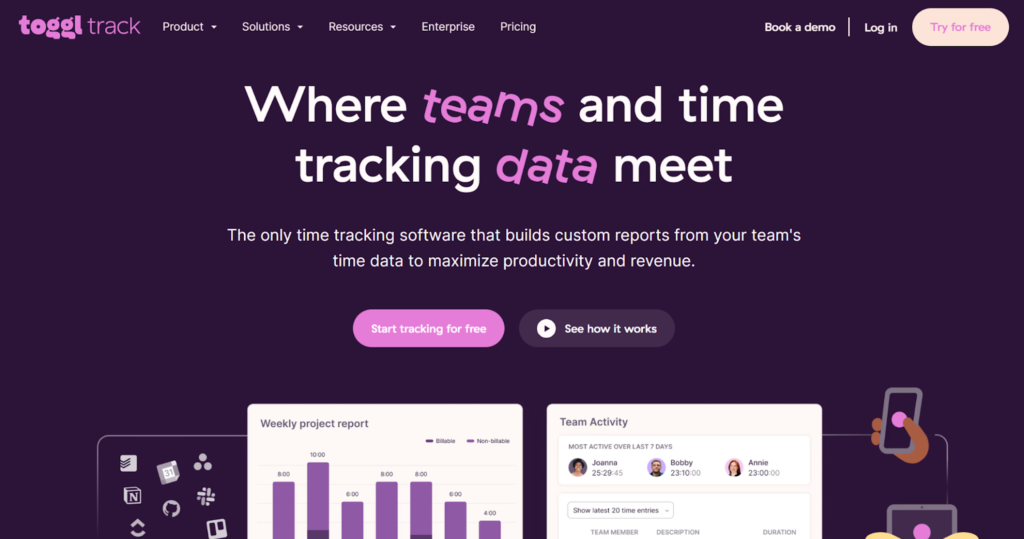
Even if you charge per session rather than per hour, knowing where your time goes is useful. Toggl (free plan available) is simple and widely used. Clockify also has a free plan with no time tracking limits. Both give you reports you can use to understand how much time you’re actually spending on different parts of your business.
Paperbell replaces your scheduler, payment tool, contract software, and client portal — one login, one link to send clients. Try Paperbell for free.
Marketing Your Coaching Business
Your coaching toolkit isn’t complete without the tools that get you in front of new clients. These don’t have to be complicated. A focused, simple presence beats a scattered, elaborate one every time.
24. Coaching Website
Your website is your home base online. It doesn’t need to be fancy, but it does need to be clear: who you help, how you help them, and how to work with you. WordPress is the most flexible option if you want full control. For a faster setup, Squarespace and Wix both have coaching-specific templates. Your Paperbell page can also act as your website, especially if you’re just getting started or you don’t have the need to build a full site.
25. Domain Name
A custom domain (yourname.com or yourcoachingbusiness.com) makes you look professional and is worth the $10-15/year it costs. Check availability at Namecheap or Google Domains. Keep it simple: easy to spell, easy to remember, easy to type on a phone.
26. Social Media Profiles
You don’t need to be everywhere. Pick one or two platforms where your ideal clients actually spend time. Instagram and LinkedIn work well for most coaches. Set up your profile with a clear bio, a good photo, and a link to your website or Paperbell booking page. Then show up consistently a few times a week, rather than sporadically everywhere.
27. Client Testimonials
Social proof is one of the most powerful marketing tools you have. Testimonials from past clients tell potential clients what to expect far more convincingly than anything you write about yourself. Our testimonial template makes it easy to ask, and actually get good responses.
28. Client Case Studies
A case study goes deeper than a testimonial. It tells the story of a client’s transformation: where they started, what changed, and where they are now. You don’t need many. Even one or two strong case studies on your website can meaningfully increase conversions. Always get written permission before sharing a client’s story.
29. Professional Photos
A good headshot and a few lifestyle photos make a real difference to how professional your site looks. You don’t need a full shoot. Even a few well-lit photos taken with a modern smartphone work. Get a friend to take 20-30 shots in good natural light and pick the best three.
30. Professional Bio
Your bio appears on your website, your social media profiles, and anywhere you’re featured as a coach. It should tell people who you help, what you’ve done (relevant experience and credentials), and a little about who you are as a person. Keep a short version (2-3 sentences) and a longer version (150-200 words) so you’re ready for different contexts. Our bio examples guide has templates and examples.
31. Marketing Email Sequences
An email list is one of the few marketing channels you actually own. No algorithm changes, no platform rules. A simple welcome sequence (3-5 emails introducing who you are and what you help with) nurtures new subscribers until they’re ready to book. Email marketing tools like Mailchimp (free up to 500 contacts) or Kit (formerly ConvertKit, free up to 1,000 subscribers) work well for coaches. Paperbell integrates with both via Zapier.
32. Coaching Proposal
A proposal is what you send a potential client after a discovery call, when they need to “think about it” before committing. It recaps what you’ll work on together, what’s included in your packages, and what the investment looks like. Having a polished template ready makes the difference between a client who signs up and one who goes quiet. Our coaching proposal template gives you a solid starting point.
Toolkit Variations by Niche
The list above covers the essentials for any coach. But depending on your niche, you’ll lean on some tools more than others.
Life coaching: The Wheel of Life, Feelings Wheel, VIA Character Strengths Survey, and GROW model are your workhorses. Clients often come in with vague goals and need help getting specific, so assessment tools and reflective worksheets are especially valuable.
Executive coaching: CliftonStrengths and MBTI are widely used in corporate contexts. Leader Competency assessments and 360-degree feedback tools (if your client has organizational support) add depth. Your proposal and contract need to be more formal, and billing often goes through a company account, so clean invoicing matters.
Business coaching: Goal tracking and KPI tools are front-and-center. Clients want measurable progress. Consider adding simple financial tracking worksheets or planning templates alongside your standard toolkit.
Career coaching: Resume and LinkedIn review tools, job search trackers, and interview prep frameworks are core to this niche. The career coaching guide covers more.
Ready to bring your coaching practice together in one place? Paperbell handles scheduling, payments, contracts, and your client portal so you can get back to doing what you love. Try Paperbell for free.
Frequently Asked Questions
How much should I invest in coaching tools?
Start with free tools and invest gradually as your practice grows. Free options like Google Meet, Calendly’s free plan, and Google Docs can carry you through your first few months. Once you’re booking clients consistently, an all-in-one platform like Paperbell (which handles scheduling, payments, contracts, and your client portal) replaces several paid subscriptions at once, making it more cost-effective than piecing tools together.
Should I use the same tools with every client?
Yes, for your business operations tools (scheduling, payments, contracts). Consistency here makes your practice easier to run and creates a professional experience. For coaching tools like assessments, worksheets, and frameworks, you’ll naturally adapt based on each client’s goals and needs.
How do I know which tools are most effective?
Try any new tool with a few clients before committing to them long-term. Pay attention to whether a tool sparks reflection and conversation, or just adds busywork. The best coaching tools are ones your clients actually engage with, not the ones with the longest feature list.
How can I create my own custom coaching tools?
Start with Google Docs or Canva for worksheets and templates. You can build custom intake forms, reflection prompts, and session recap templates without any design skills. Paperbell also lets you upload your custom files and deliver them securely through your client portal.
What are the best free coaching tools?
Great free options include Google Meet (video sessions), Calendly’s free plan (scheduling), Google Docs (session notes and worksheets), and the VIA Character Strengths Survey (free assessment). Paperbell also offers a free account you can use to get started with scheduling, contracts, and payments. No credit card required.
What software do life coaches use?
Most coaches use a combination of a video conferencing tool (Zoom or Google Meet), a scheduling tool (Calendly or Paperbell’s built-in scheduler), a payment processor, and a place to store session notes. Many coaches start with separate tools, then migrate to an all-in-one platform like Paperbell to cut down on admin time.