
You type out the perfect caption, add the right hashtags, and hit post. Then you realize: there’s no clickable link anywhere in it. No hyperlink. Nothing your followers can actually tap and follow to your discovery call booking page or coaching package.
Sound familiar? Instagram makes this intentionally frustrating — but the good news? There are actually 7 solid ways to share links on Instagram and get your audience clicking through to your offers.
Yes, you CAN add clickable links to Instagram posts — just not inside regular feed captions. Here’s how to add a link to Instagram posts using every method available, including a few most coaches aren’t using yet.
Here’s what’s covered:
- Why Instagram limits clickable links in captions
- How to use the link sticker in Stories (available to ALL accounts now)
- How to share links through Reels, bio, pinned posts, and more
- How to automate link delivery via DMs so you never miss a lead
Why Can’t You Add Clickable Links to Instagram Posts?
Instagram’s business model depends on keeping users scrolling within the app for as long as possible:
- The longer they encourage users to stay on Instagram, the more paid ads they see.
- The more paid ads a user sees, the more money Instagram makes.
This strategy directly impacts coaches trying to grow their business through Instagram. You can’t simply drop a link in your caption and expect people to click through to book a discovery call or purchase your coaching program.
However, this limitation has created some interesting opportunities. Since you can’t rely on clickable links in your Instagram feed, you need to focus on two main strategies:
- Driving traffic to your bio link; and
- Encouraging people to comment or DM you directly for links
There’s also good news for your overall online presence. Google now crawls Instagram posts, which means adding URLs to your captions (even if they’re not clickable) can still help with your SEO efforts and make your content more discoverable.
How to Add Links to Instagram Stories
Instagram Stories offer the most straightforward way to share clickable links on the platform. As such, they’re a powerful marketing tool that should be a cornerstone of your coaching marketing strategy.
How to Use the Link Sticker Tool
Adding links to your Instagram Stories is simple once you know where to look:
- Open Instagram and tap your avatar icon on the top left to create a new Story.
- Take a photo or video, or upload content from your camera roll.
- Tap the sticker icon at the top of your screen.
- Select the “Link” sticker tool from the menu.
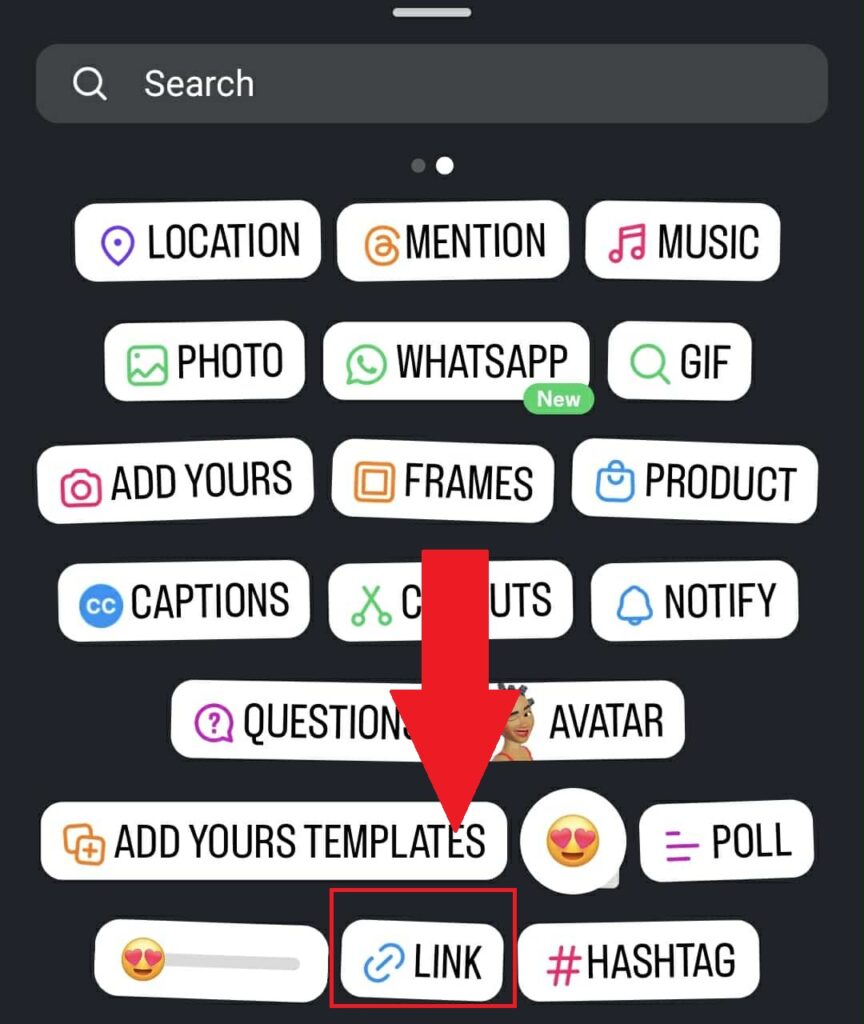
- Paste your URL and customize the sticker text.
- Position the sticker wherever you want it on your Story.
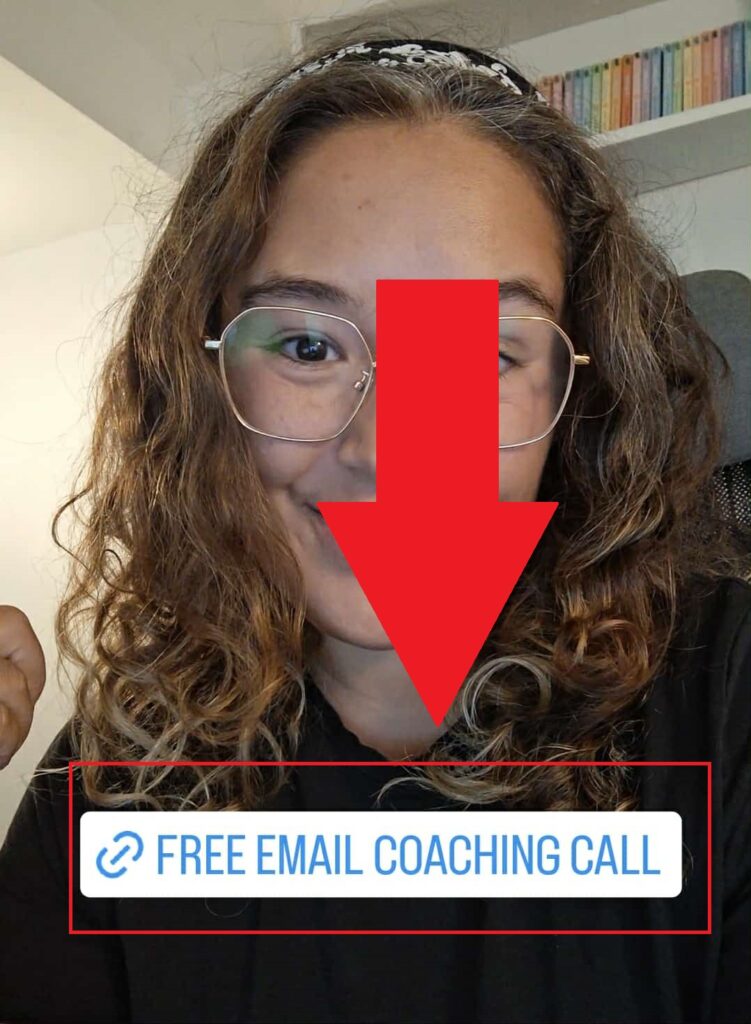
- Tap Your Story on the bottom left to post your Story.
That’s it!
Best Practices for Coaches with Instagram Stories Links
The key to getting Story link clicks isn’t to just post and hope. You should aim to create a compelling call-to-action (CTA) that motivates your target audience to click.
Instead of generic CTAs like “click up to learn more,” try specific language that tells people exactly what they’ll get.
For example:
“Tap here to book your free 30-minute clarity call” or “Get my free goal-setting worksheet that my clients use to hit their targets faster.”
Examples That Work for Coaches
Here are some effective ways coaches can use Story links:
- Free discovery calls: Share a client success story in your Story, then add a link sticker to your free discovery session calendar and say, “Ready for your own breakthrough? Book your free call by clicking below.”
- Blog posts: If you’ve written a helpful blog post about a common client challenge, create a Story that teases the main points and links directly to the full article.
- Coaching packages: After sharing tips or insights, use a link sticker to direct people to your coaching package page with text like, “Want personalized help with this? See how we can work together.”
- Lead magnets: Stories are perfect for promoting free (or paid!) digital resources. Create a multi-slide Story or a voice-over video Story that highlights the problem your lead magnet solves, then link to it with a clear CTA.
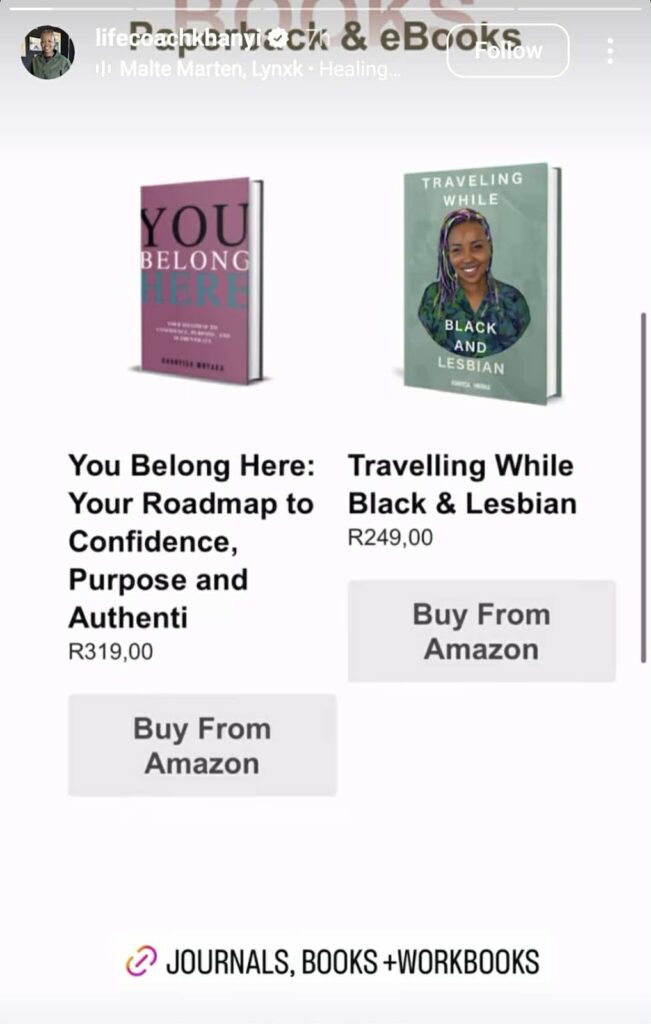
Pro tip: Don’t have links to share yet? Get a free Paperbell account and launch your coaching packages and website in minutes.
Method 4: How to Add a Link to an Instagram Reel
Here’s the deal with Reels and links: you can’t add a clickable hyperlink directly to a Reel. Not in the caption, not as a sticker, not anywhere. Instagram hasn’t opened that up yet.
But Reels are still one of the best traffic drivers out there — you just need a different approach.
Use Your Caption as a Pointer
Write every Reel caption with a clear CTA that sends people somewhere specific. Not “link in bio” and nothing else — tell them EXACTLY what they’ll find when they get there.
For example: “I just opened 3 spots for my 1:1 coaching program this month. If you’re ready to stop spinning your wheels and get real results, go to the link in my bio to book a free discovery call.”
That’s so much more effective than “link in bio 👆”
Use ManyChat to Automate Link Delivery
Here’s where it gets good. Ask viewers to comment a specific keyword on your Reel — and ManyChat automatically DMs them the link.
For example: end your Reel with “Comment ROADMAP below and I’ll send you my free coaching roadmap.” When someone comments that keyword, ManyChat fires off a DM with the link automatically. (More on this in the ManyChat section below.)
Bonus: comments signal engagement to the algorithm, which pushes the Reel to more people.
Pin a Comment with a CTA
Right after your Reel goes live, post a comment from your own account with a CTA and the URL. Then pin it to the top of the comments so it’s the first thing people see.
Not a hyperlink, but it gives people something to work with — and it stays visible as more comments come in.
Use Your Reel to Tease a Story with a Link
Post your Reel, then immediately create a Story that says “just dropped a new Reel — swipe up (or tap the link sticker) to get the resource I mentioned.” Since Stories DO support the link sticker, this creates a natural two-step path from your Reel content to your offer.
Think of your Reels as the hook, and your Stories as the clickable follow-through.
How To Make the Most of Your Instagram Bio Link
Your Instagram bio link is the most valuable real estate on your entire profile. It’s the one place where you can include a clickable link that’s always visible to anyone who visits your page.
You can also add multiple links to your business account (up to 5).
One effective strategy is to mention a specific keyword in your bio that connects to your external link. Take James Wedmore‘s approach:
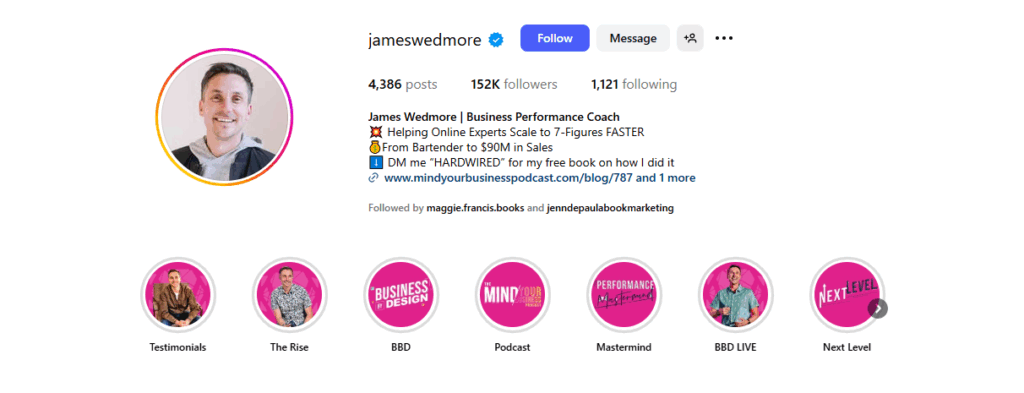
His bio reads:
“From Bartender to $90M in Sales
DM me ‘HARDWIRED’ for my free book on how I did it.”
This works because it:
- Provides an opportunity to share a link apart from the allotted bio links
- Shares a specific transformation story
- Provides clear instructions for getting the resource
- Specifies the cost (in this case, free)
People know exactly what to expect when they follow through. All they need to do is send direct messages to him with the correct keyword, and they’ll receive the correct external link.
How Paperbell Makes Link Sharing Easier
Instead of using traditional link-in-bio tools like Linktree, consider using your Paperbell website as your bio link.
Your Paperbell site works perfectly as a single destination because it includes everything on one page:
- Information about you
- Your coaching packages
- Client testimonials
- A free discovery call booking option
- FAQs about your coaching services
- Email list signup
- Any low-cost digital products you offer
- Your Instagram profile and other social media accounts
This approach creates a seamless experience for your Instagram business profile visitors. They click one link and immediately see all the ways they can work with you or get value from your coaching business.
For example, coach Sarah Novaro from our case study uses her Paperbell URL to share all of the above. On her Instagram account, she includes her Paperbell site on her link page (the button that says Work With Me):
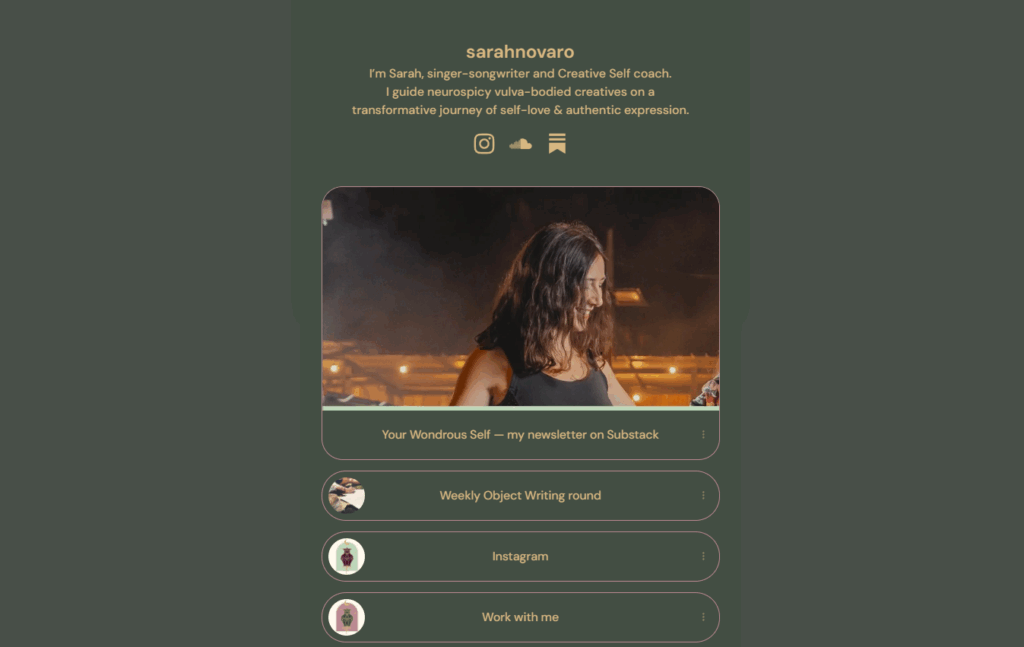
Anyone who’s interested in working with Sarah doesn’t have to wonder where to go. They just click on Work With Me, and they’ll see everything they need to know.
The beauty of this approach is that you get a clean, professional URL that you can customize. Plus, everything your Instagram followers need is in one place.
Creative Ways to Share Links in Captions
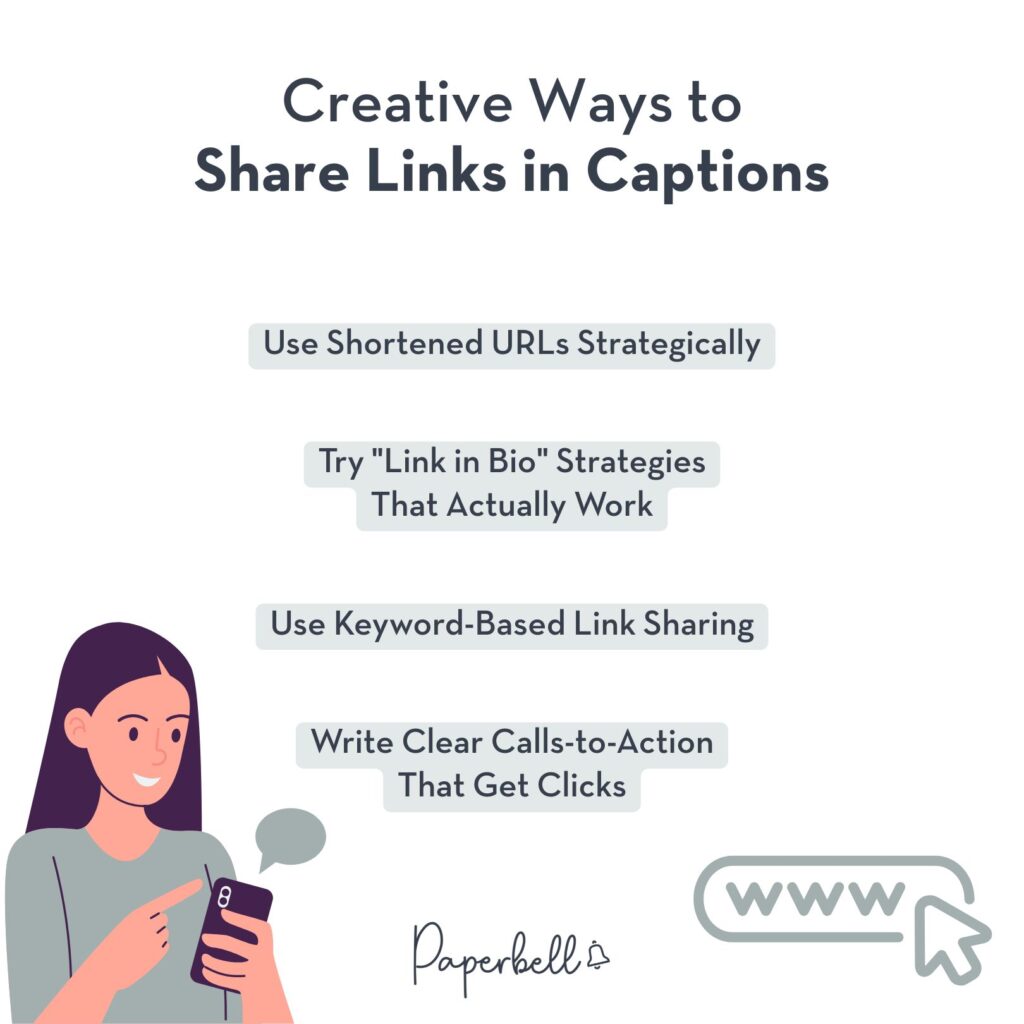
Even though you can’t add clickable links to Instagram captions, there are several creative strategies that can drive traffic to your coaching offers.
1. Use Shortened URLs Strategically
While shortened URLs aren’t clickable in captions, they serve important purposes:
- They look cleaner than long, messy URLs.
- They’re easier for people to remember if they decide to type them into their browser manually.
- They help with the psychological aspect of sharing link landing pages.
When people see a clean, short URL in your caption, it feels more professional and trustworthy than a long string of random characters.
You can reuse this strategy on Instagram Threads as well.
2. Try “Link in Bio” Strategies That Actually Work
Using a classic “link in bio” approach can work, but only if you make it compelling and specific. Instead of just saying “link in bio,” tell people exactly what they’ll find when they click.
Try approaches like:
“I’ve created a free guide covering the 5 questions I ask every new client. Grab it through the link in my bio.” or “Ready to book your clarity call? Use the link in my bio to see my available times this week.”
3. Use Keyword-Based Link Sharing
One of the most effective strategies involves asking people to comment with a specific keyword, then DMing them the link.
This approach works because it creates engagement on your post (which Instagram’s algorithm loves). But it also moves interested people into your DMs, where you can have more personal sales conversations.
There are two ways to do this:
- You can share the link manually if you’re time-rich but budget-conscious; or
- You can automate it using tools like ManyChat if you prefer to invest money to save time
For example, you might create a post about overcoming limiting beliefs and end with “Comment BREAKTHROUGH below and I’ll send you my free worksheet that helps you identify and overcome the beliefs holding you back.”
Below, you can see Maria Wendt using this method to share a free guide:
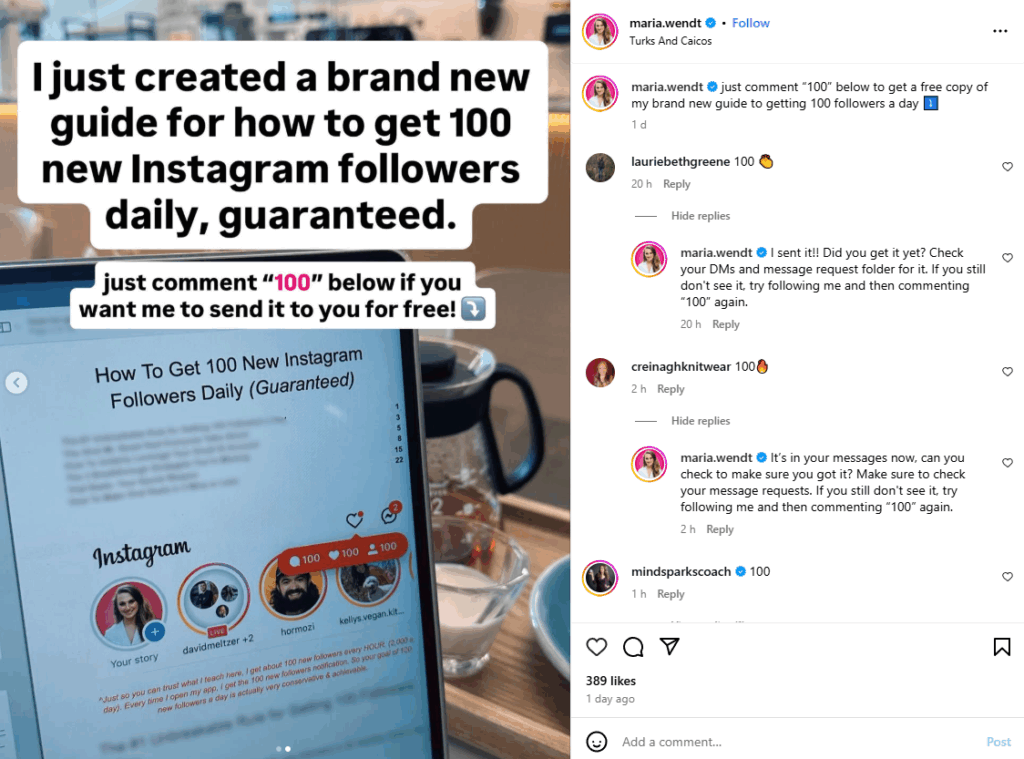
These simple 2-slide carousels are fast and easy to create. You can even use Instagram templates to make your posts faster.
Notice that in the above example, Maria responds to every comment that uses the keyword to let them know to check their DMs. This is likely a ManyChat automation.
If you’ve got very few followers and a lot of time on your hands, there’s a good chance you can do this manually. However, if you happen to go viral on Instagram, keep in mind that this can be time-consuming.
Also take notice of how Maria repeats the call-to-action in her caption as well as her carousel image. There’s no confusion as to what she wants her audience to do.
If you’re sharing a YouTube video to Instagram or vice-versa, keep in mind that ManyChat does not work on YouTube.
4. Write Clear Calls-to-Action That Get Clicks
The difference between links that get ignored and links that get clicked often comes down to your call-to-action.
Vague CTAs like “check this out” or “learn more” don’t give people enough reason to take action. Instead, be specific about what people will get and why they should care.
“This free training will show you the exact script I use to sign 90% of my discovery call prospects” is much more compelling than “check out my free training.”
Method 7: Share Clickable Links via Broadcast Channels
Broadcast Channels are a newer Instagram feature that most coaches haven’t touched yet. Unlike regular posts or DMs, they let you send a message to all your subscribers at once — and those messages support clickable links.
So while feed posts are stuck with non-clickable URLs, you can drop a direct hyperlink to your latest coaching package, lead magnet, or group program right inside a broadcast message. Followers opt in voluntarily, so the people reading it are already interested.
Not a replacement for the other methods here, but a solid add-on if you’re building an engaged audience on Instagram.
Method 6: Pin Your Best Link Post to Your Profile
Instagram lets you pin up to 3 posts to the top of your grid. Most coaches don’t bother — which is exactly why it’s worth doing.
Pinned posts are the first thing people see when they visit your profile. Use at least one of those three spots for a post with a clear CTA pointing people to your bio link.
What works well as a pinned post:
- A carousel that walks through your signature offer or coaching process, ending with “go to the link in my bio to book a free call”
- A post introducing yourself and your most popular coaching package
- A client result post with a CTA to book their own session
To pin a post: go to the post on your profile, tap the three dots in the top right corner, and select “Pin to your profile.” Takes about 10 seconds.
Instagram Shopping and Product Tags
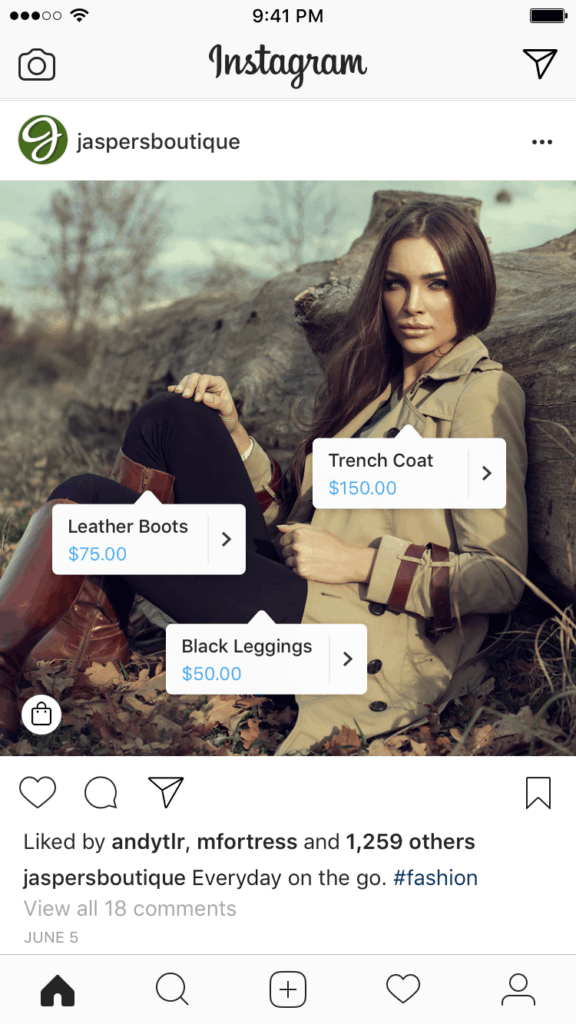
Instagram Shopping offers another way to share links via Shoppable Posts, though the setup requires more work upfront.
This feature allows you to tag products directly in your posts and Stories. You can create a more seamless shopping experience for your followers this way.
Setting Up Instagram Shopping for Coaching Services
Instagram Shopping works through Facebook’s Commerce Manager platform. You’ll create a digital storefront that displays your coaching services and programs, allowing people to browse and learn more about working with you.
The setup process involves several steps:
- Creating your Commerce Manager account: This is where you’ll manage all your products and sales across Facebook and Instagram.
- Setting up your shop: You’ll need a Facebook business page and product catalog. If you only want to sell on Instagram, you don’t need to create a Facebook page during setup.
- Adding your coaching packages: Each coaching service becomes a “product” in your catalog with descriptions, pricing, and images.
- Configuring delivery profiles: Even though coaching is typically delivered digitally, you’ll need to set up delivery information for the system.
- Adding your checkout URL: This is important for coaches because the actual purchase happens on your website, not within Instagram. This is where you would link your Paperbell coaching packages if you have them.
Linking to Coaching Packages and Programs
Once your Instagram shop is approved and published, you can tag your coaching services in posts and Stories.
When someone taps on a product tag, they’ll see details about your coaching package. From there, they can click through to your website to complete the purchase.
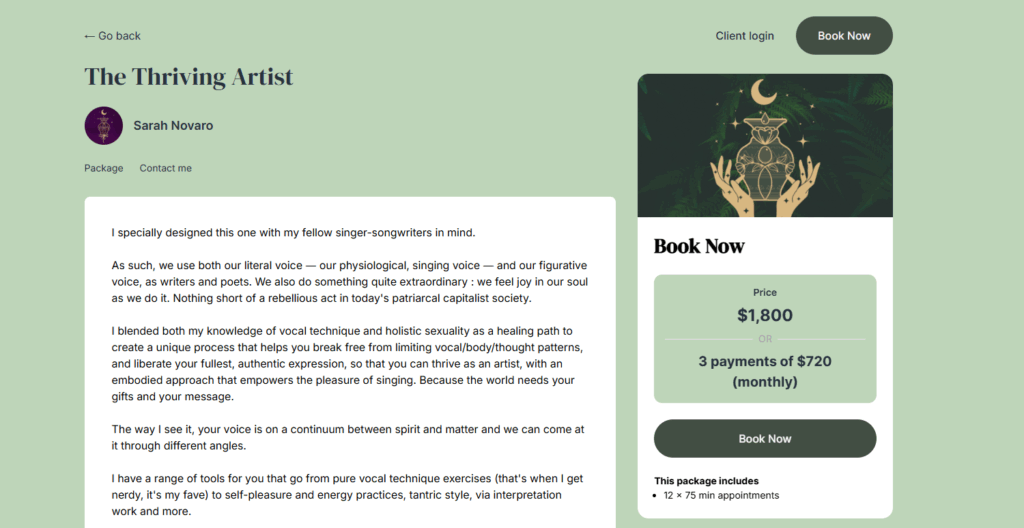
This is where Paperbell becomes particularly valuable. You can use your Paperbell coaching package checkout pages as the destination URLs for your Instagram shop products. This creates a smooth experience where people discover your coaching on Instagram and book directly through your professional Paperbell pages:
The Instagram shop setup takes time initially. However, it can be worth it for coaches who post frequently about their services and want to make it as easy as possible for people to learn more and book with them.
FAQ About Adding Links to Instagram Posts
Can you put clickable links in Instagram captions?
No — regular post captions don’t support clickable hyperlinks. You can include a URL in your caption as plain text, but followers will need to type it manually. The better move is to direct people to your bio link or use keyword-based DM automation to send the link directly to interested followers.
Can I add a clickable link to Instagram Stories?
Yes, and any account can do it — regardless of follower count. Instagram removed the 10k follower requirement back in 2021. Just tap the sticker icon when creating a Story and select the Link sticker. Paste your URL, customize the sticker text, and you’re done.
Can I add a link to an Instagram post after it’s published?
No, you can’t add a clickable link to a regular feed post after publishing — or before, for that matter. But you CAN edit the caption to include a plain-text URL (non-clickable), or update your caption to direct people to your bio link. For Reels, you can also pin a comment with a CTA after it’s live.
How do I get people to actually click my bio link?
Be specific. “Book your free 30-min clarity call” beats “check my link in bio” every time. And in your captions, tell people exactly what’s waiting for them when they click — not just “link in bio.”
What’s the best way to track which links are working?
Use UTM parameters in your URLs to track traffic sources, or use tools like Google Analytics to see which pages get the most Instagram traffic.
Should I use shortened links or full URLs?
Shortened links look cleaner in captions and Stories, but full URLs can be better for SEO. In Stories where links are clickable, either works fine. For captions, shortened links are usually more visually appealing.
Can I add multiple links to my Instagram bio?
Yes, you can add up to 5 links to your Instagram bio. If you have more than 5 coaching packages or resources to share, you can use a tool like Paperbell to share all of your coaching links at once from a single URL.
Ready to Turn Your Instagram Traffic Into Coaching Clients?
Instagram’s link restrictions are annoying, but they’re not a dead end. Between Stories link stickers, bio links, Reels CTAs, ManyChat automation, pinned posts, and Broadcast Channels, there are 7 solid ways to get followers clicking through to your offers.
Just make sure you have somewhere worth sending them. Try Paperbell for free and have a professional coaching page — packages, bio, testimonials, and booking — live in minutes.