
You’ve blocked off time on your calendar. You’ve prepared for the session. You’re sitting in your Zoom room, waiting.
Five minutes pass. Then ten. Then fifteen.
Your client isn’t showing up.
If you’re a coach, you’ve probably experienced this frustrating scenario more times than you’d like to admit. No-shows waste your time and disrupt your schedule. They can even cost you money if you’re running paid ads to book discovery calls.
But here’s the thing: most no-shows are preventable.
The problem usually isn’t your coaching or even your clients. It’s the systems (or lack of systems) you have in place before the call ever happens.
In this post, you’ll discover:
- Why your coaching clients aren’t showing up
- How to deal with no-shows on coaching calls (5 proven strategies)
- How to use Paperbell to stop no-shows for good
Why Are Your Coaching Clients Not Showing Up?
Before we talk solutions, we need to understand the problem.
Not all no-shows are created equal. The reason someone skips a call often depends on where they are in their journey with you.
Your Booking Process Feels Unprofessional
First impressions matter, even for booking pages.
If your calendar link looks outdated or unprofessional, it sends a message to potential clients. And that message isn’t “this coach has their act together.”
Outdated booking pages can include:
- Generic links with no branding (those are especially difficult to share on social media)
- Clunky interfaces that feel confusing to navigate
- Broken links or pages that don’t load properly
- No clear information about what happens next
When your booking process feels thrown together, people subconsciously devalue the appointment. If it doesn’t seem important to you, why should it be important to them?
They Simply Forgot
This is the most common reason for no-shows and other scheduling issues, especially with paying clients.
Your clients are busy. They have jobs, families, and a million things competing for their attention. Even if they were excited to book the call initially, life happens.
Without proper appointment reminders, that coaching session you scheduled two weeks ago can easily slip through the cracks.
They’re not intentionally blowing you off. They genuinely forgot. And sometimes, people can forget they booked this on a specific day.
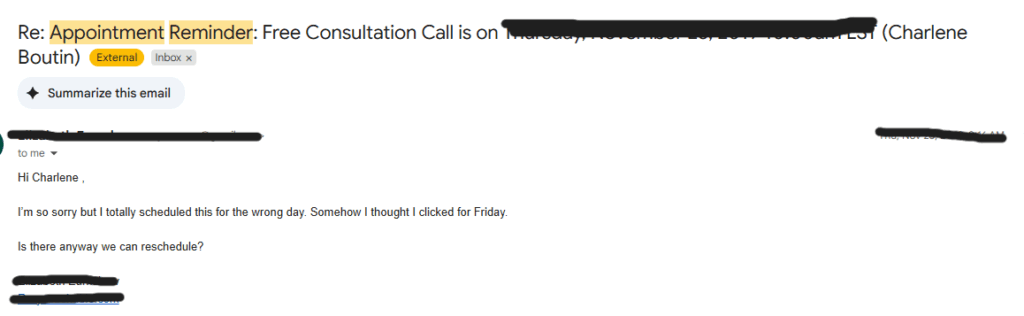
The good news? This is the easiest problem to solve. I’ll dive into that later in this post.
The Traffic Source Matters
Not all booked calls have the same show-up rate. Where someone came from before booking makes a huge difference.
Let’s talk about warm traffic versus cold traffic.
Warm traffic includes people who already know you. Maybe they’ve been following you on Instagram for months. Perhaps you’ve had DM conversations with them.
They trust you, and they understand what you offer.
Cold traffic is a different story entirely. These are people who:
- Clicked an ad
- Watched a video sales letter (VSL)
- Immediately booked a call
They don’t really know you yet. They haven’t built trust with you over time. They have zero skin in the game.
With cold traffic, show-up rates can drop as low as 50%.
Just imagine the wasted time. You’re sitting in your Zoom room waiting. Then you’re following up to see what happened. Then you’re trying to rebook.
It’s exhausting.
Your paying coaching clients, on the other hand, are your hottest leads. They’ve already invested money in working with you. They have skin in the game.
If paying clients aren’t showing up, it’s almost always a systems issue. And luckily, that’s the easiest fix.
Your Reminder System Is Broken (Or Nonexistent)
Many coaches rely on the default calendar invitation and call it a day.
But here’s the problem.
People don’t check their calendars as religiously as you might think. And a single reminder buried in their inbox from two weeks ago isn’t going to cut it.
You need multiple touchpoints to keep your appointment top of mind.
One reminder 24 hours before isn’t enough. One confirmation at the time of booking definitely isn’t enough.
Without a solid reminder system, even your most committed clients will occasionally forget.
You’re Making It Too Hard to Reschedule
Life happens. Sometimes clients need to reschedule, and that’s completely normal.
But if rescheduling means emailing back and forth? They won’t bother. It feels like too much work.
The result? You’re left waiting on a call that was never going to happen.
How to Deal with No-Shows on Coaching Calls
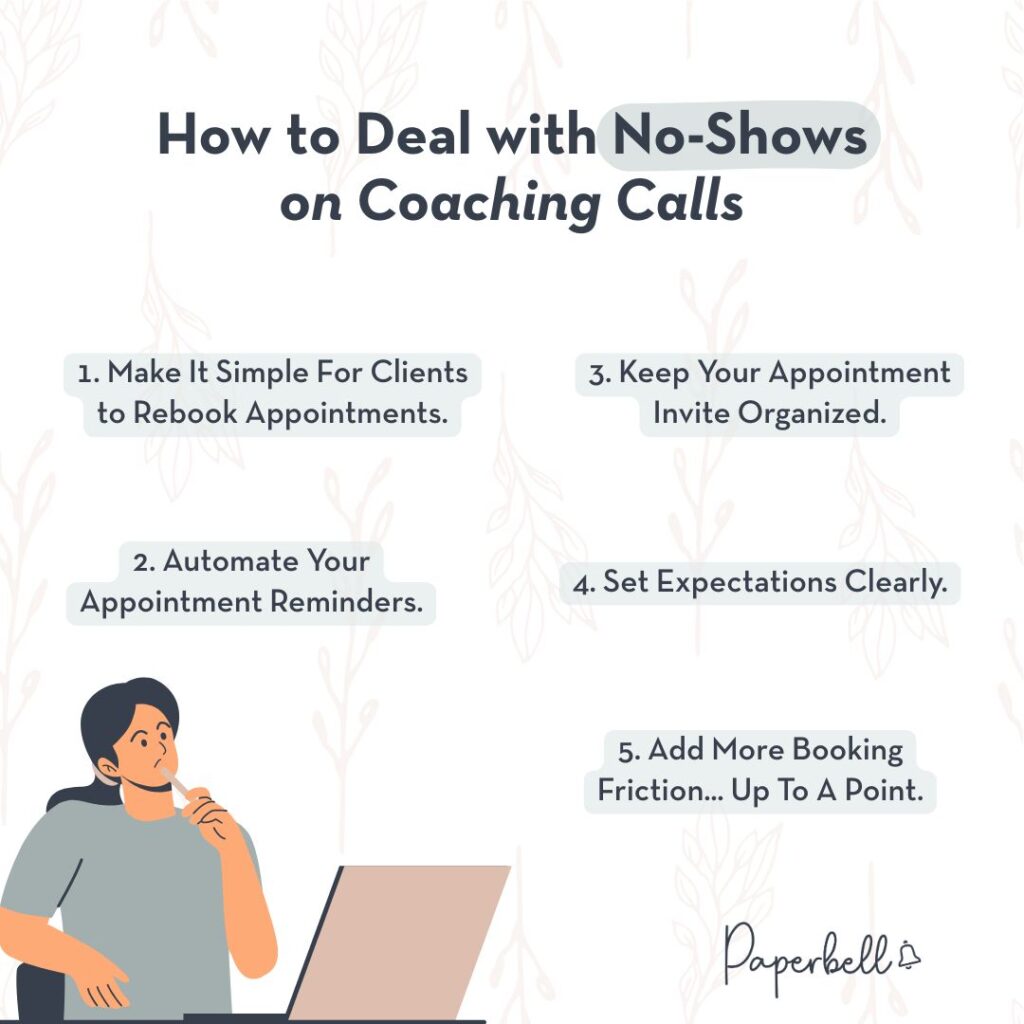
Now that you understand why clients aren’t showing up, let’s talk about how to fix it. These strategies work for both free discovery calls and paid coaching sessions.
1. Make It Simple For Clients to Rebook Appointments.
The easier you make it for clients to manage their own appointments, the fewer no-shows you’ll experience.
When clients can reschedule without involving you, they actually do it.
They don’t have to feel guilty about emailing you. They don’t have to wait for you to respond. They just log in and pick a new time.
Using a platform like Paperbell allows clients to schedule, reschedule, and manage everything themselves. They can do this via an easy-to-use client portal without back-and-forth emails with you.
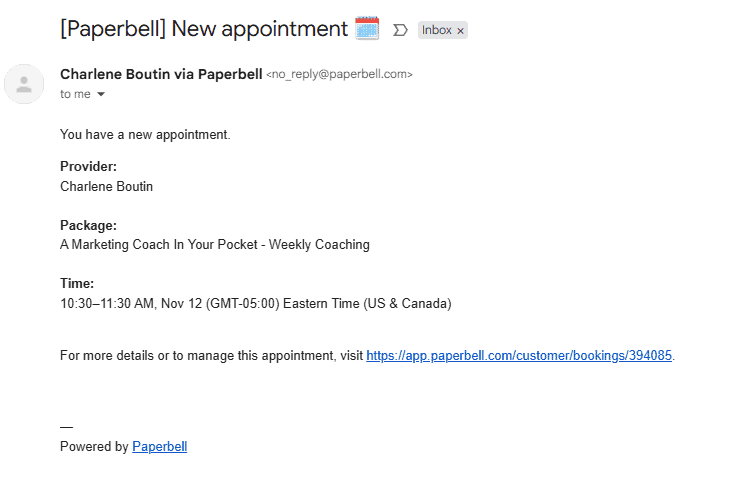
This is especially important for paying clients who may need to adjust their session times due to work conflicts or personal emergencies.
2. Automate Your Appointment Reminders.
If you’re manually sending reminder texts or emails, you’re working way too hard.
Automated emails for appointment reminders are the single most effective way to reduce no-shows. Set them up once per coaching package, and the system handles the rest.
You should have at minimum two reminders:
- One reminder 24 hours before the appointment
- One reminder 1 hour before the appointment
The 24-hour reminder gives clients time to rearrange their schedule if needed. The 1-hour reminder catches them right before the call when they’re most likely to take action.
Want even better results? Add SMS reminders to the mix.
People check texts way more than email. A quick text notification practically guarantees they’ll remember.
I’ll cover exactly how to set this up in Paperbell in just a moment.
3. Keep Your Appointment Invite Organized.
Your call link should be impossible to miss.
Make sure it appears clearly in:
- The confirmation email right after booking
- Every reminder email leading up to the call
- The calendar invitation itself
Take a look at this example reminder email:
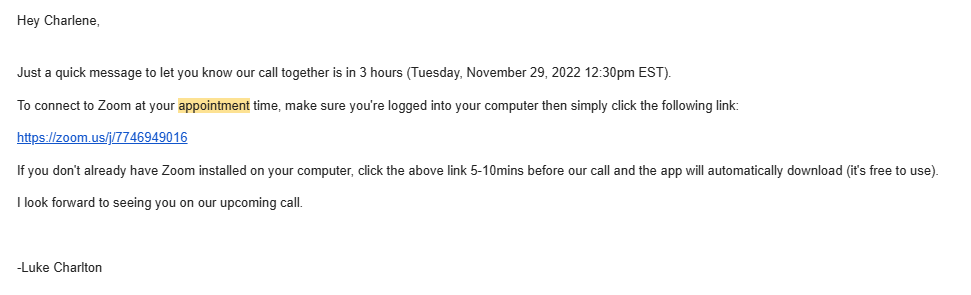
Notice how it doesn’t just include the Zoom link? It also reminds the client to install Zoom before the call if they haven’t already.
This eliminates potential technical hiccups that could delay or derail the session.
The less friction you create between your client and actually joining the call, the higher your show-up rate will be.
If you’re using a system like Paperbell that auto-generates Google Calendar invites, the meeting link should be prominently displayed there too.
4. Set Expectations Clearly.
Not knowing what to expect creates anxiety. And anxiety leads to avoidance.
This is especially important for free discovery calls. If someone doesn’t know what’s going to happen on the call, they might talk themselves out of attending.
But even paying clients benefit from clear expectations. When they know what to expect, they show up more prepared and ready to get value.
Clarify these details before the call:
- How long the call will last
- What you’ll cover together
- What they’ll walk away with
- How they should prepare
- What they need to bring or have ready
- Any prep work they should complete beforehand
Setting clear expectations doesn’t just reduce no-shows. It also makes the calls themselves more productive because everyone knows what they’re working toward.
5. Add More Booking Friction… Up To A Point.
Hold on. Didn’t I just say to reduce friction?
Yes, but this point applies specifically to free discovery calls, not coaching calls for paying clients.
Here’s the thing: the easier it is for someone to book a free call, the easier it is for them to forget about it or stop caring.
When you’re just starting your coaching business, your goal is volume. You want more discovery calls to:
- Get more coaching clients
- Gain sales practice
- Learn about your ideal client
But eventually, as you become more established, you want quality over volume. You want to make sure the people booking you are actually high-intent prospects.
One way to do this is by adding an intake form before giving access to your calendar.
The form serves two purposes:
- It helps you prepare for the call with relevant information
- It qualifies the person to ensure they’re a good fit
You can even take it a step further and use your intake form as an application. Based on their answers, you can personally or automatically vet prospects.
Here’s a great example. The WOW Women coaching program, led by Tracey Sofra, frames their free discovery call as a “free retirement plan call” on the booking page.

Once you click to start booking, you first need to complete an application.
This allows the coach on the call to be more prepared. It also qualifies the booking to ensure the right people are getting on the calendar.
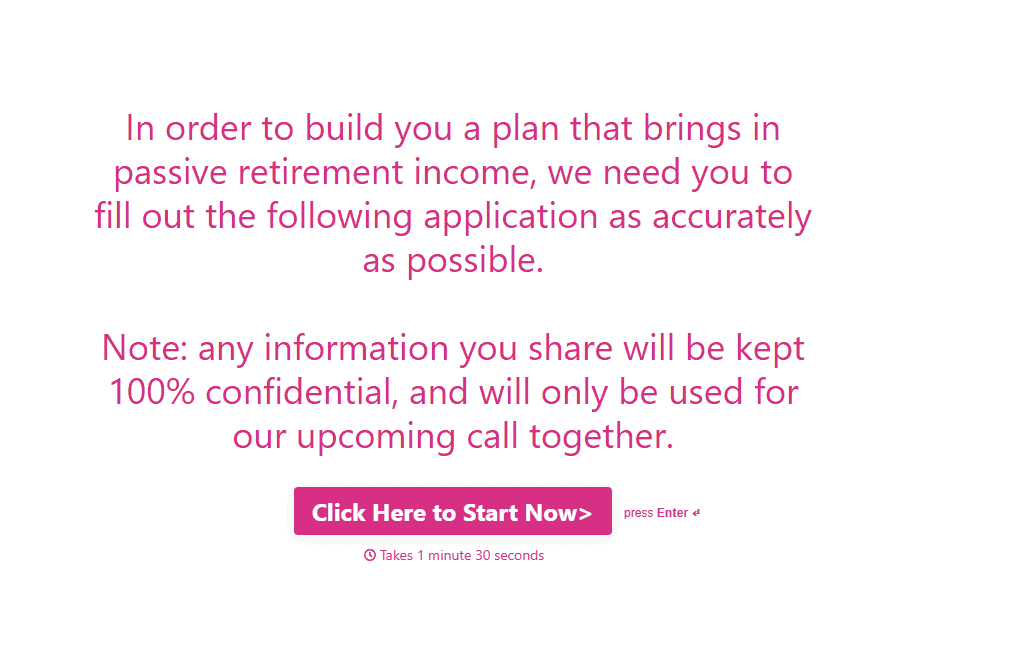
This program is for Australian women saving for retirement. It’s not for American men in their 20s looking to learn day trading.
The application makes sure only qualified prospects make it through.
Just remember that this strategy works for discovery calls, not paid coaching sessions. Your paying clients have already qualified themselves by purchasing.
How to Use Paperbell to Stop No-Shows
Paperbell makes it incredibly easy to prevent no-shows with built-in automation. Here’s exactly how to set it up.
Set Up Automated Appointment Reminders
Open any package in your Paperbell dashboard and follow these steps:
- Click the “Emails” tab.
- Click “+ Add”.
- Choose “Appointment” as the trigger and set the timing to “1 day before.”
- Write your reminder message.
- Click “Save Changes”.
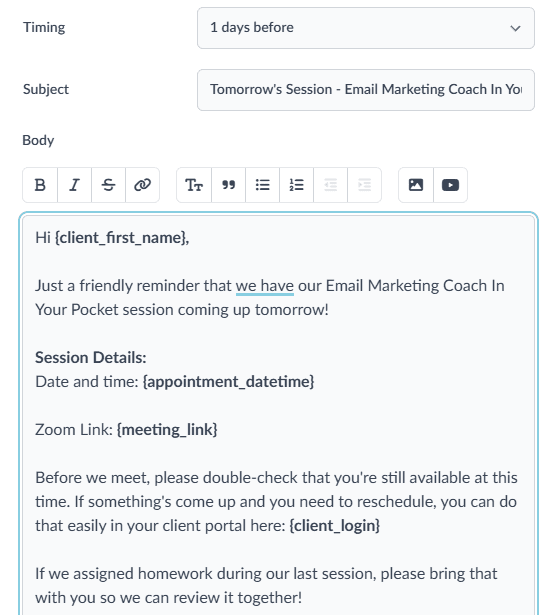
That’s it. Now every client who books that package will automatically receive a reminder 24 hours before their session.
But don’t stop there. Set up a second reminder 1 hour before the appointment for maximum effectiveness.
The double reminder practically guarantees your clients will remember.
One reminds them early enough to prepare. The other catches them right before it’s time to join.
Enable SMS Reminders for Even Better Results
Email reminders are great, but SMS reminders are even better.
The best part? SMS reminders are included free in your Paperbell subscription.
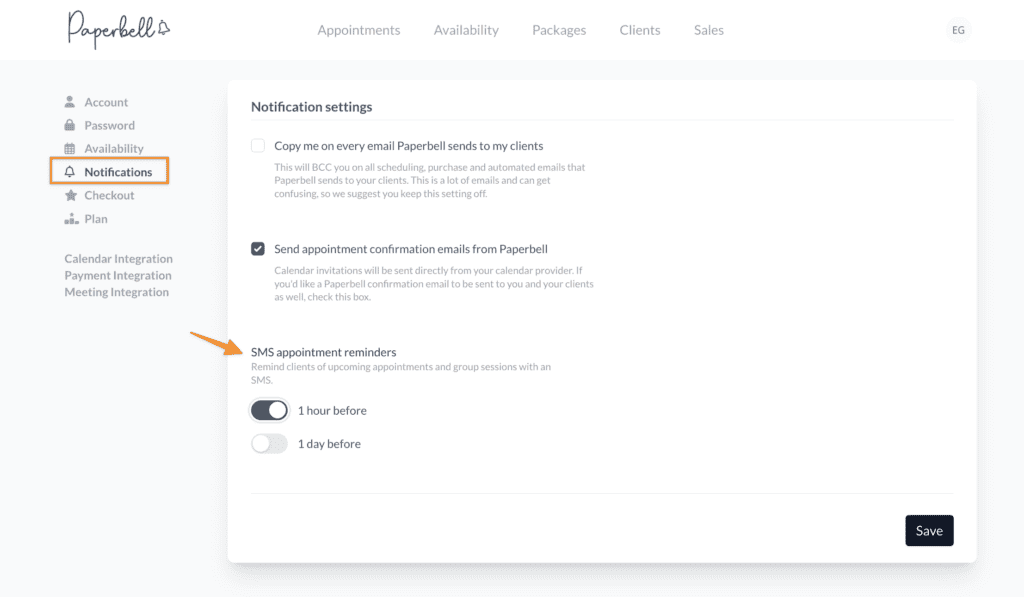
Your clients just need to verify their phone number in their client portal at PaperbellClient.com. You can send them this quick guide to walk them through it.
Once they’ve verified, they’ll receive text reminders on their phone in addition to email. And since people check texts constantly, this dramatically reduces the chance they’ll forget.
Clone Your Packages to Save Time
Here’s a pro tip that’ll save you tons of time. Set up your reminders in one package, then clone it when creating new ones.
All your automation comes with it. You won’t have to recreate reminder emails from scratch every single time.
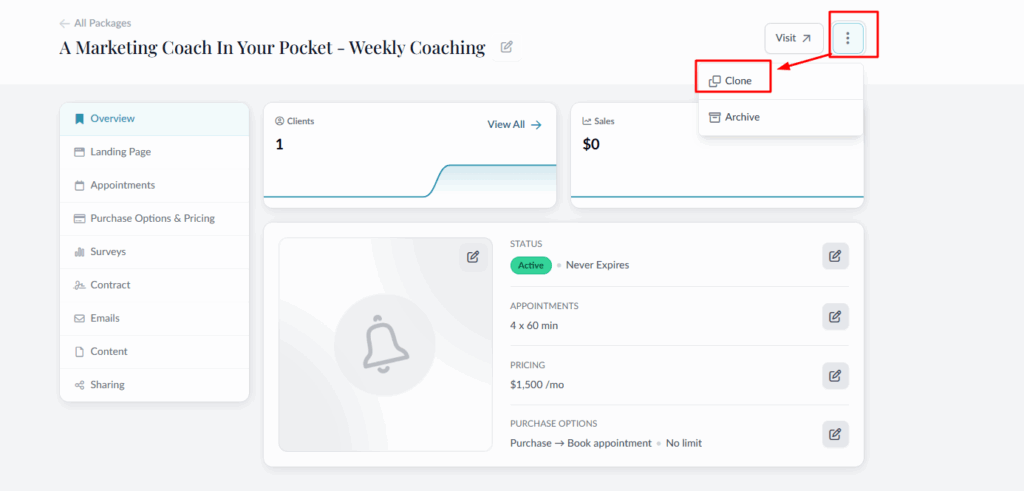
This makes it easy to maintain consistency across all your coaching offerings while spending minimal time on setup.
Use Pre-Call Emails for Discovery Calls
For people booking free discovery calls, automated emails can do more than just remind. They can also:
- Set expectations
- Qualify leads
- Build trust
Inside Paperbell, you can create free discovery calls as their own package. This means you can customize unique settings for those calls compared to your paid coaching packages.
Consider sending “homework” before the call. For example, you might ask prospects to watch specific videos that will prepare them for the conversation.
I booked a free strategy session a while back. In the appointment confirmation, they reminded me what was in it for me. In this case, it was learning a specific formula for making 6-7 figures writing fiction.
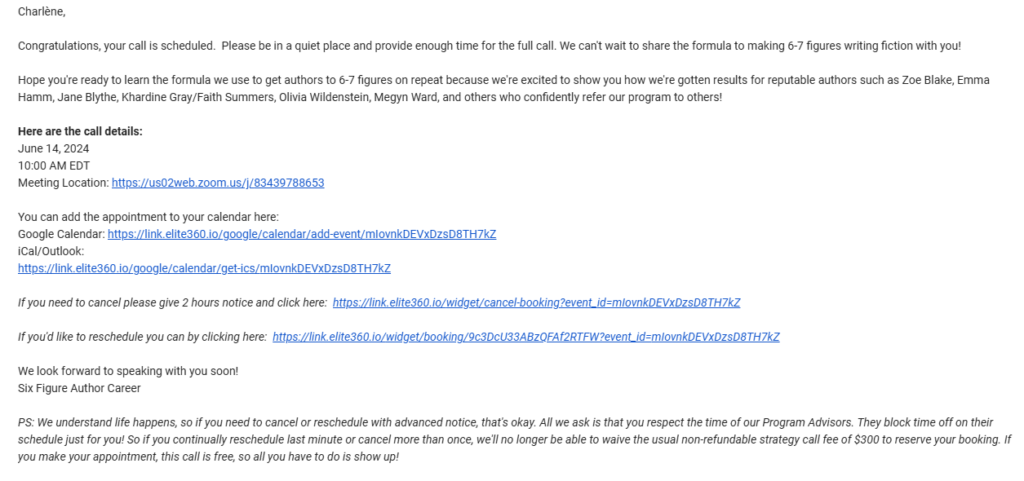
I also received instructions via SMS to catch up on their free video training and check out past verified results.
The 24-hour reminder email and 1-hour reminder email both linked those case studies again.
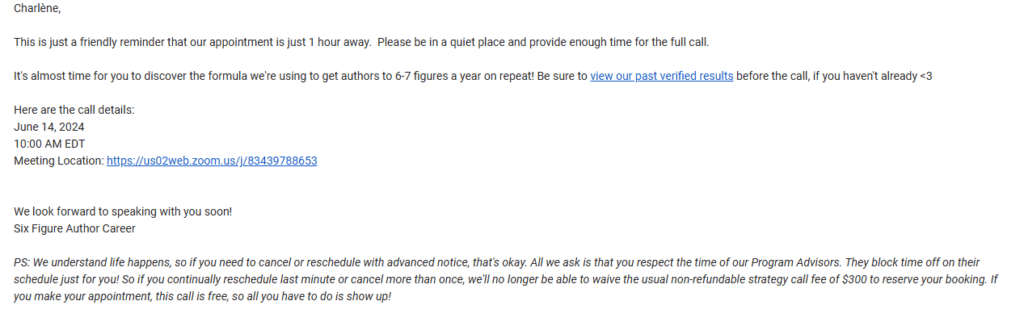
This approach serves multiple purposes:
- It gets prospects engaged with your content before the call.
- It helps them show up more informed and ready to have a meaningful conversation.
- It pre-qualifies them by seeing who actually does the prep work.
- It builds trust by showcasing your expertise and proven results.
You can use Paperbell’s automated emails to nurture people before your calls, not just remind them to show up.
Stop No-Shows In Their Tracks Once and For All
No-shows don’t have to be part of your coaching business. With the right systems in place, you can dramatically reduce missed appointments and get back the time you’ve been wasting.
Ready to stop dealing with no-shows? Start your free Paperbell account today and set up your coaching website with automated reminders in just 10 minutes.
FAQs About Dealing with No Shows on Coaching Calls
How do you deal with no-show appointments?
Deal with no-shows by using a tool like Paperbell to automate reminder emails 24 hours and 1 hour before calls, enable SMS notifications, and make rescheduling easy through a client portal. Set clear expectations about what the call covers and ensure your Zoom link is visible in all communications.
What is a good no-show policy?
A good no-show policy includes automated reminders, easy self-service rescheduling, and clear cancellation guidelines. For paid clients, consider requiring 24-hour notice for cancellations. Make your policy visible on booking pages and in confirmation emails.
What is a normal no-show rate?
For cold traffic, no-show rates for coaching calls can be as high as 50%. However, for paying clients, you should ideally have closer to a 90% show rate to account for unforeseen circumstances. Using Paperbell to automate reminders can help clients remember every session.