
Acuity Scheduling vs Paperbell: Which Is Better for Coaches? (2026)
Acuity Scheduling is the better choice for businesses with granular scheduling settings to configure: multiple staff calendars, group classes with many bookable slots, or a website already built on Squarespace. Paperbell is the better choice for solo coaches who want the whole coaching business in one tool: a website, coaching packages with session tracking, payment plans and subscriptions, contract signing, and a client portal.
- Acuity runs $16 to $49 per month billed annually, selling packages requires the $34/month Standard plan, and a real website means paying for Squarespace or another builder on top.
- Acuity goes deeper on pure scheduling, but has no contracts or e-signatures, no client portal, no installment payment plans, and no per-client session tracking on packages.
- Paperbell is $97/month, or $970/year, everything included on one flat fee.
Acuity Scheduling vs Paperbell at a glance
| Feature | Acuity Scheduling | Paperbell |
|---|---|---|
| Price | $16 to $49/month billed annually ($20 to $61 monthly), three tiers | $97/month, or $970/year. One plan |
| Website included | ✗ Booking page only; a full site requires a separate Squarespace subscription | ✓ Full coaching website, fill in the blanks |
| Scheduling | ✓ Buffers, service-specific hours, multi-staff and multi-location calendars; more than 1 calendar requires Standard ($34/mo) | ✓ Buffers, A/B schedules, time zone detection, two-way calendar sync |
| Coaching packages with session tracking | Partial: packages on Standard ($34/mo) and up, no per-client session tracking | ✓ Built in, tracks remaining sessions per client |
| Payment plans and subscriptions | Limited: payment plans and subscriptions on Standard ($34/mo) and up, no per-client session tracking; processor fees apply | ✓ Payment plans, subscriptions, pay-in-full discounts, set-up fees |
| Contracts and e-signature | ✗ None | ✓ Unlimited, signed during checkout |
| Client portal | ✗ Scheduling page only | ✓ Purchases, sessions, contracts, content; no password required |
| Intake forms | ✓ Customizable, on every plan | ✓ Customizable, built into client onboarding |
| Courses and content delivery | ✗ Only via a separate paid Squarespace subscription's course tools | ✓ Digital downloads, drip-fed content |
| Group coaching | ✓ Group class booking, built for high volume | ✓ Group programs, workshops, mix of group and 1:1 |
| Mobile app | ✓ Standalone app | ✗ Mobile-responsive web app, no standalone app |
| Best for | Teams, classes, and Squarespace site owners | Solo coaches who want everything in one place |
Acuity Scheduling vs Paperbell pricing
Acuity Scheduling runs $16 to $49 per month billed annually ($20 to $61 monthly), with no free plan, only a short one-week trial. The $16 Starter price that appears in most comparisons excludes the features coaches actually shop for: selling packages requires the Standard plan at $34/month, and payment processing fees from Stripe, Square, or PayPal apply on top of the subscription.
The bigger hidden cost is the website. Acuity is scheduling only, so a coach who needs an actual site pays for Squarespace, WordPress, Wix, or another builder on top of the Acuity subscription, plus the time to connect them.
Paperbell costs $97/month, or $970/year. One plan, everything included, no per-client fees, no payment processing markup.
That single price covers the website, scheduling, packages, payment plans and subscriptions, contract signing, intake forms, content delivery, and the client portal, with unlimited clients, packages, and contracts. There is also a free account, no credit card required.
What Paperbell does better
The website is included
Paperbell gives every coach a full, professionally designed website: fill in packages, photos, and branding, and the site builds itself, with every package getting its own landing page. Acuity offers a booking page and openly positions itself as a way to skip the full website. For a coach, the website is usually the hardest and most expensive piece to solve separately.
Coaching packages that actually work like coaching packages
Multi-session packages, subscriptions billed monthly, payment plans with installments, pay-in-full discounts, and set-up fees, with remaining sessions tracked automatically for coach and client. On Acuity, packages require the Standard plan, reviewers describe the subscription features as limited and messy, and installment plans do not exist.
Contracts signed before the first session
Contract signing is built into Paperbell's checkout and scheduling flow through its Dropbox Sign integration, unlimited and included, with both parties holding a signed copy. Acuity has no contract or e-signature feature at all.
A real client portal and client records
Paperbell clients log in, with no password required, to book sessions, buy packages, see purchases and remaining sessions, sign contracts, fill out forms, and download materials. Coaches get a full dossier per client: notes, purchase history, appointments, contracts, and surveys. Acuity clients get a scheduling page, and that is where the relationship tooling ends.
One flat price with nothing gated
Everything in Paperbell is on the single plan: unlimited clients, packages, and contracts, with no feature ladder to climb. Acuity locks text reminders, packages, and memberships behind Standard, and HIPAA and customization behind Premium. Paperbell also answers support email with a live human Monday through Friday, no bots.
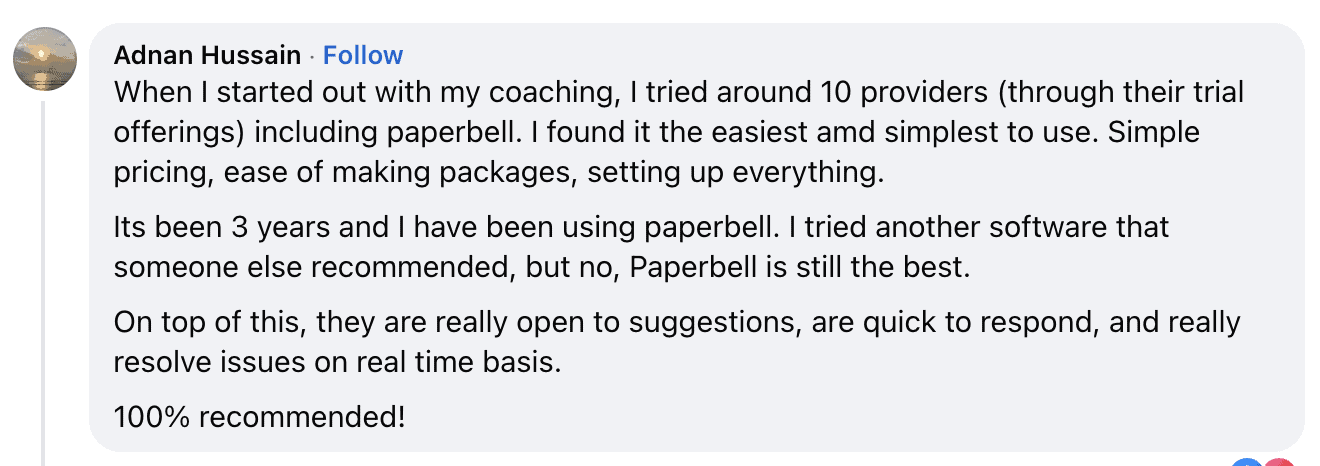
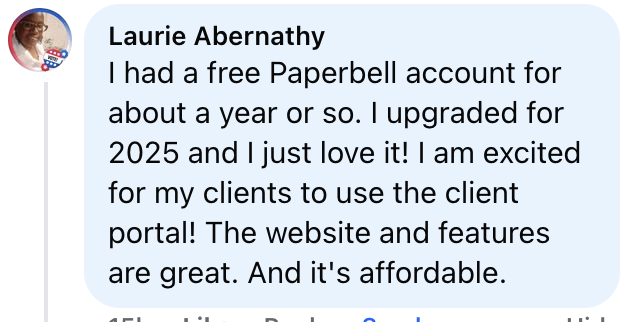
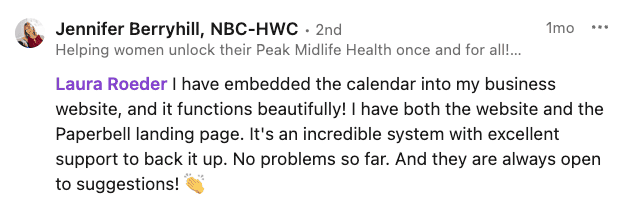
What coaches say after switching
Which is better for coaches: Acuity Scheduling or Paperbell?
A better booking calendar, or a complete coaching setup
Acuity Scheduling is the deeper pure scheduler, with more granular settings to configure: pick it for multi-staff calendars, high-volume group classes, or a business already committed to Squarespace. Paperbell is the stronger coaching platform: for a solo coach, it replaces the scheduler, the website, the contract tool, the checkout, and the client-record spreadsheet in one login, at a price close to what Acuity Standard plus a website subscription costs anyway. The deciding question is whether the business needs a better booking calendar or a complete coaching setup.
Acuity Scheduling vs Paperbell: frequently asked questions
Is Acuity Scheduling good for coaches?
Acuity Scheduling handles the booking side of a coaching business well: clients pick times, get reminders, and pay at booking. What it lacks is the rest of the coaching workflow: there are no contracts or e-signatures, no client portal, and no client management beyond appointment records. Coaches who need packages with session tracking, payment plans, or signed agreements end up bolting on separate tools. For reference, Acuity holds a 4.8/5 rating on Capterra across more than 5,700 reviews.
What does Acuity Scheduling do better than Paperbell?
Acuity goes deeper on pure scheduling: buffers, restriction rules, service-specific hours, timezone auto-conversion, and multi-staff, multi-location calendars, with more than one calendar requiring the $34/month Standard plan. It also connects to 30+ tools natively, including Zoom, Google Meet, Stripe, Square, PayPal, QuickBooks, Mailchimp, and Zapier. Its group class booking was built for studios, salons, and tutoring centers running many simultaneous bookable slots, and it embeds directly into Squarespace sites for coaches already paying for a Squarespace subscription.
How much does Acuity Scheduling cost?
Acuity Scheduling has three self-serve plans: Starter at $20/month ($16/month billed annually), Standard at $34/month ($27/month annually), and Premium at $61/month ($49/month annually). Text reminders, packages, memberships, and gift certificates require Standard or higher. Payment processing fees from Stripe, Square, or PayPal apply on top.
Is there a free version of Acuity Scheduling?
No. Acuity Scheduling offers a short one-week free trial with no credit card, but every plan is paid after that. Some legacy accounts from before the Squarespace era retain an old free tier, but it is not available to new signups. Paperbell, by comparison, offers a free account with no credit card required.
Does Acuity Scheduling have a website builder?
No. Acuity provides a client scheduling page, and its own marketing describes the product as a way to skip the full website and keep the bookings. A real marketing website requires a separate subscription to Squarespace, WordPress, Wix, or another builder.
Do I need Squarespace to use Acuity Scheduling?
No, Acuity works as a standalone scheduling tool and embeds into any website. It is owned by Squarespace, though, and accounts now log in through Squarespace's system. A coach who wants an actual website alongside the booking page has to get that website somewhere else, and Squarespace is the path Acuity is built to point toward.
Can I sell packages or subscriptions on Acuity Scheduling?
Yes, on the Standard plan ($34/month) or higher; the Starter plan does not include packages at all. Standard and Premium do include payment plans on packages, but reviewers describe Acuity's subscription and membership features as limited and messy, and there is no per-client session tracking to go with it.
Does Acuity Scheduling have contracts or e-signatures?
No. Acuity's official feature page makes no mention of contracts or e-signatures, and none have been added since Squarespace acquired the product in 2019. Coaches who need signed agreements use a separate tool. Paperbell includes unlimited contract signing in its checkout flow through its Dropbox Sign integration.
Does Acuity Scheduling have a client portal?
Not in the sense a coach usually means. Clients get a scheduling page where they can book and reschedule, but there is no account showing billing history, signed contracts, remaining sessions, or shared materials. Paperbell's client portal covers all of those, with no password required.
Does Acuity Scheduling have CRM or client management features?
Acuity stores client contact details and appointment history, which covers basic record keeping. It does not offer client notes, progress tracking, purchase history tied to packages, or any coaching-workflow CRM. Third-party comparisons consistently list client management as one of Acuity's gaps against coaching-specific platforms.
Can Acuity Scheduling handle payment plans or installments?
Somewhat. Acuity's Standard and Premium plans ($34 to $61/month) let you offer packages with payment plans, but it is a bolt-on to scheduling rather than a full billing system: there is no per-client tracking of remaining sessions, no pay-in-full discount, and no set-up fee option. Paperbell supports payment plans, pay-in-full discounts, and set-up fees on any package, with sessions tracked automatically.
Is Acuity Scheduling good for group coaching or classes?
For classes, yes: Acuity's group class scheduling was built for studios, salons, and tutoring centers running many bookable slots at once. For group coaching programs, it only handles the booking; there is no way to attach content, contracts, or a payment plan to a group program. Paperbell has dedicated group coaching functionality and can mix group and 1:1 sessions in a single package.
What's the difference between Acuity Scheduling and Squarespace Scheduling?
They are the same underlying product. Squarespace acquired Acuity in 2019 and has offered it both under the Acuity name and as Squarespace Scheduling inside its website plans. Today the product is branded Acuity Scheduling, a Squarespace Company, and accounts authenticate through Squarespace's login system.
What happened to Acuity Scheduling after the Squarespace acquisition?
Squarespace bought Acuity in 2019, and development since then has focused on scheduling refinements and Squarespace integrations rather than new business tools. One independent analysis notes that no invoicing, contracts, project management, or other business features have been added in over four years of ownership. Users also report login friction since accounts migrated to Squarespace authentication, including being asked to log back in roughly every 30 minutes.
Does Acuity Scheduling have phone support?
No. There is no phone line; support runs through help docs and chat. Reviewers report bot-routed answers and chat waits of an hour or more. Paperbell offers email support from a live human Monday through Friday.
Is Acuity Scheduling worth it in 2026?
For businesses whose core problem is scheduling, yes. For coaches the math is different, because Acuity covers only one slice of the workflow, and the features coaches need most sit behind the $34/month Standard plan or do not exist at all. At that point an all-in-one coaching platform costs a similar amount and replaces several tools.
Acuity Scheduling vs Paperbell: which should coaches use?
Acuity Scheduling suits service businesses with shared calendars, group classes, or an existing Squarespace site. Paperbell suits solo coaches who want the whole business in one place: a website, coaching packages with session tracking, payment plans and subscriptions, contract signing, and a client portal for $97/month, or $970/year. Independent reviews of the two reach the same split: Acuity for granular scheduling configuration, Paperbell for the coaching workflow.
What are the best Acuity Scheduling alternatives for coaches?
It depends on what is missing. Coaches who only need a different scheduler often compare Calendly or Square Appointments. Coaches leaving Acuity because they need contracts, packages, payment plans, and a client portal in one tool are usually better served by a coaching-specific platform such as Paperbell, which also includes the website.
Ready to run the whole coaching business in one place?
Paperbell sets up the website, packages, scheduling, payments, and contracts in one afternoon. See it with a free account first.
Try Paperbell Free