

The best coaching websites include essential coaching pages that build trust and convert leads. Each coaching page serves a specific purpose, such as showcasing your services, sharing your story, or making it easy for new clients to contact you.
Let’s go through:
- The coaching pages you need
- Some optional add-ons
- How to optimize them for maximum impact
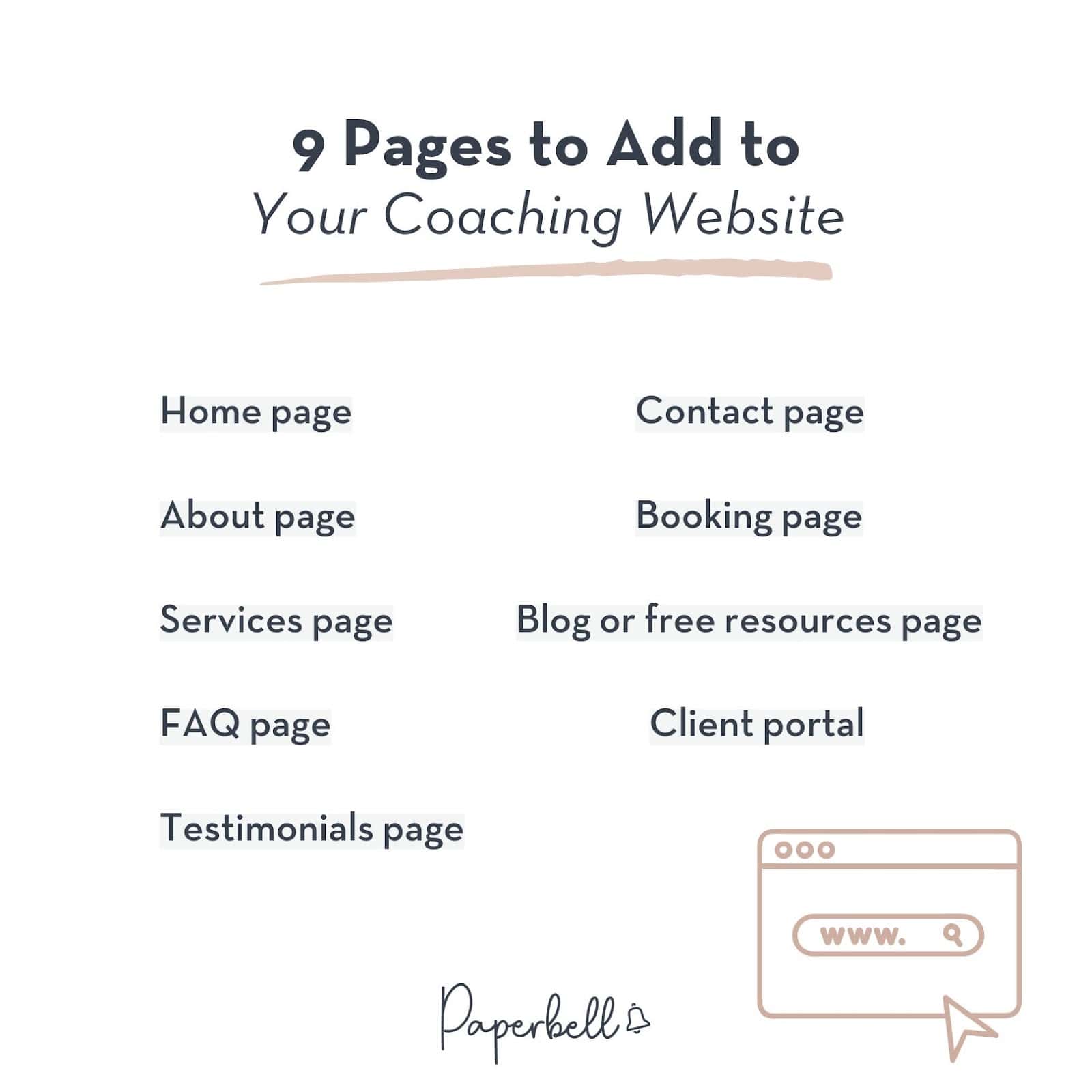
9 Pages to Add to Your Coaching Website
Your website will attract more coaching clients if you clearly communicate who you are and what you offer. Here’s a breakdown of how you might structure your coaching website.
- Home page: Your main page should make a clear first impression of your brand personality. It should position you by explaining who you are, who you work with, and how you help them. It should also seamlessly navigate visitors to subsequent pages to learn more about you.
- About page: This is the place to introduce yourself in more detail and build a personal connection. Share your story, experience, and coaching philosophy to help potential clients understand why you’re the right choice for them.
- Services page: Great coaching websites outline their programs and offers clearly, describing what’s included and the outcomes clients can expect.
- FAQ page: Answer common questions your clients may have about your coaching services to make their decision easier. This can either be a standalone page or a section of your main or services page.
- Testimonials page: Feature your best success stories and client feedback here. Let happy clients do the talking, or build anonymous case studies that demonstrate your process. This can also be incorporated into other pages.
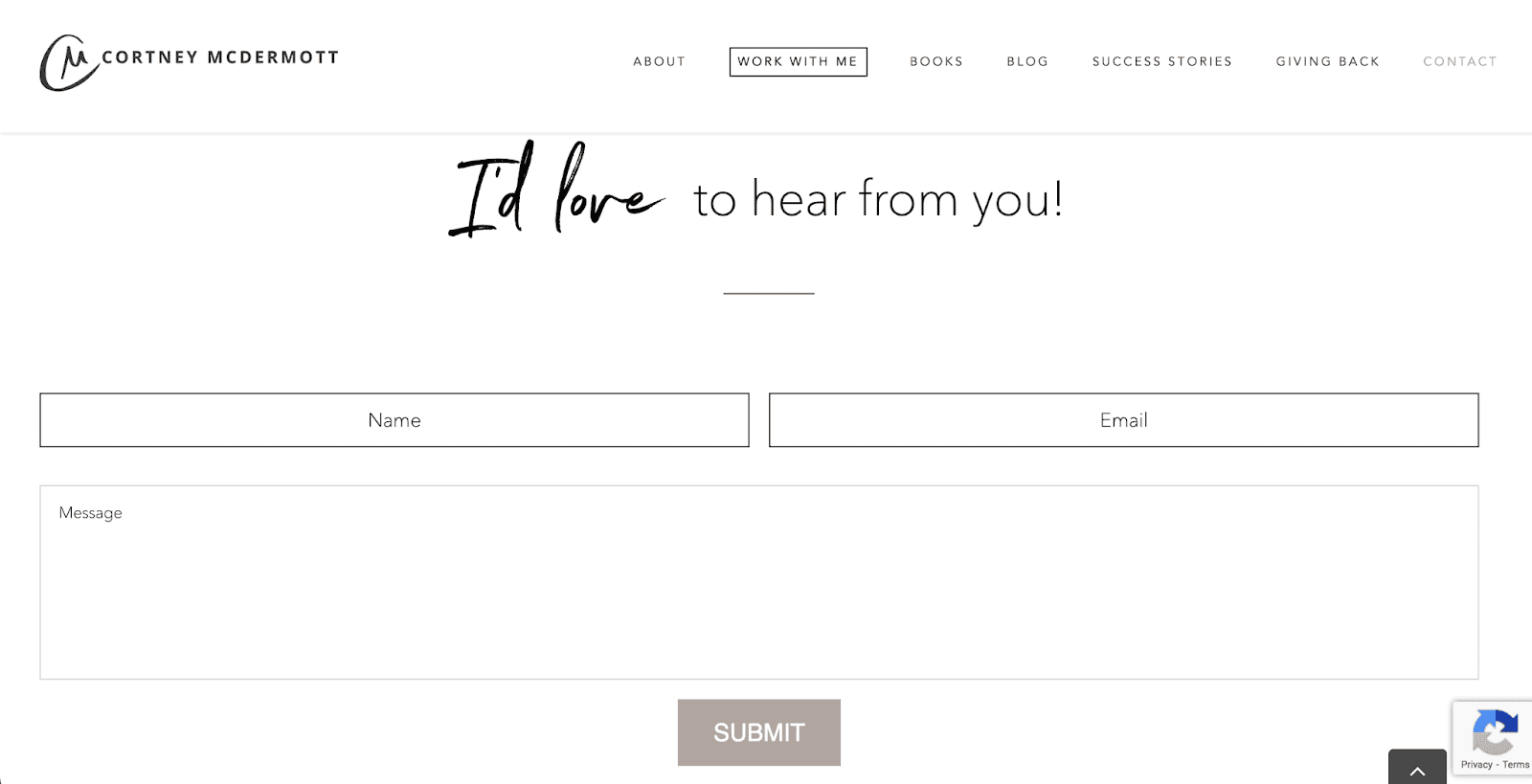
- Contact page: Include a contact form where clients can get in touch with you. This doesn’t just look more professional, but also prevents spammers from getting your email address. If you coach locally, you can also share the address of your office here.
- Booking page: Make it easy for clients to book discovery calls or online coaching sessions with you through an online calendar.
- Blog or free resources page: Sharing valuable content related to your expertise can help you attract more clients. Plus, search engines love it too.
- Client portal: Skip email threads and give coaching clients access to their assignments, contracts, past payments, and bookings in one place. If you run large memberships, you may also keep your membership platform on your website.
Again, you don’t need to create all of these as separate pages. FAQs and testimonials go on the home or services page. It’s also perfectly fine to repeat key sections across multiple pages or to organize everything into a one-pager website.
[ Read: How Coaches Can Build Their Website Without Coding ]
It usually makes sense to give sections their own page if the content is extensive and would disrupt the flow of other pages.
How to Create Coaching Pages with Paperbell
Paperbell is an all-in-one website and client management tool that helps you create a professional coaching site with all the essentials.

Your home page will feature your bio, coaching packages, testimonials, and FAQs. From there, clients can navigate to the pages of your packages or your calendar to schedule a discovery session.
Here’s how to set up your coaching pages with Paperbell step by step.
Step 1: Create a Paperbell account. Sign up (free with your first client) and set your preferences like your time zone and currency.
Step 2: Add packages. Go to Packages and Create new, then add your offers and programs. Choose the type (single session, package, group, or subscription), set the price, and add a short description. Each active package will get its own landing page.
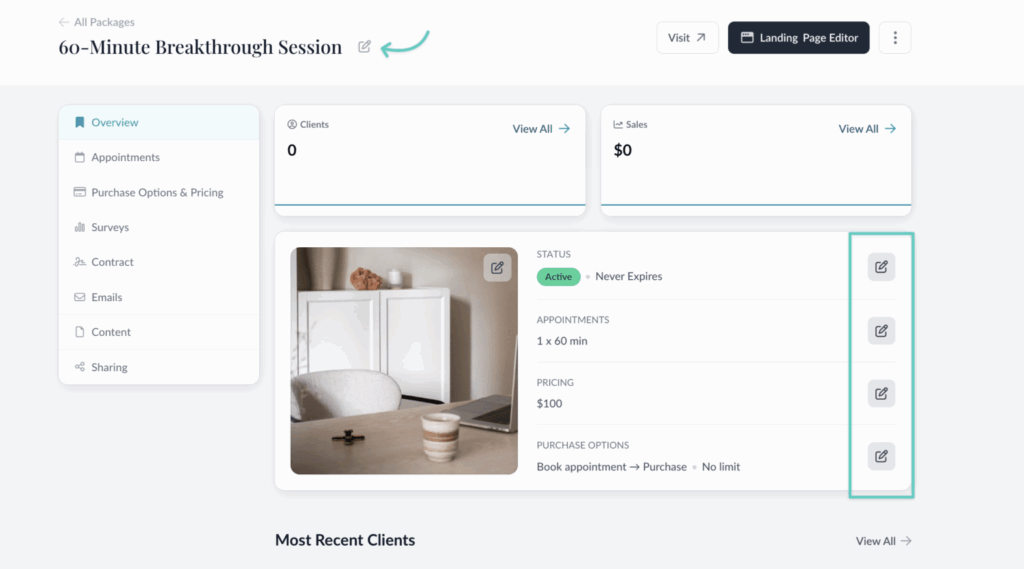
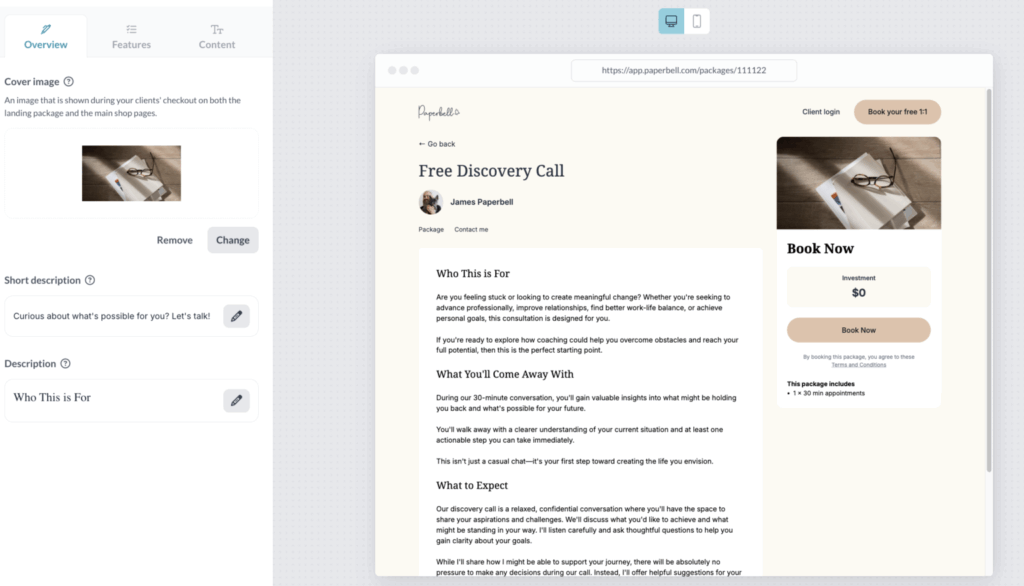
Step 3: Create pages for your packages. Go to the Landing Page Editor and customize the page of each offer with your package details and deliverables.
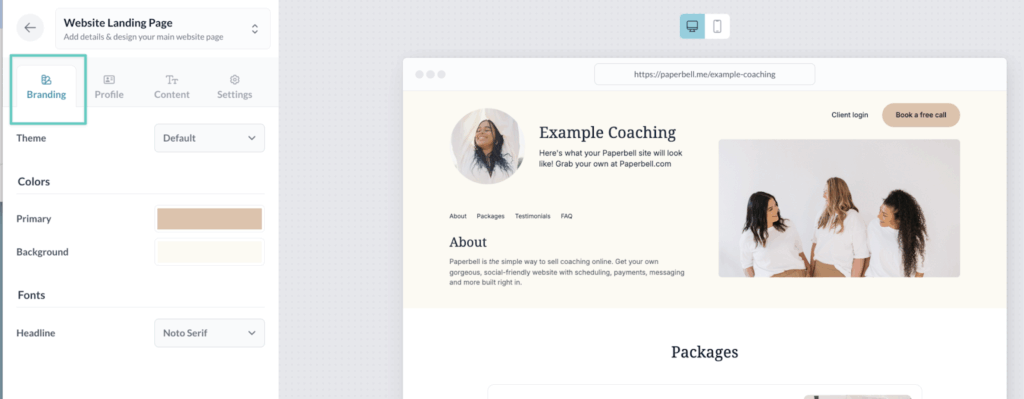
Step 4: Set up your main page. Go to Website Editor and customize your look with themes, colors, and fonts. Add your business name, tagline, bio, and photos.
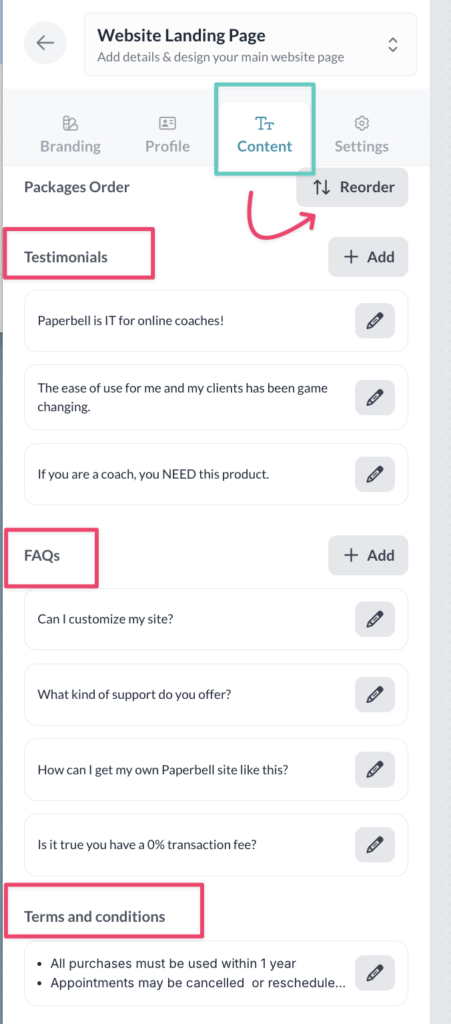
Step 5: Organize your website content. Reorder your packages and add testimonials, FAQs, or social media links to your site. You can also add an opt-in form to collect contacts for your email list.
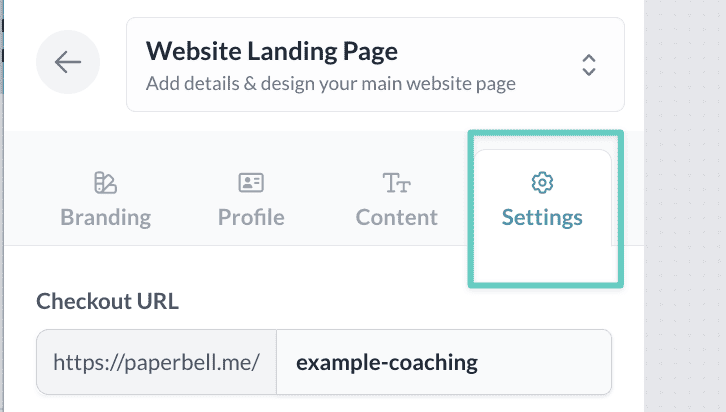
Step 6: Edit your site URL. In Settings, you can customize your Paperbell URL (paperbell.me/yourname) or point your existing domain to your Paperbell site.
That’s it! If you want to build a more complex website with more pages, a blog, or a membership platform, here are some site builders to try.
To connect it to your client management system, you can link it to your Paperbell packages and booking page.
Let’s look into how you can create that website, starting from your homepage.
Homepage: Your Essential Coaching Page
Your homepage is your first impression that lets visitors decide whether they want to explore further or click away.
[ Read: Website Launch Checklist: A Complete Guide for Coaches ]
Most home pages open with a hero section featuring a professional, high-quality photo, a tagline, and a call to action. Make sure these elements capture your brand essence and convey your niche, whether it’s executive coaching or health and fitness.

From there, your home page can lead to:
- A compelling introduction: Address your ideal client’s pain points and aspirations. Share how you, as a life coach, can help them achieve the transformation they’re looking for.

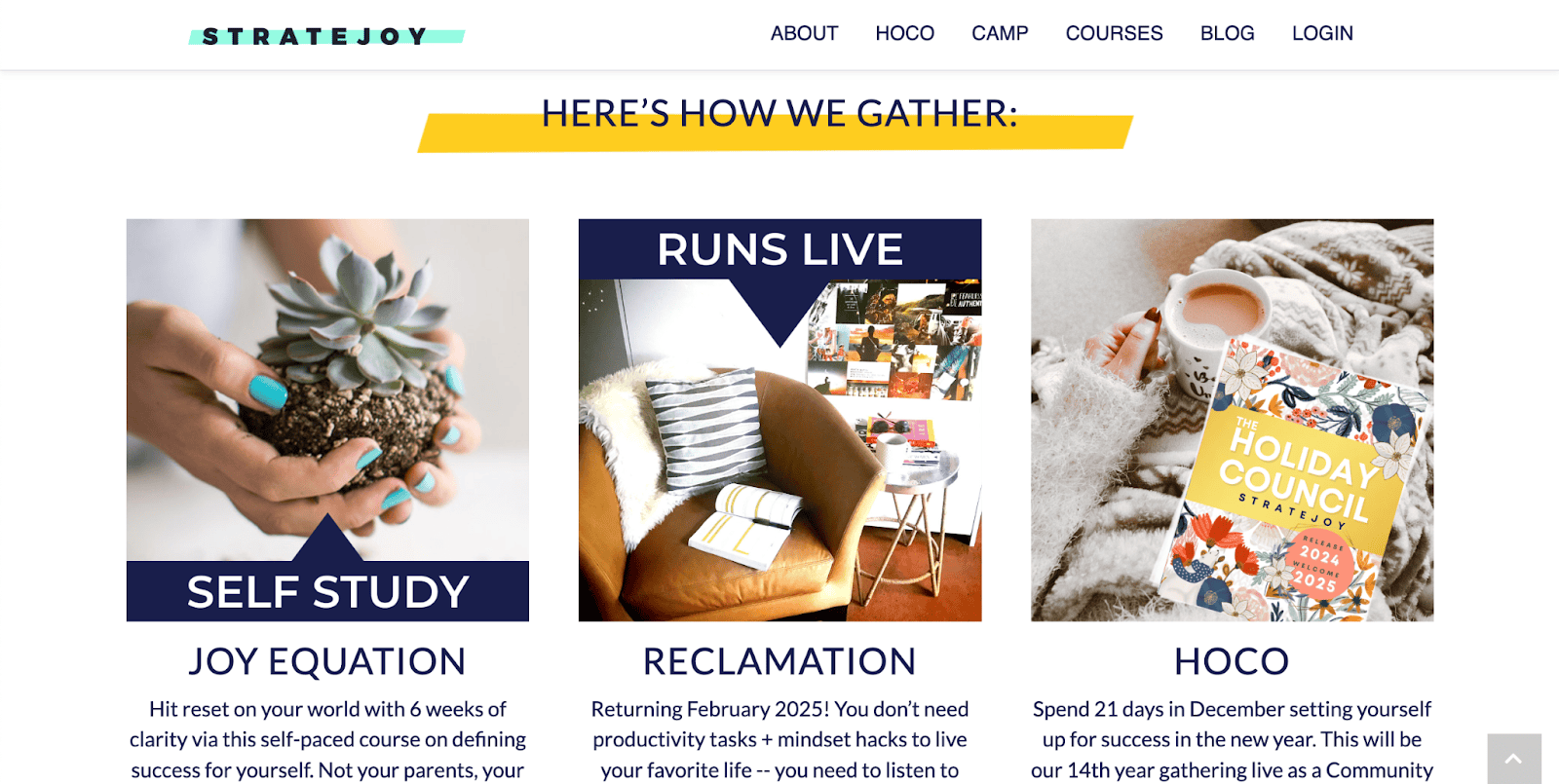
- An overview of your coaching services: Highlight your core coaching programs or packages, such as group or personal coaching. Focus on the results clients can expect, and link to your Services page for more details.
- Testimonials: Share one or two client testimonials that showcase real results. Positive feedback helps build trust and credibility quickly.

- A brief bio: Introduce who you are, what your expertise is, and what makes your coaching business unique. Link to your About page for more depth.
- Social proof: Feature any media appearances, partnerships, or major brands you’ve worked with.

It’s best to keep your main page skimmable with short headings, limited text, and visuals that support your message. Speak directly to your target audience and focus on the outcomes they want.
Your design, copy, visuals, and calls to action should create a customer journey that encourages leads to take the next step. Find more inspiration for your homepage in our article about the best life coaching websites.
Services Page
Your services, packages, or “Work with me” page is where potential clients discover how you can help them. Whether it’s spiritual, business, or health coaching, outline what’s included in your program from session format to coaching outcomes.
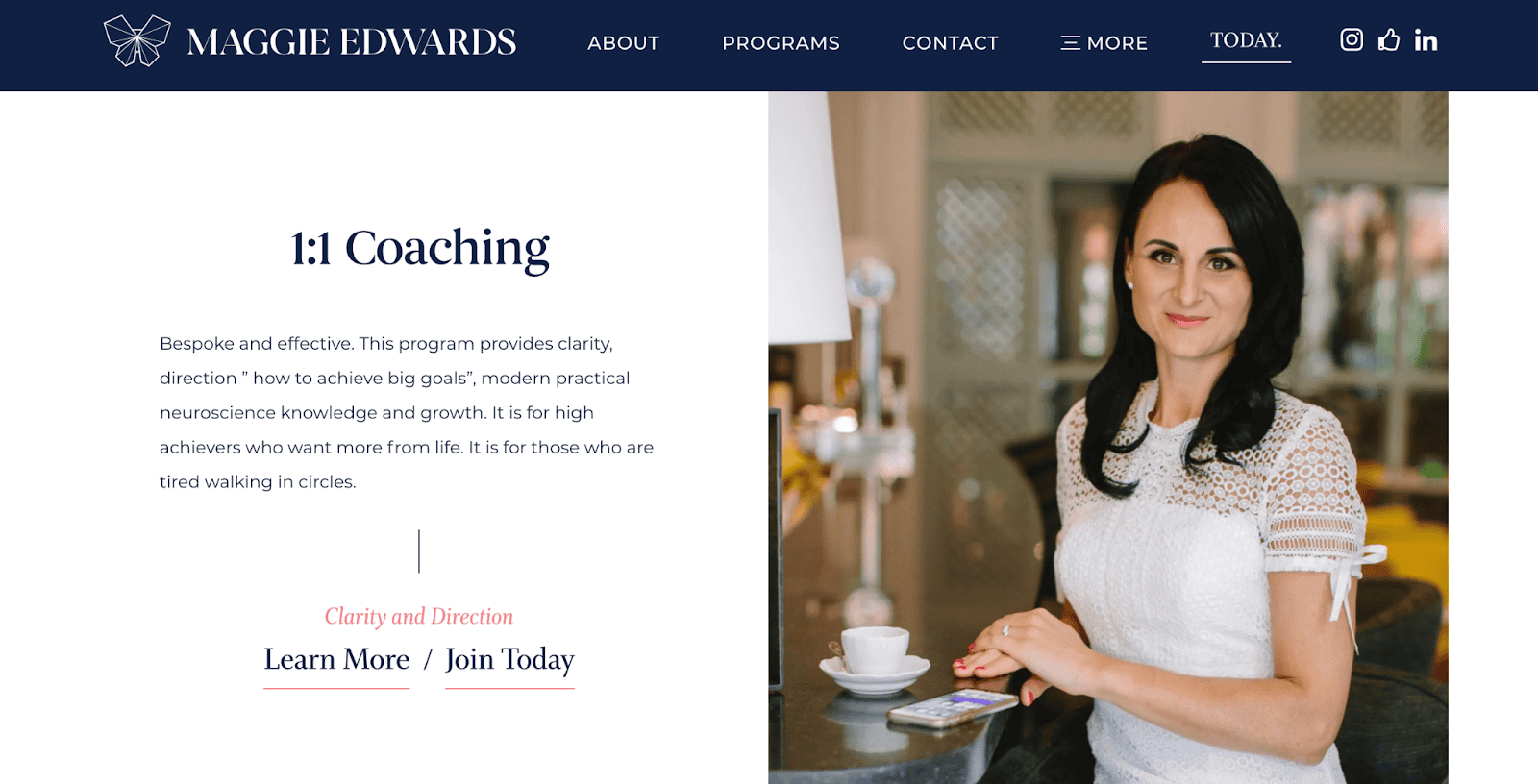
Your subpages may include more text, but make sure they still have space to breathe. Structure your services page in a way that allows clients to skim through your offers and find the best fit for them.
Alternatively, you can drive leads straight to a more detailed landing page about a single program. This can be hosted on a funnel platform and optimized more heavily for conversions.

About Page Elements
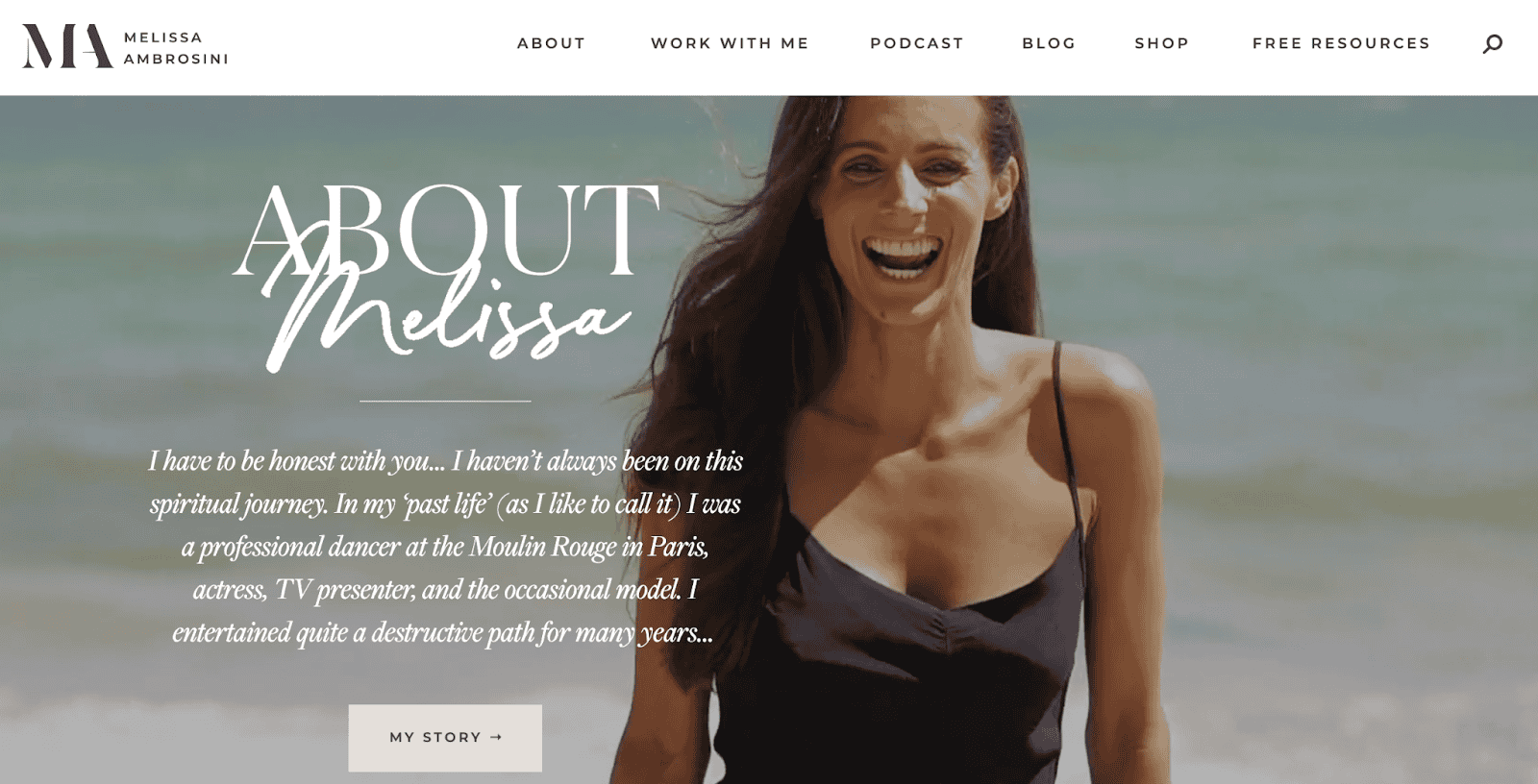
Your about page is where clients can get to know you and understand what makes your life coaching business unique. Share your story, expertise, and the values that guide your work, but keep it client-focused. Explain how your background and coaching style equip you to help them.

Include professional photos to make the page feel personal and approachable. You may share your origin story of what made you become a coach, your coaching philosophy, or how you found your mission.
Contact or Booking Page
Make it easy for new clients to get in touch with you through a simple contact form or calendar. Invite them to reach out and let them know if you require any specific information before they get on a call with you.
Blog or Resources Page
Creating content can position you as an expert in your coaching niche and give tangible value to clients, supporting their personal development. This could include blog posts, videos, podcasts, or guides.

It’s also the perfect place to feature lead magnets in exchange for an email address. These could be free, high-value resources like ebooks, worksheets, or mini-courses. You can incorporate these downloadables into your marketing to grow your email list and nurture relationships with potential clients over time.
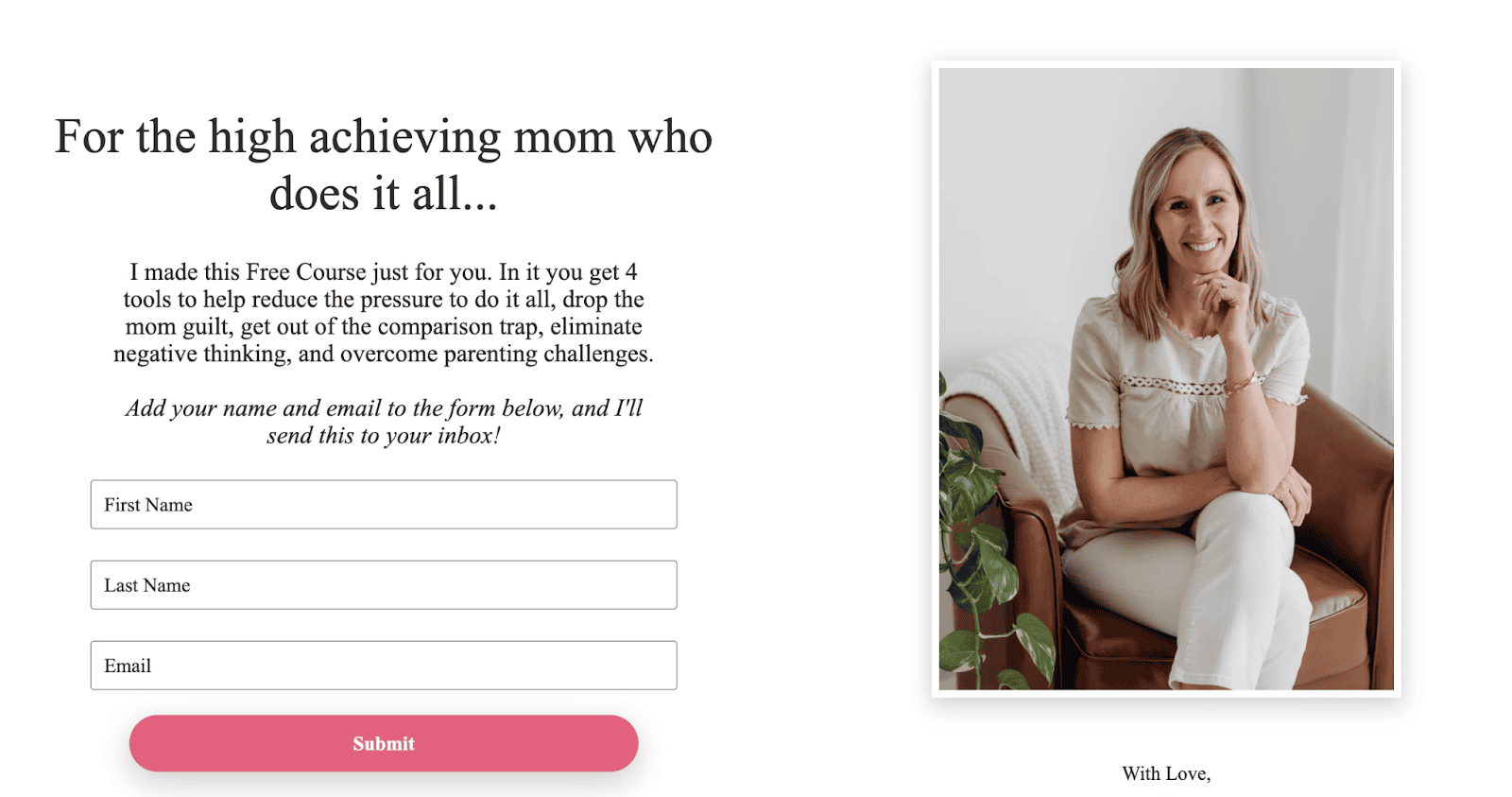
Focus on topics that address your audience’s pain points or answer common questions to give them quick wins, like how-to articles, actionable case studies, or checklists.
For example, if you are a health and fitness coach, you may share healthy recipes or offer a workout plan.
Regularly updated content not only demonstrates your expertise but also improves SEO and keeps your website visitors coming back for more.
Optional Pages for Life Coaching Websites
Here are some further pages you can consider adding to your coaching website:
- Press page: If you’ve been featured in the media, this page can showcase your press coverage, interviews, or guest appearances. It helps build credibility and authority.
- Speaking page: If you offer speaking engagements, you can describe your keynote topics, past and upcoming events, and how to book you.
- Events calendar: An events calendar shows upcoming workshops, webinars, or in-person events, encouraging your audience to join.
- Technical pages: Terms and conditions and privacy policy can protect your intellectual property and inform visitors on how their data is used. These are typically found in the footer.
The Most Effortless Way to Build a Coaching Website
Creating a coaching website doesn’t have to be overwhelming with the right tools and strategy. By including these essential pages, you can set up a professional online presence that emphasizes your value and builds trust.
Remember, Paperbell is here to simplify the process and help you create a professional coaching website with ease. From booking and payments to a client portal, Paperbell will handle your entire client management workflow.
Try out Paperbell for free today.

Editor’s Note: This post was originally published in December 2024 and has since been updated for accuracy.